(No.YD091)1-11
3.2 DVD Drive unit section
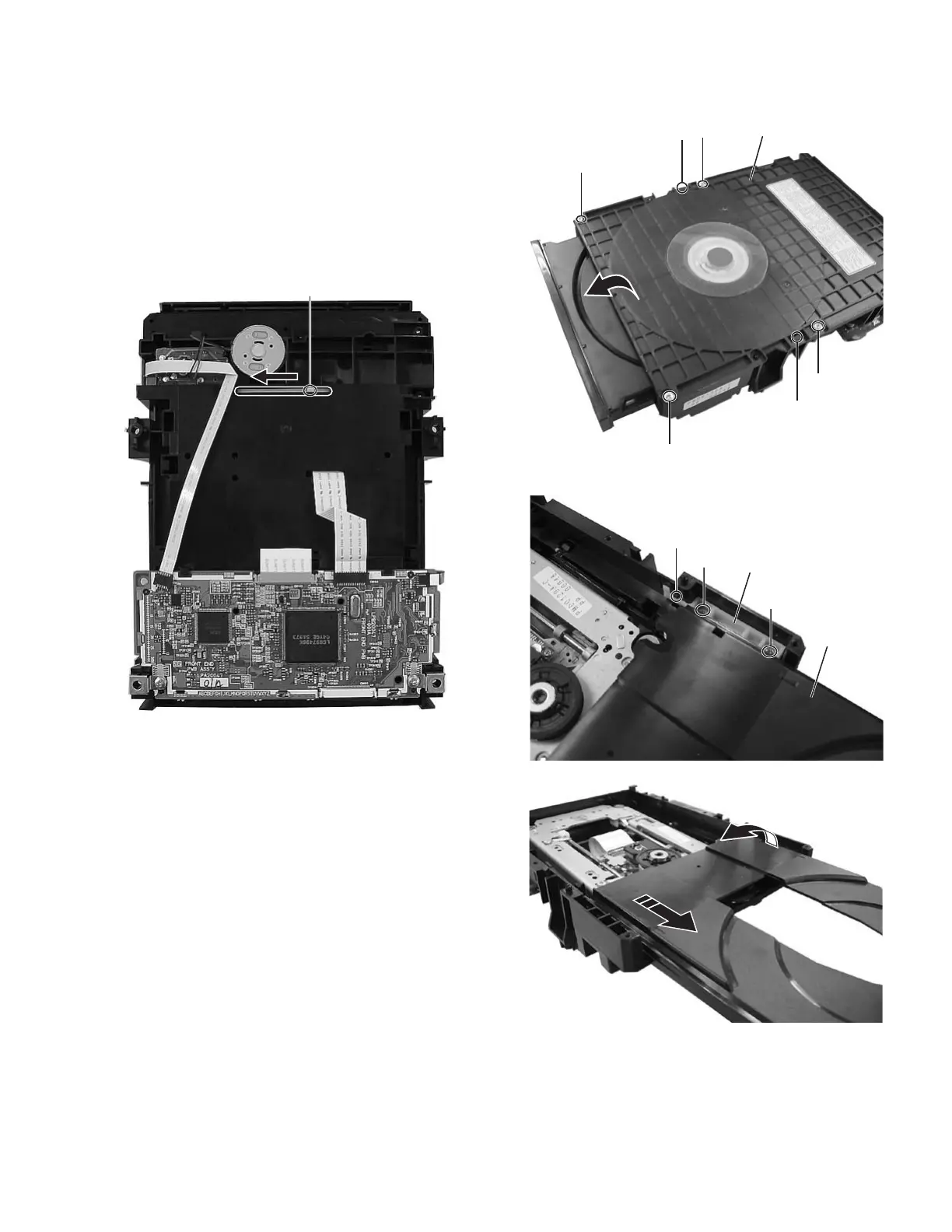
3.2.1 Remove the top cover and tray (See figure 1, figure2, figure3, figure4)
(1) The part a on the reverse side of a DVD drive unit is made
to slide in the direction of an arrow. (A tray ejects a few.)
(2) Remove the four screws A attaching the top cover.
(3) Hooks b are removed, and the top cover is removed.
(4) The tray is drawn out forward.
(5) Remove the two screws B attaching the shaft guide, and
hook c is removed.
(6) It draws it out while lifting the tray in the direction of the ar-
row.
Fig.1
Fig.2
Fig.3
Fig.4
Part a
A
A
A
A
Hook b
Hook b
Top cover
B
B
Hook c
Shaft guide
Tray



 To Next Page