The JVC TD-W217TN C/J and TD-W218BK A/B/E/EN/G/U/UT are double cassette decks designed for high-quality audio recording and playback. The only difference between the TD-W217 and TD-W218 models is cosmetic.
Function Description
These cassette decks feature a double cassette mechanism, allowing for recording and playback on deck B, and playback on deck A, both with a reverse head system for continuous listening. They incorporate a full logic mechanism for smooth and precise tape operation.
Key audio technologies include Dolby HX PRO headroom extension, which improves high-frequency saturation levels during recording without being a noise reduction system. The decks also feature Dolby B & C noise reduction systems to reduce tape hiss during recording and playback.
A notable feature is DDRP (Dynamics Detection Recording Processor) compatibility, which enables automatic optimum recording level setting when used with a suitable JVC CD player. This simplifies the recording process, eliminating the need for manual input level adjustment.
For user convenience, the decks include a 2-color FL peak level indicator for monitoring recording and playback levels, and digital tape counters for both deck A and deck B. They support synchro start (normal-/high-speed) dubbing, allowing for easy tape-to-tape copying. An auto tape select mechanism in both decks automatically detects the tape type (Metal, CrO2, Normal) and sets the appropriate bias and equalization.
The COMPU LINK-3 control system allows for integrated operation with other JVC components, enabling automatic power on/off and source selection.
Important Technical Specifications
Type: Double cassette deck
Track system: 4-track, 2-channel
Tape speed:
- Normal: 4.8 cm/sec (1-7/8 inch/sec)
- High: 9.5 cm/sec (3-3/4 inch/sec)
Frequency response (-20 dB recording):
- Type IV tape (Metal): 20 - 17,000 Hz (30 - 16,000 Hz ±3 dB)
- Type II tape (CrO2): 20 - 16,000 Hz (30 - 15,000 Hz ±3 dB)
- Type I tape (Normal): 20 - 16,000 Hz (30 - 15,000 Hz ±3 dB)
S/N ratio: 58 dB (S=315 Hz, k3=3%, N=A-weighted, Type IV tape). Improved by approximately 15 dB at 500 Hz and up to 20 dB at 1 kHz ~ 10 kHz with Dolby C NR, and by 5 dB at 1 kHz and up to 10 dB at above 5 kHz with Dolby B NR.
Improvement of MOL: 4 dB at 10 kHz with Dolby C NR.
Wow and flutter: 0.08% (WRMS), ±0.2% (DIN/IEC)
Channel separation: 40 dB (1 kHz)
Crosstalk: 60 dB (1 kHz)
Harmonic distortion: k3; 0.8% (Type IV tape, 315Hz, 0 VU)
Heads:
- Deck A: METAPERM head for playback x 1
- Deck B: METAPERM head for recording/playback, 2-gap ferrite head for erasure; Combination head x 1
Motors:
- Electric governed DC motor for capstan x 1
- DC motor for reel x 1
- DC motor for mechanism drive x 1
(For both decks A and B)
Fast forward/Rewind time: Approximately 110 sec. with C-60 cassette
Input terminals:
- LINE IN (x 1 circuit): Input sensitivity; 80 mV (0 VU), Input impedance; 50 kΩ
Output terminals:
- LINE OUT (x 1 circuit): Output level; 300 mV (0 VU), Output impedance; 5 kΩ
- PHONES x 1: Output level; 0.3 mW/8 Ω (0 VU), Matching impedance 8 Ω - 1 kΩ
Other terminals: COMPU LINK-3/SYNCHRO x 2
Power requirement:
- AC 240 V, 50 Hz (Australia)
- AC 230 V, 50 Hz (U.K.)
- AC 120 V, 60 Hz (U.S.A.)
- AC 230/127/110V, 50/60Hz (U/UT version)
Power consumption:
- With power switch on: 17 W
- With power switch standby: 4.0 W
Dimensions (W x H x D): 435 x 134 x 331 mm (17-3/16 x 5-5/16 x 13-1/16")
Weight: 4.8 kg (10.6 lbs.)
Usage Features
Installation:
- Avoid placing the unit near amplifiers or TVs to prevent hum or interference.
- Operate within ambient temperatures of 0°C (32°F) to 40°C (104°F) and avoid excessive humidity, dust, or vibrations.
- Allow 30 minutes for the unit to stabilize if moved from a cold to a warm place.
Cassette Tape Handling:
- Remove slack from tapes by winding with a pencil to prevent tangling.
- C-120 (120 minutes) or thinner tapes are not recommended due to potential characteristic deterioration.
- To prevent accidental erasure, remove the safety tab(s) with a screwdriver. Reseal with adhesive tape for re-recording.
- Avoid storing tapes near magnetic fields or high temperatures.
Auto Tape Select Mechanism:
- Automatically detects tape type (Metal, CrO2, Normal) based on detection holes in the cassette, setting appropriate bias and equalization.
- Older tapes without detection holes or ferrichrome tapes may not be compatible.
Recording (Deck B only):
- Ensure safety tabs on the cassette are intact for recording.
- Adjust recording level using the peak level indicator, aiming for "+0" to "+2" lights occasionally for optimal sound quality. Too low a level results in hiss, too high causes distortion.
- DDRP recording with compatible JVC CD players automatically sets the recording level.
Automatic Record Muting:
- Pressing and releasing the REC/REC MUTE button during recording creates a 4-5 second non-recorded section and then pauses.
- Holding the REC/REC MUTE button creates a non-recorded section for as long as it's held.
- The peak level indicator remains active during record muting, allowing precise resumption of recording.
Dubbing (Synchro Dubbing):
- Load a prerecorded tape in deck A and a blank tape in deck B.
- Select the desired reverse mode and press the SYNCHRO DUBBING button (NORM or HIGH SPEED) to start.
- Dubbing applies the same NR mode from the playback cassette to the recording cassette.
- Recording level is automatically matched to the playback tape during dubbing.
- Synchro record muting occurs if deck A stops or enters a mode other than playback during dubbing.
COMPU LINK Control System:
- Enables automatic operations between JVC components, such as power on/off and source selection, via COMPU LINK-3/SYNCHRO terminals.
- Synchronized recording with a CD player allows the cassette deck to start recording automatically when the CD player begins playback.
Maintenance Features
Cleaning:
- Regularly clean the heads, capstan, and pinch roller every 10 hours of use to prevent magnetic powder and dust accumulation, which can degrade tone quality, reduce output sound level, or impair recording/erasure.
- Use a cotton swab dipped in alcohol or a cleaning kit from an audio store. Ensure the cleaning fluid has completely dried before loading a cassette.
Demagnetizing:
- Magnetization of the heads due to prolonged use can cause noise and erase high frequencies on recorded tapes.
- Demagnetize heads and other metal parts that contact the tape every 20-30 hours of use with a head demagnetizer (available from audio stores).
Troubleshooting Guide:
- Provides solutions for common issues like cassette loading problems, tape not moving, no sound, poor sound quality, recording failures, incomplete erasure, and irregular tape speed. This includes checking tape winding, connections, MONITOR switch, VOLUME control, DOLBY NR switch, head cleanliness, and head magnetization.

 Need help?
 General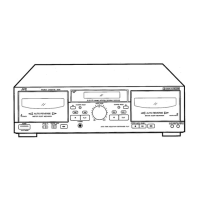

 To Next Page







