17
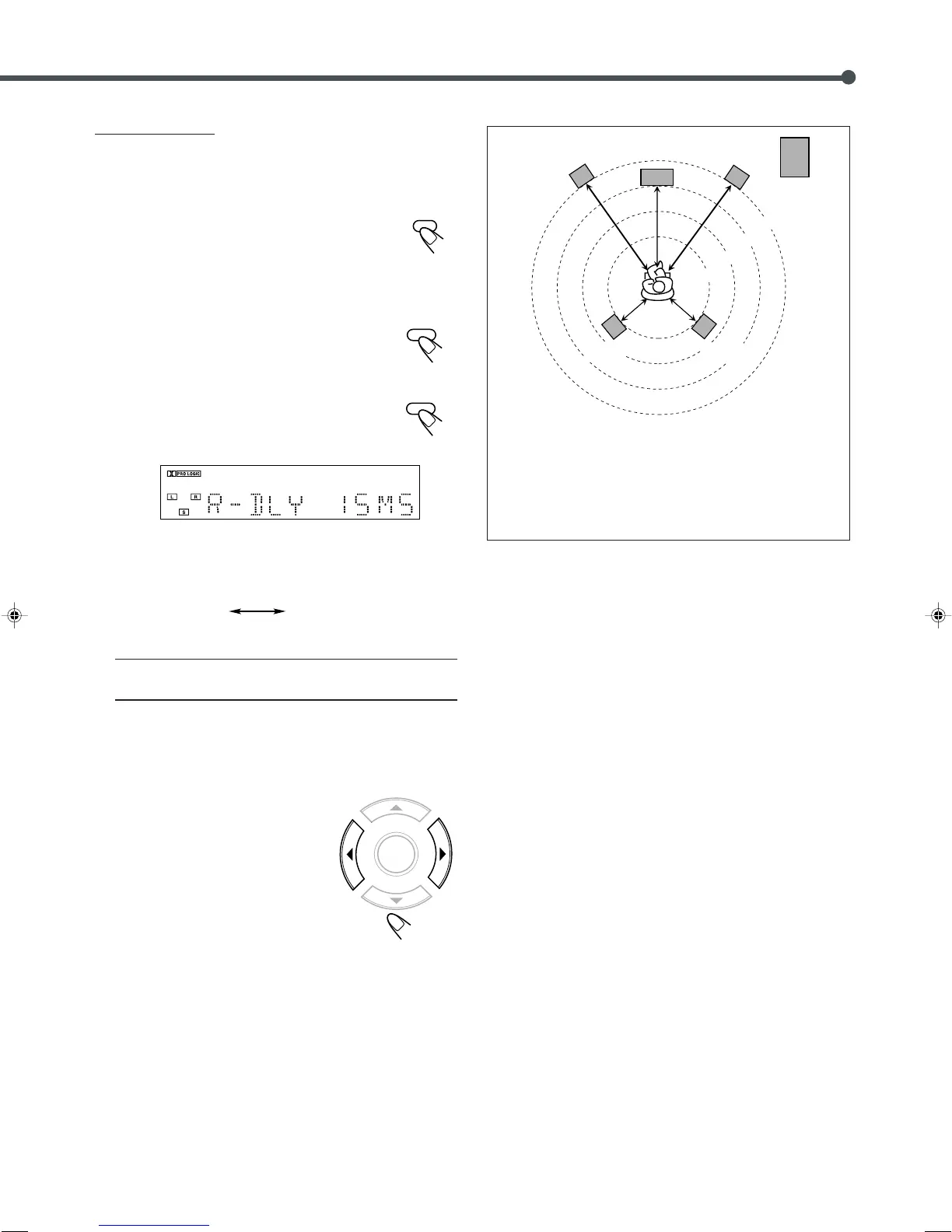
2.1 m
2.4 m
2.7 m
3.0 m
Left front
speaker
Right front
speaker
Subwoofer
Center speaker
Left rear
speaker
Right rear
speaker
Ex. : In this case, set C–DLY to “01 MS” and R–DLY to
“03 MS”
1 msec increase (or decrease) in delay time corresponds to
30 cm increase (or decrease) in distance.
For Dolby Pro Logic:
Before you start, remember...
There is a time limit in doing the following steps. If the setting is
canceled before you finish, start from step
1
again.
1
Press AUX to select the external
component as the source.
2
Start playing a source encoded with Dolby
Surround.
3
Press PRO LOGIC repeatedly on the
remote control to select Dolby Pro
Logic.
4
Press SETTING repeatedly until one of
delay time indications (with the current
setting*) appears on the display.
• Each time you press the button, the indication in the main
display changes as follows:
R–DLY (Rear delay) : To register delay time for rear
speakers—from 15 msec to 30 msec.
* The initial setting for the rear speakers is “15 MS.”
If you have already changed the setting, a different value will
be shown.
5
Press 3 or 2 to adjust delay
time.
• 3 : Increases delay time.
• 2 : Decreases delay time.
• 1 msec increase (or decrease) in delay
time corresponds to 30 cm increase (or
decrease) in distance.
R–DLY
Normal indication
(canceled)
EN10-17TH-A30R[B]ff.pm6 02.7.2, 9:49 PM17



 To Next Page