33
DVD Special Effect Playback
7 Still Picture/Frame-by-Frame Playback
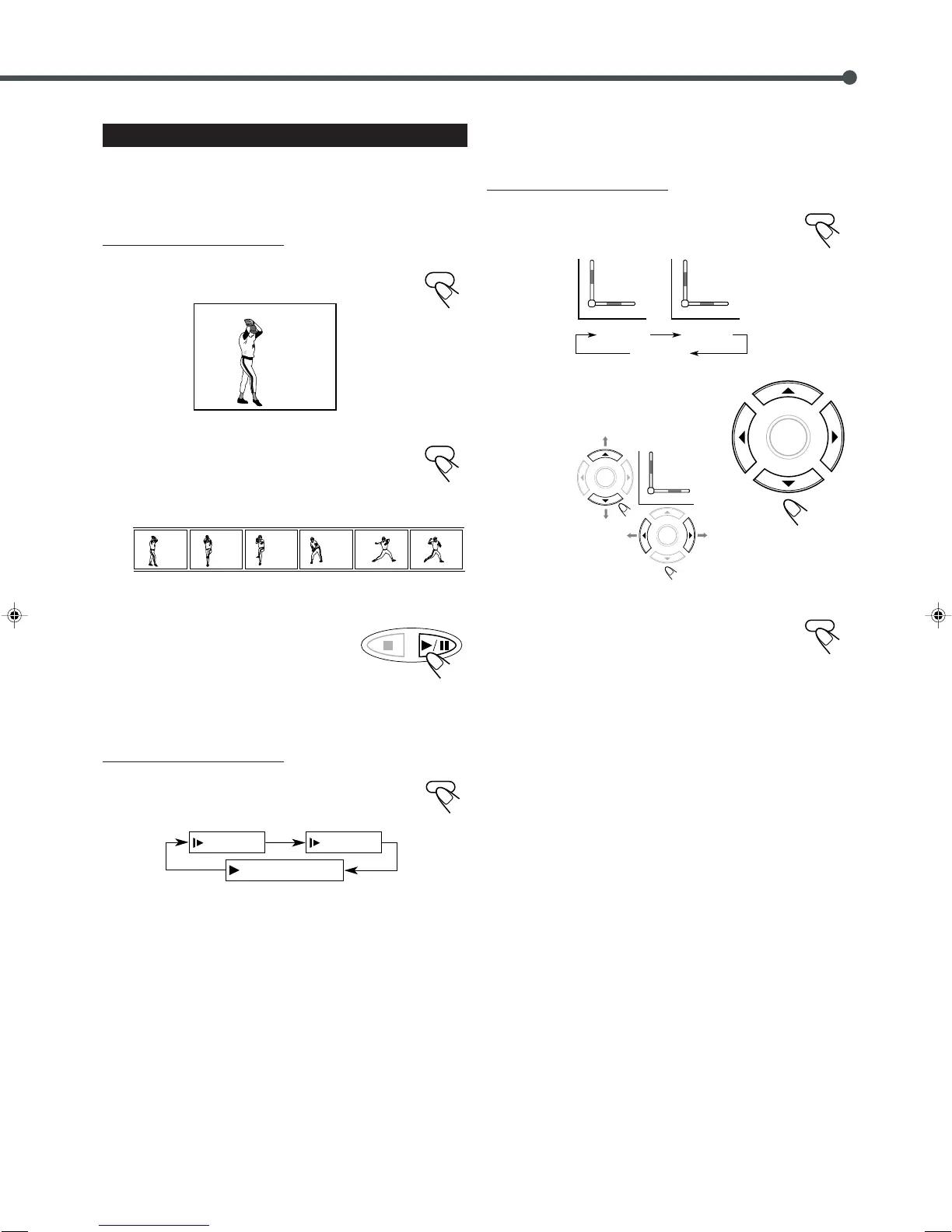
You can advance the still picture frame by frame while playing a
DVD.
From the remote control ONLY:
1
Press STEP once during playback.
A still picture appears on the TV screen.
2
Press STEP repeatedly to advance the
picture frame by frame.
• Each time you press the button, the picture advances
frame by frame.
To resume normal play
Press 3/8.
7 Slow Motion Playback
You can enjoy slow motion playback while playing a DVD.
From the remote control ONLY:
Press SLOW repeatedly during playback or pause.
• Each time you press the button, slow motion speed
changes as follows:
7 Zoom
You can zoom in on the picture while playing back a DVD.
From the remote control ONLY:
1
Press ZOOM to zoom in.
• Each time you press the button, the picture is
enlarged as follows:
2
Press 3/2/5/∞ to move the
enlarged portion you want to
watch.
To cancel the ZOOM
Press ZOOM repeatedly until the normal size picture is
resumed.
SLOW /
PLAY
(Normal play)
1
2
SLOW /
1
4
EN25-33TH-A30R[B]ff.pm6 02.7.2, 9:50 PM33



 To Next Page