EasyManua.ls Logo

JVC XS-N4211PBA - User Manual

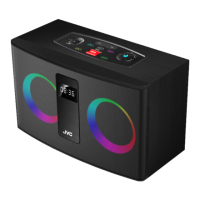
JVC XS-N4211PBA
5 pages
Print Icon
To Next Page IconTo Next Page
Loading...
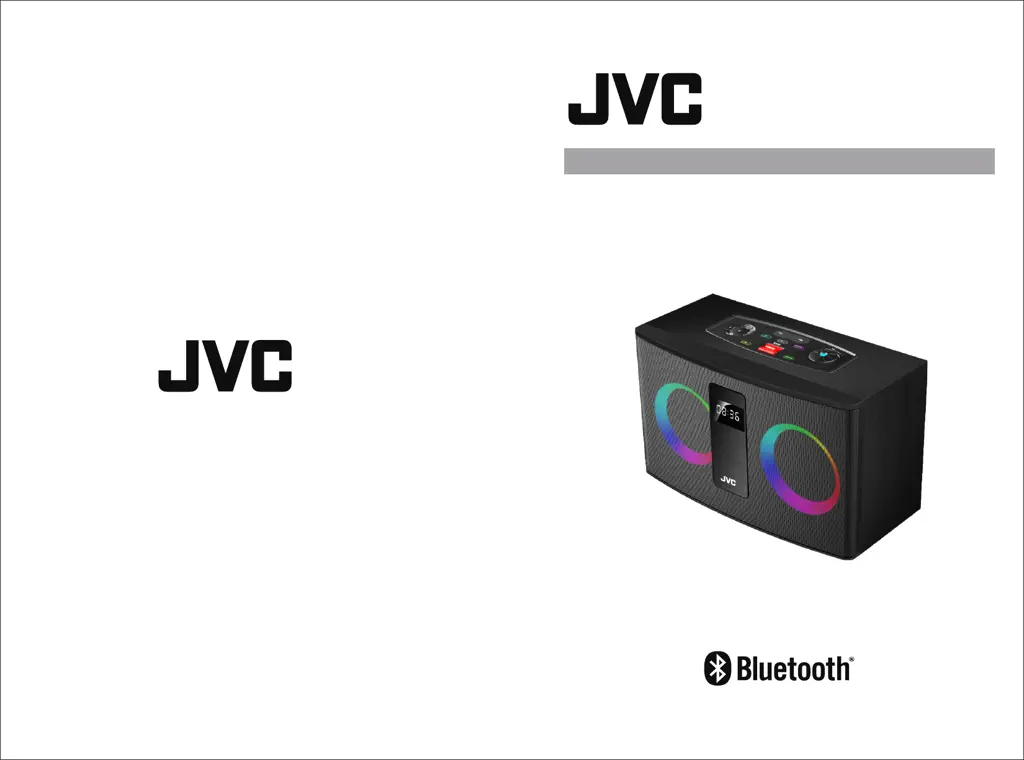
2.0 Ch Multimedia Speaker
XS-N4211PBA
Register your product at jvctv.com.au/warranty-registration

Questions and Answers

  • J
    Jennifer Gonzalez DVMAug 2, 2025
    Why is there no sound coming from my JVC XS-N4211PBA Speakers?
    • O
      ogonzalezAug 2, 2025
      If you're experiencing no sound or poor sound quality from your JVC Speakers, first, inspect the function and adjust the volume. Also, check to ensure that the speaker is not muted.
  • M
    Michele PerkinsAug 6, 2025
    What to do if my JVC Speakers have no power?
    • A
      arellanoelizabethAug 7, 2025
      If your JVC Speakers have no power, ensure that the AC power plug is properly connected. Also, verify that there is power at the AC outlet.
  • S
    Sara MitchellAug 10, 2025
    What to do if my JVC Speakers remote control does not work?
    • C
      courtneymoralesAug 11, 2025
      If the remote control for your JVC Speakers isn't working, ensure that the correct source is selected. Also, use the remote within its operational range, ensuring there are no obstructions between the remote and the unit. Replace the batteries, making sure to align them with the correct polarities as marked. Finally, aim the remote directly at the receiver on the display screen.
  • L
    Luis ParkerAug 15, 2025
    How to fix JVC XS-N4211PBA when Bluetooth can not search or connect?
    • J
      jwilcoxAug 15, 2025
      If your JVC Speakers are having trouble with Bluetooth search or connection, try disconnecting other Bluetooth devices connected to your phone and then try searching and connecting again. You can also try turning the speaker off and then on again, switching to Bluetooth mode. Another solution is to turn Bluetooth off and then on again on your external device.
  • J
    Joan AlexanderAug 19, 2025
    Why is the music intermittent in Bluetooth mode on my JVC XS-N4211PBA Speakers?
    • D
      danielle54Sep 12, 2025
      If you're experiencing intermittent music playback in Bluetooth mode on your JVC Speakers, check whether you've exceeded the effective connection distance or if there are any obstacles between the speaker and your Bluetooth device.
  • A
    Anthony CarrollAug 25, 2025
    What to do if FM channels are not working properly on JVC XS-N4211PBA Speakers?
    • S
      Samuel AdamsAug 25, 2025
      If the FM channels aren't working correctly on your JVC Speakers, plug the provided Aux cable into the AUX port to act as an FM antenna, leaving the other end free. You might also try tuning into different channels to determine if the issue is isolated to specific frequencies. Additionally, try relocating the speaker to a different position or room to improve reception.
  • S
    strongangelaAug 27, 2025
    What to do if my JVC XS-N4211PBA Speakers fail to play USB files?
    • J
      Jeffrey HillAug 27, 2025
      If your JVC Speakers are failing to play USB files, the file formats may not be supported, as only mp3 files can be played. Additionally, the USB device might be incompatible with the speaker, or the USB drive could be damaged.

Summary

Introduction

Safety Warning

General safety guidelines and warnings for operating the JVC XS-N4211PBA speaker.

Remote Control Description

Details and numbering of buttons on the provided remote control for the speaker.

Precautions

Operational Precautions

Safety measures and best practices for using and maintaining the speaker, including cleaning and placement.

System Connection

Connection Diagram and Ports

Visual guide illustrating how to connect the JVC XS-N4211PBA speaker to power and other devices.

Panel Instruction

Speaker Unit Buttons

Explanation of the functions for each button located on the speaker's control panel.

Bluetooth Operation

Bluetooth Pairing and Connectivity

Step-by-step instructions for pairing and connecting external devices using Bluetooth.

FM Radio Operation

FM Radio Setup and Tuning

Guide on tuning into and using the FM radio function, including antenna setup.

Troubleshooting

Common Issues and Solutions

Provides solutions for common problems like no power, no sound, and connectivity issues.

Responsible Disposal

Product Disposal Guidelines

Instructions for environmentally responsible disposal of the JVC XS-N4211PBA speaker at end-of-life.

JVC XS-N4211PBA Specifications

General IconGeneral
BrandJVC
ModelXS-N4211PBA
CategorySpeakers
LanguageEnglish

Related product manuals