EasyManua.ls Logo

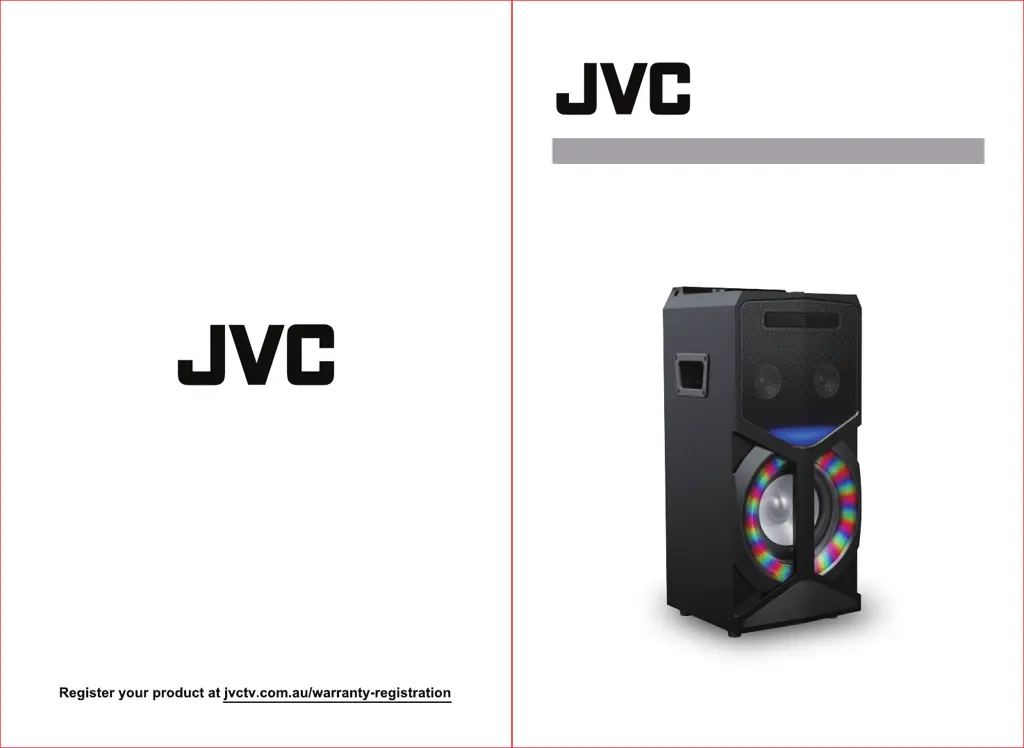
JVC XS-N5320PBA - User Manual

JVC XS-N5320PBA
13 pages
Print Icon
To Next Page IconTo Next Page
Loading...
User Manual
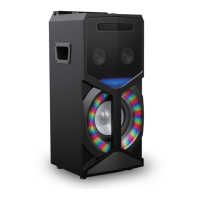
DVD SPEAKER SYSTEM WITH BLUETOOTH
XS-N5320PBA

Questions and Answers

  • D
    davidfranklinAug 12, 2025
    How to fix JVC Speakers not turning on?
    • D
      Debbie AcostaAug 12, 2025
      If your JVC Speakers are not turning on, verify that the power cord is securely connected to a working power outlet and that the outlet is switched on. Also, check that the ON/OFF switch located on the rear of the unit is in the ON position.
  • P
    Paige LamAug 15, 2025
    Why is there no sound from my JVC Speakers?
    • R
      Rose BowenAug 15, 2025
      If there is no sound from your JVC Speakers, check that the audio cables are correctly connected and that you have selected the appropriate mode.
  • K
    Kathryn TaylorAug 19, 2025
    How to restart JVC Speakers?
    • S
      Stephen Edwards MDAug 19, 2025
      If your JVC Speakers are not working properly, try turning off the unit and restarting it after a few seconds.
  • R
    Robert Payne DDSAug 23, 2025
    What to do if JVC Speakers remote control doesn't work?
    • C
      Crystal CoxAug 23, 2025
      If the JVC Speakers remote control isn't working, first, ensure there are no obstructions between the remote and the device. Then, aim the remote at the IR receiver located on the front panel, near the disc door. If it still fails, try replacing the batteries in the remote.
  • R
    rblanchardAug 27, 2025
    What to do if JVC XS-N5320PBA have no image?
    • W
      wheelerkristinaAug 27, 2025
      If there is no image on your JVC Speakers, make sure the player is correctly connected to the TV and that the TV is functioning properly. Adjust the video mode setting on the TV until the image displays correctly. Also, verify the player is properly connected to any other equipment.
  • N
    Nathan ParkerAug 31, 2025
    What to do if JVC XS-N5320PBA can't play the disk?
    • M
      molly59Aug 31, 2025
      If your JVC Speakers can’t play the disc, first ensure that the disc is properly inserted. If the problem persists, try cleaning the disc.
  • M
    morrisralphSep 3, 2025
    How to improve poor image quality on JVC XS-N5320PBA Speakers?
    • D
      dustin24Sep 3, 2025
      If the image quality on your JVC Speakers is poor, check if the disc is dirty or scratched. If it is, clean the disc or replace it. You can also try turning off the unit and restarting it after a few seconds.
  • B
    Brenda HodgesSep 7, 2025
    Why JVC XS-N5320PBA can't play files from USB?
    • P
      Penny HoSep 7, 2025
      If your JVC Speakers can't play files from USB, ensure that the file is in a compatible format, such as jpeg, avi, wma, or mp3. Also, remove any disc from the disc tray, as USB files can only be played when the tray is empty.

Summary

Safety Information and Maintenance

Disc Protection

Guidance on cleaning discs and protecting the player from moisture, dust, and high temperatures to prevent damage.

Operating Environment and Interference

Operating Environment

Avoid operating the system in environments with heat sources, high humidity, dirt, or direct sunshine.

System Connection and Accessories

System Connection

Instructions for connecting the system to a TV via HDMI or AV cables, with important notes on cable connection.

Product Overview

Top Panel Controls

Details of controls and ports located on the top panel of the unit.

Remote Control Function Keys

Overview of Equipment Operation

Playing a Disc

Automatic playback initiation upon disc loading, handling DVD, VCD, and CD formats.

Basic Playback Controls

Preparation steps and basic controls like PLAY/PAUSE, PREV/NEXT, REV/FWD, and STOP.

Advanced Functions and Controls

Source Selection

Switching between different input sources like Bluetooth, DVD, USB, AUX, and FM.

System Setup Configuration

TV System Settings

Selecting TV system standards (NTSC, PAL, AUTO) based on TV hardware.

Video Output Settings

Configuring video output resolution (576P, 720P, 1080I, 1080P) for HDMI mode.

TV Type and Screen Format

Selecting TV type and screen format (4:3, 16:9) for optimal picture display.

Language Setup (OSD)

Selecting the language for on-screen display and setup menus.

Audio Language Selection

Choosing the preferred audio (dubbing) language for playback.

Image and Audio Setup

Video Setup (Brightness, Contrast, Hue, Saturation, Sharpness)

Adjusting video image quality parameters like brightness, contrast, hue, saturation, and sharpness.

Speaker Setup (Downmix, Subwoofer, Delay)

Configuring speaker settings for home theatre, including downmix and delay options.

CD Ripping and USB Copying

CD Taking-In (Ripping)

Steps for ripping audio tracks from a CD to a USB device, including speed and bitrate options.

Copying MP3 to USB

Process for copying MP3 files from a disc to a USB device via the unit's interface.

Connectivity and Troubleshooting

Operating Instructions of Bluetooth

Steps for switching to Bluetooth mode and pairing the device (BT name XS-N5320).

Troubleshooting Common Issues

Solutions for common problems like no power, no image, no sound, remote control issues, and connectivity problems.

Specifications

JVC XS-N5320PBA Specifications

Power IconPower
power supplyAC 110-240V 50/60Hz
Audio IconAudio
channel separation>40dB
distortion rate0.7%
audio S/N>80dB
DVD IconDVD
frequency response range20Hz-20KHz (+/-3dB)
audio output (analog)1.0-2.0v
audio output (digital)0.5vp-p
Video IconVideo
video output1.0vp-p
YUV output0.7vp-p
Tuner IconTuner
FM frequency range87.5-108MHz
Microphone IconMicrophone
output power15W*2+30W
bass14dB~+14dB
treble14dB~+14dB

Related product manuals