25
7 When a disc is played back
1 Slide the remote control
mode selector to DVD.
2 Press ONE TOUCH REPLAY.
NOTE
• This operation may not be used for some discs.
• You cannot go back to the previous title.
7 When a disc is paused
1 Slide the remote control
mode selector to DVD.
2 Press SLOW or SLOW .
• Each time you press the button, the speed
increases.
• Press 8 to pause playback, and press
3
(play)
to return to normal playback.
NOTE
• No sound will be produced.
• The picture motion in the reverse direction may not
be smooth.
• For a VCD, SVCD or DVD VR, slow motion
playback can be used in the forward direction only.
7 When a disc is played back
1 Slide the remote control
mode selector to DVD.
2 Press PREVIOUS 4 or NEXT
¢.
• Each time you press the button, the
playback position skips to the beginning of
the previous or next chapter/track/file.
• Press PREVIOUS 4
once to skip back to
the beginning of the chapter or track
currently being played back (except for a
JPEG disc).
•Press GROUP/TITLE or to select the
title or group.
• During playback of an MP3/WMA/JPEG/
ASF/DivX disc, press NEXT ¢ or /
(cursor) to play back the next file, or press
PREVIOUS 4
or 5 (cursor) to play back
the previous file.
NOTE
•
You can use this function
while the disc is stopped
except for a DVD VIDEO. You can use 5 or /
(cursor) to skip to the beginning of a track while you
are viewing the TV screen.
•
You cannot use this function
for some discs.
Playing back from a
position 10 seconds before
(One touch replay)
Slow motion playback
(only for moving image)
Skipping to the
beginning of a chapter/
track/file
(PBC off)
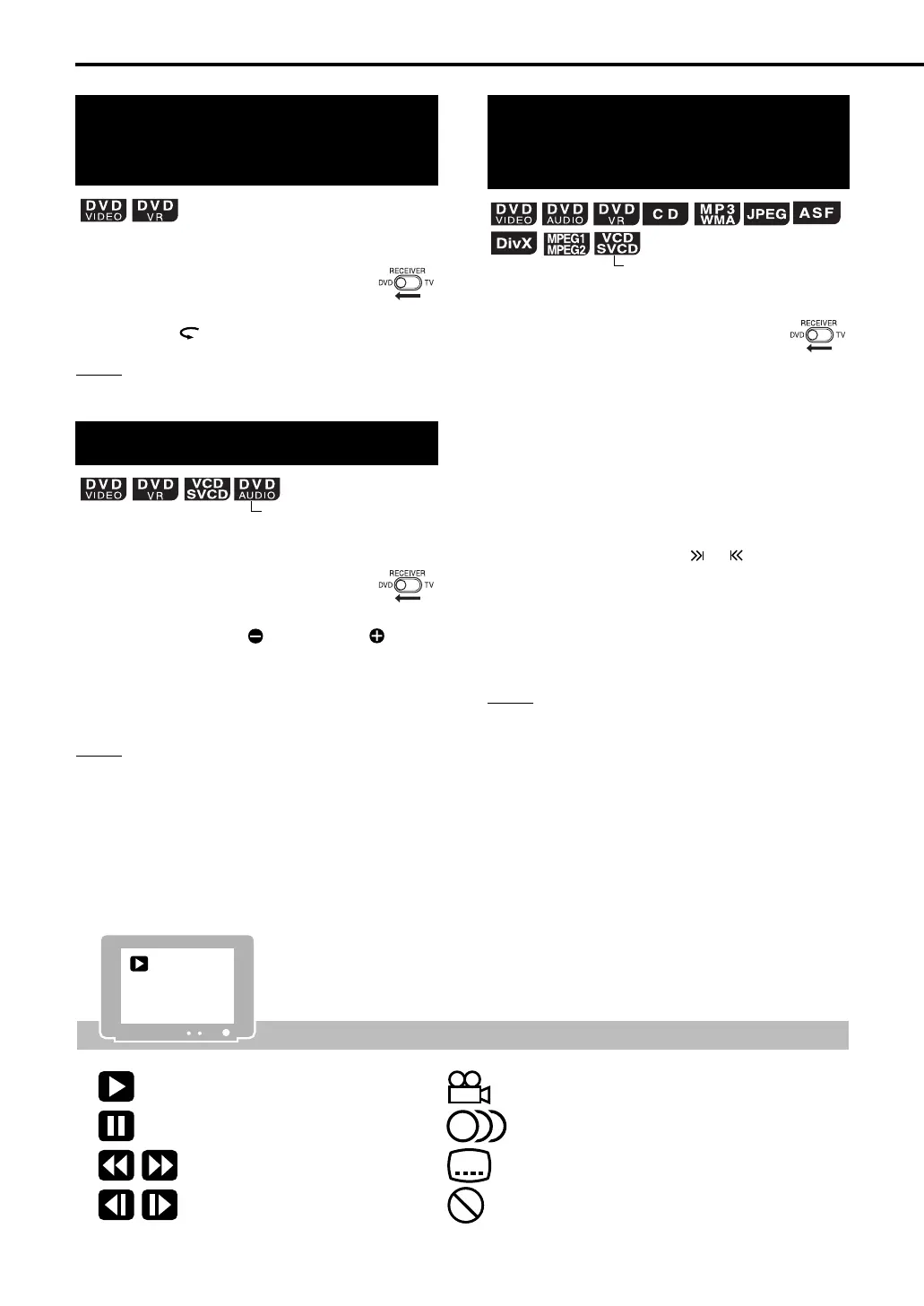
Containing multi-view angles
(A page 33)
Containing multi-audio languages
(A page 32)
Containing multi-subtitle languages
(A page 32)
The disc cannot accept the operation you
have attempted.
Guide icons displayed on the TV screen (on-screen guide)
Play
Pause
Fast reverse/fast forward search
Slow motion playback (reverse/
forward directions)
Basic operations of the DVD player (continued)
EXA10[J_C_UJ]-04.fm Page 25 Tuesday, October 4, 2005 11:04 AM



 To Next Page