14
Preparation/Basic operations
•
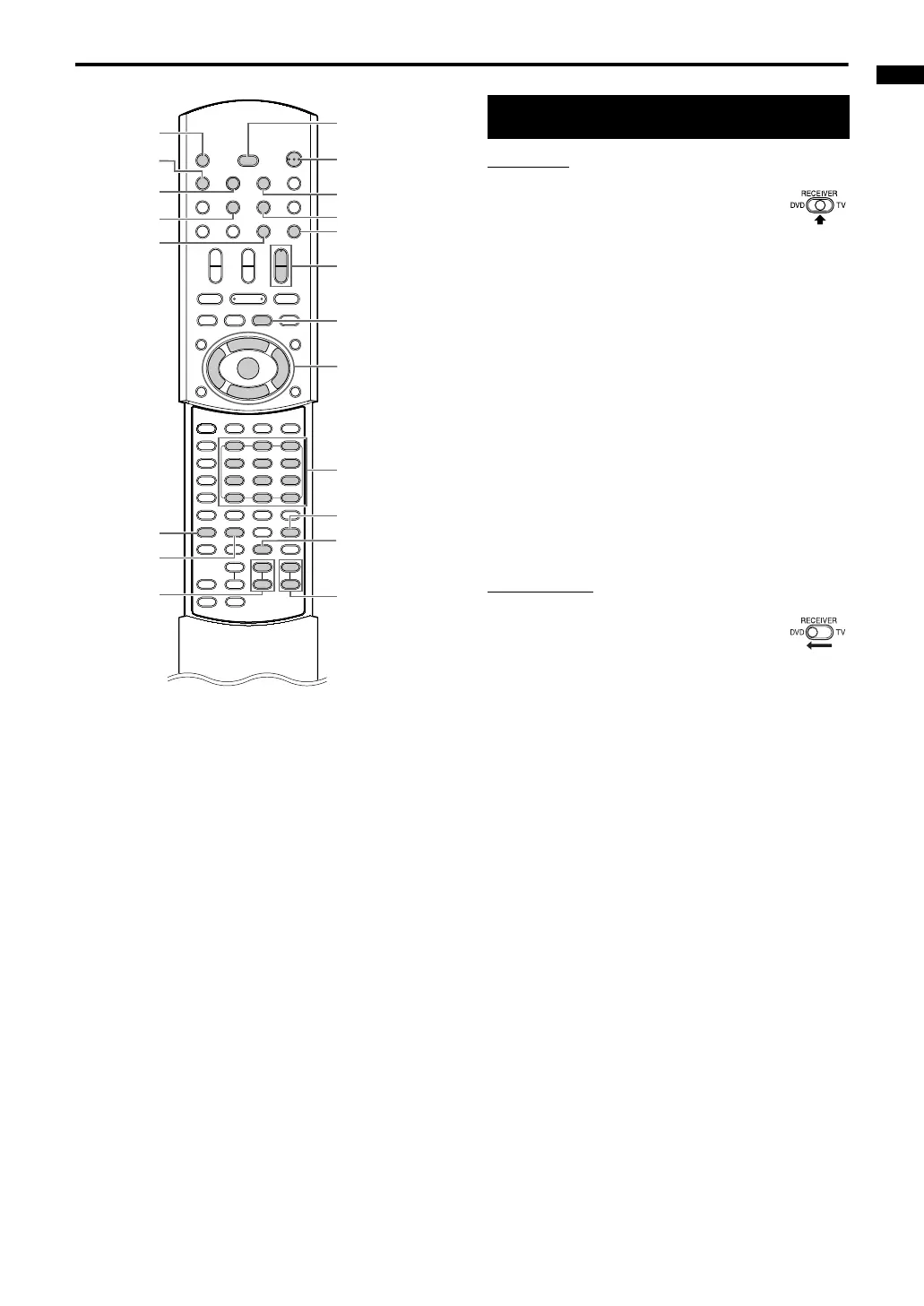
1 Slide the remote control
mode selector to
RECEIVER.
2 Press F AUDIO (or F on the
receiver).
• The power of the receiver will turn on and
the STANDBY lamp on the receiver will turn
off.
• Press
F
AUDIO again to turn off the
power of the receiver.
• With the power off, pressing any of the
following buttons also turns on the receiver.
- DVD, FM/AM or AUX on the remote
control
-
3/8 on the DVD player
The function assigned to the button starts
working at the same time.
1 Slide the remote control
mode selector to DVD.
2 Press
F
DVD (or
F
on the DVD
player).
• The power of the DVD player will turn on
and the STANDBY lamp on the DVD player
will turn off.
• Press
F
DVD again to turn off the power
of the DVD player.
• With the power off, pressing any of the
following buttons also turns on the DVD
player.
- DVD or
0 OPEN/CLOSE on the remote
control
-
0 or 3/8 on the DVD player
The function assigned to the button starts
working at the same time.
(When you press DVD on the remote
control or
3/8 on the DVD player, if a disc
has been loaded, playback starts
automatically.)
DISPLAY
0 OPEN/
CLOSE
FM/AM
CC
CONVERTER
CLOCK/
TIMER
BASS
+/ –
F
AUDIO
F
DVD
AUX
MUTING
AUDIO
VOLUME +/ –
5///2/3
(cursor)/
ENTER
Number
buttons
CANCEL
BASS
ADJUST
TREBLE
+/ –
SET
8
DIMMER
Turning on/off the system
DVD player
Receiver
Basic operations
Basic operations
Remote control
mode selector
EXA10[B]-02.fm Page 14 Wednesday, August 24, 2005 3:56 PM



 To Next Page