Preliminary knowledge
6
Preliminary
knowledge
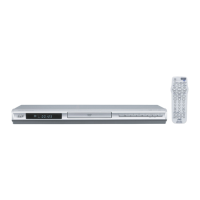
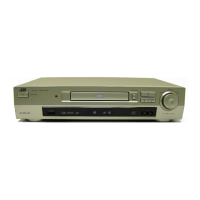
For XV-S402SL
Remote control unit
1 OPEN/CLOSE button (23)
Opens and closes the disc tray.
2 Numeric buttons (14, 21)
When the TV - DVD switch is set to DVD, these buttons are
used to specify a title, chapter, track or group number.
Also used to enter a time for the Time search and a
chapter number for the Chapter search.
When the TV - DVD switch is set to TV, these buttons are
used to select a TV channel as well as mute the TV audio.
3 RETURN button (26)
Returns to the previous menu (for DVD VIDEO/Video CD/
SVCD).
4 TOP MENU button (26)
Displays the top menu of a DVD VIDEO disc on the TV
screen.
5 CURSOR (5
55
5 Up, ∞ Down) - CH (+/–) buttons
When the TV - DVD switch is set to DVD, these buttons are
used to select an item from a menu or on-screen display,
or to change the setting of an on-screen display item.
In this case, we call them “CURSOR 5/∞” buttons in this
manual.
When the TV - DVD switch is set to TV, they are used to
select a TV channel.
6 CURSOR (2
22
2 Left, 3
33
3 Right) - VOL (+/–) buttons
When the TV - DVD switch is set to DVD, these buttons are
used to select an item from a menu or on-screen display,
or to change the setting of an on-screen display item.
In this case, we call them “CURSOR 2/3” buttons in this
manual.
When the TV - DVD switch is set to TV, they are used to
change the TV audio volume.
OPEN/
CLOSE
STANDBY/ON
DVD
TV1
123
456
789
10 0
+
10
TV2 TV3
TV4 TV5 TV6
TV7
SUB TITLE
AUDIO
THEATER
POSITION
DIGEST ANGLE ZOOM
AMP VOL
-
+
3D
PHONIC
TV8 TV9
TV
PREVIOUS
CLEAR SELECT STROBE
NEXT
RETURN
VOL
-
SLOW
-
SLOW
+
VOL
+
CH
+
CH
-
TV/VIDEO
CANCEL
TV0
ENTER
MUTING
TV DVD
RM-SXV007U
REMOTE CONTROL
D
I
S
P
L
A
Y
M
E
N
U
T
O
P
M
E
N
U
C
H
O
I
C
E
TV
PLAY
MODE
¢
%
$
^
£
§
(
)
+
_
&
*
#
1
=
2
7
9
8
5
6
3
4
0
~
-
!
@
™
¡
$ !"#$


 To Next Page
 Loading...