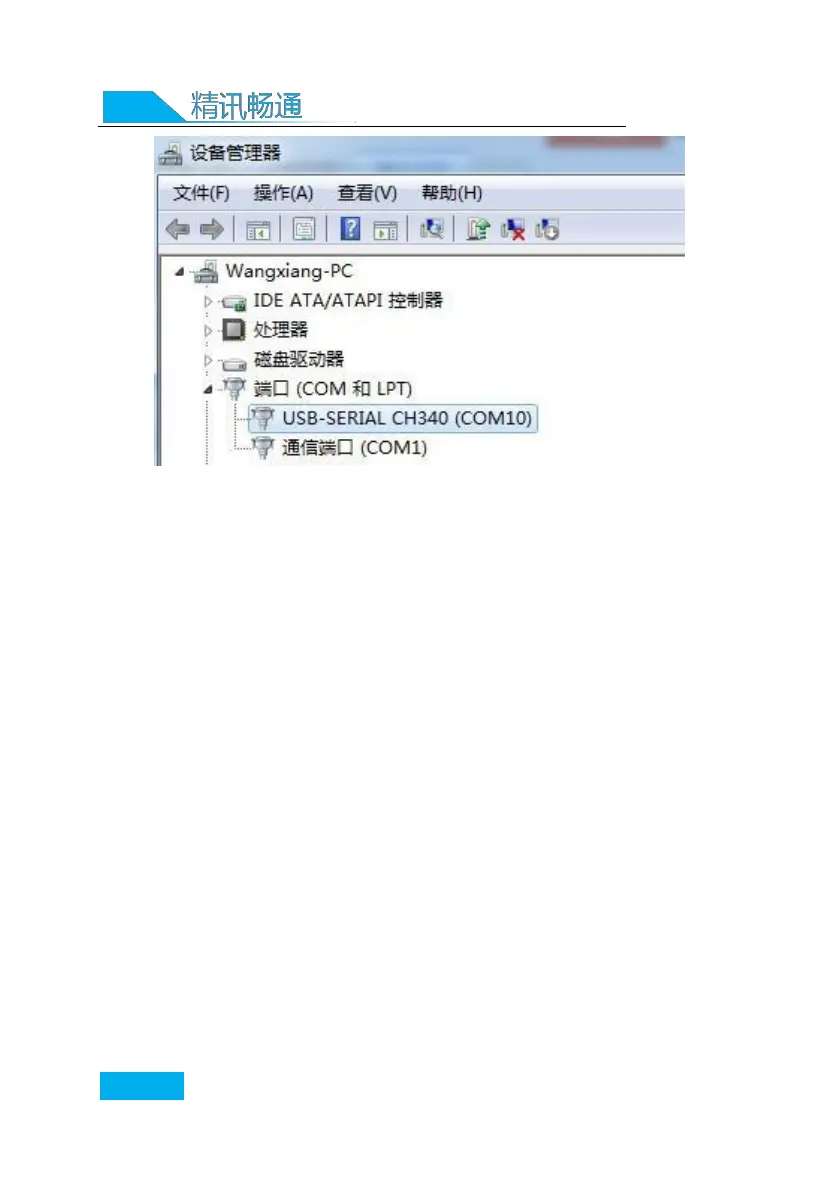
As shown in the figure above, your serial port
number is COM10 at this time, please remember this
serial port, you need to fill in this serial port
number in the sensor monitoring software.
If the COM port is not found in the device
manager, it means that you have not inserted the USB
to 485 or the driver has not been installed correctly,
please contact the technical staff for help.
3.1 Use of sensor monitoring software
The configuration interface is as shown in the figure. First, obtain
the serial port number and select the correct serial port according
to the method in chapter 3.1, and then click to automatically obtain
the current baud rate and address to automatically detect all
devices and baud rates on the current 485 bus . please
Note that you need to ensure that there is only one sensor on the
485 bus when using the software for automatic acquisition.


 To Next Page