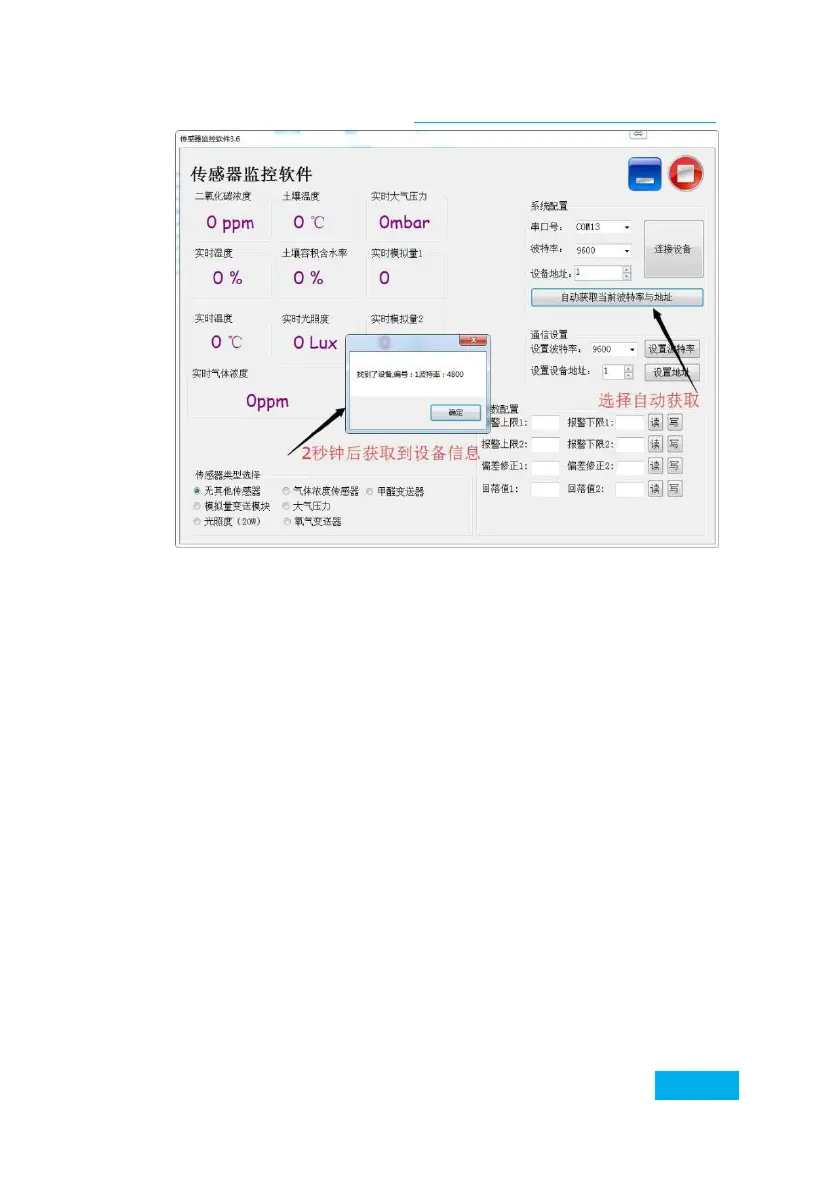
Then click to connect the device to get the sensor data
information in real time. If your device is a gas
concentration sensor, please specify the sensor type
Select "gas concentration sensor", formaldehyde sensor
select "formaldehyde transmitter", analog transmitter
select "analog transmitter module", atmospheric pressure
sensor select
"Atmospheric pressure sensor", illuminance sensor selects
"Illuminance 20W", oxygen sensor selects "Oxygen
transmitter", and other sensors select the default
"No other sensors".
3.1 Modify the baud rate and device ID
When the device is disconnected, click the device
baud rate and set address in the communication
settings to complete the related settings. Please note
that after setting, please restart the device, and


 To Next Page