
 Need help?
Do you have a question about the JZAQ BT30 and is the answer not in the manual?
Important safety precautions for using the device, including water resistance and handling.
Technical details of the headset, including Bluetooth version, battery, and range.
Highlights of the headset's capabilities, such as auto-answer and phone battery display.
Instructions for charging the device and turning it on/off.
Steps for pairing the headset with a device and automatic re-pairing.
How to play, pause, skip songs, and adjust volume.
Instructions for answering, refusing, and handling incoming calls.
Activating Siri and understanding low power alerts.
Information on power save mode and dual-device pairing.
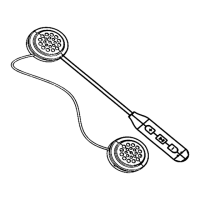
Guide for attaching the headset to a helmet and included items.
Adjusting volume, treble/bass, and switching between voice languages.
Contact information for questions and technical support.
This document is a user manual for the JZAQ Helmet Bluetooth Headphone.
The JZAQ Helmet Bluetooth Headphone is designed to provide audio and communication functionalities while wearing a helmet. It features Bluetooth V5.0+EDR for wireless connectivity with most Bluetooth-enabled devices. Key functions include automatic answering of incoming calls, the ability to refuse calls, and support for displaying battery status on the connected phone. The device also supports a 1-driven-2 mode, allowing simultaneous connection to two mobile phones.
Charging: To charge the device, plug the micro USB port into the earphone and connect it to a computer or adapter using the USB cable. The LED light will turn red during charging and blue when fully charged. For first-time use, a full charge of 2-3 hours is recommended. The helmet headphone cannot play music or answer calls while charging.
Power On/Off: To power on, press the "||" button for 3 seconds; the blue LED will flash slowly. To power off, press the "||" button again for 3 seconds until the LED turns off.
Pairing: Press and hold the "||" key for 5 seconds until the LED light flashes blue and red. Search for "BT30" on your phone. If it's the first time pairing, enter "0000" as the password. A "connected" voice prompt will confirm successful pairing, and the blue LED will flash slowly. The device supports automatic re-pairing if the pairing hasn't been canceled on either device.
Music Playback:
Phone Call Management:
Voice Assistant: Short press the "-" button twice to activate the smart voice assistant (Siri) for making calls.
Low Power Warning: The device will emit a "Dong Dong" warning voice when the battery is low, indicating it needs charging.
Power Save Mode: The device will automatically turn off after 5 minutes if no device is paired.
1-Drive-2 Mode: This mode allows two phones to be connected simultaneously. First, pair phone 1 with the Helmet Headset, then disconnect phone 1's Bluetooth. Next, pair the Helmet Headset with phone 2. Finally, open phone 1's Bluetooth and click "BT30" to connect. Both phones will then be paired, allowing the headset to answer calls from either phone (though not simultaneously).
Treble and Bass Settings: Press and hold the "+" or "-" button to increase or decrease the volume. Users can also adjust the volume on their phone for desired sound.
Language Switch: The default language is English. To switch languages, turn on the headset without connecting to Bluetooth, then press the power on button twice.
Step 1: Remove the Helmet Headphone from its box. Stick the "Magic Tape" onto both earphones.
Step 2: Tear off the 3M tape paper from the earphones. Carefully align and stick the earphones into the helmet's ear position on both sides. Refer to Fig 3 for visual guidance.
Safety Warnings:
Troubleshooting: For any questions or technical support, contact the seller via www.jzaq.com or email jzaqservice@hotmail.com.
 General
| Brand | JZAQ |
|---|---|
| Model | BT30 |
| Category | Motorcycle Accessories |
| Language | English |

 To Next Page