Kommander-KA
User Guide
14
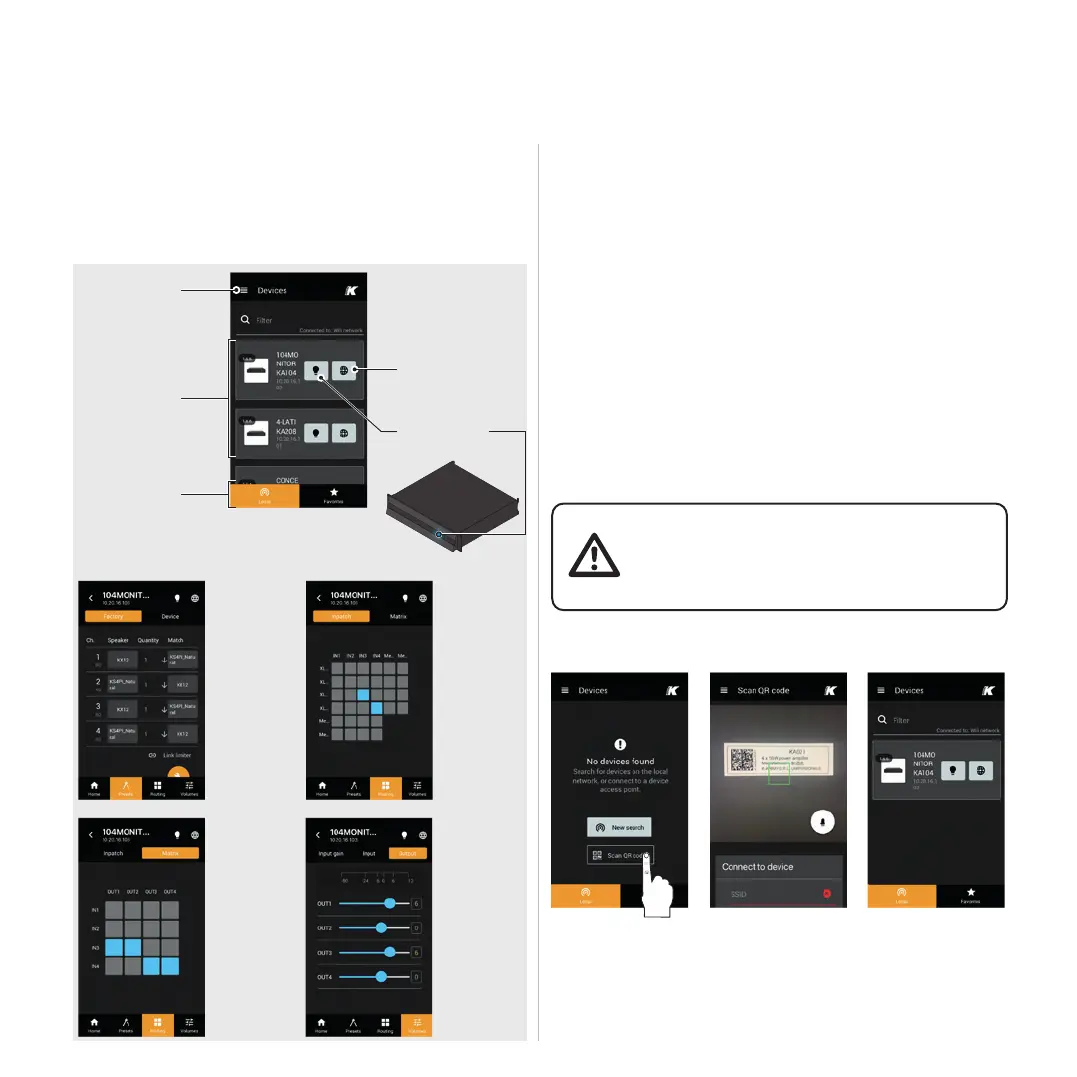
K-array Connect Mobile App
The K-array Connect mobile app allows to access the
established by the built-in hot spot.
Connecting To The Built-In Hot Spot
1.
2.
3.
unit: this provides the mobile device to connect to the
4. Click on the image of the Kommander-KA unit to manage
app.
(case sensitive).
devices in the
network
Main menu
Tab menu
Access the
embedded web app
the list of devices or
the camera in order to
connect the unit
The K-array active unit
code for connecting the
local Wi-Fi: target the
code to establish the
wireless connection
Preset menu
loudspeaker
factory presets
on the output
channels
and manage
the device
presets.
Preset menu
MATRIX
routing from
the output
connectors.
Routing menu
INPATCH
Patch the input
signals to the
Volumes menu
Manage the
the input
and output
volumes.
Connected and
Make the status



 To Next Page