EasyManua.ls Logo

K-array Kommander-KA - Discovery; Grouping

K-array Kommander-KA
28 pages
Print Icon
To Next Page IconTo Next Page
To Previous Page IconTo Previous Page
Loading...
Kommander-KA
User Guide
21
Grouping
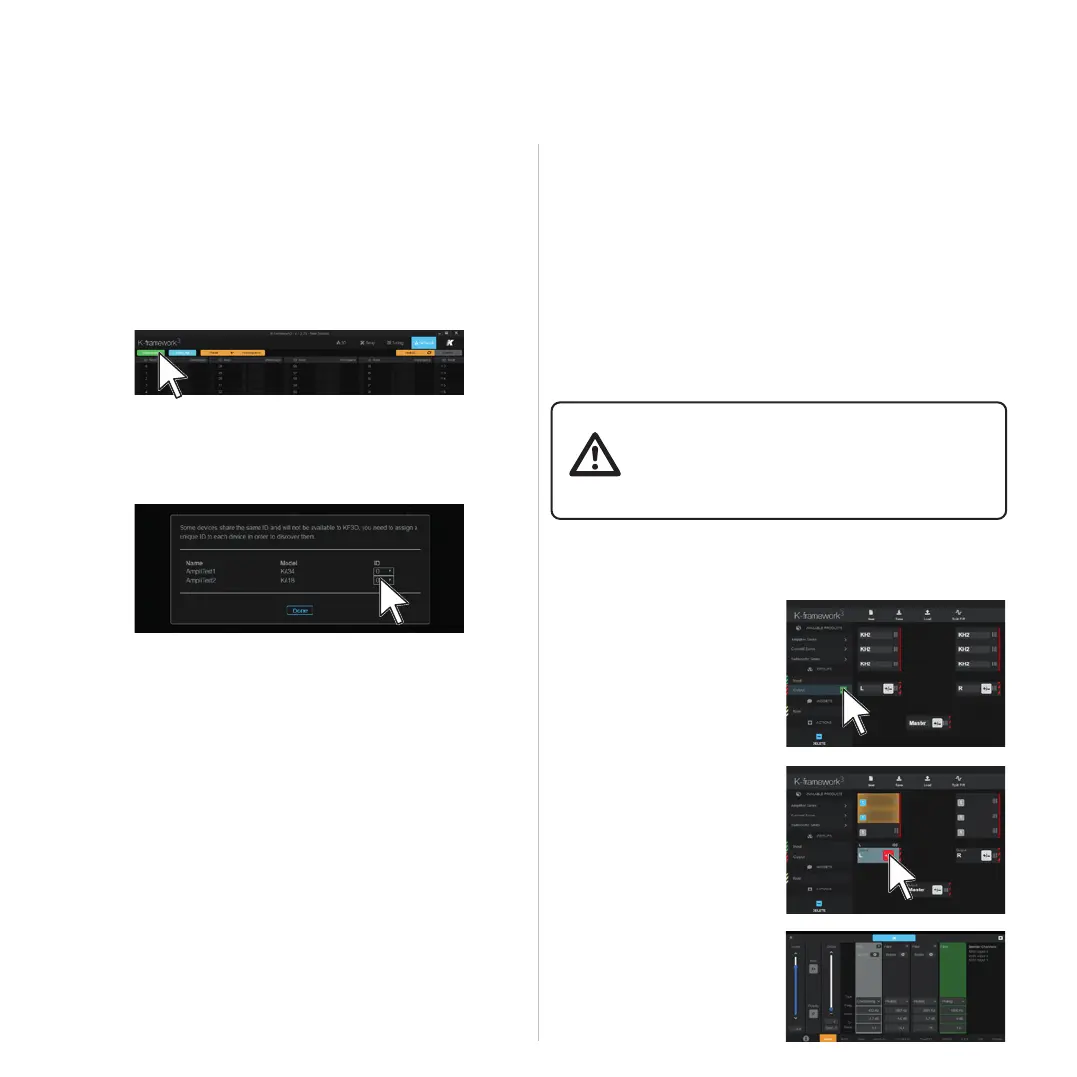
The working paradigm in the K-framework3 is to group the input

the system performance within the groups.

retained by the real units even once unplugged: if a real device
belongs to a group, the group is re-created in the workspace

        

Discovery
1. 
K-framework3 are properly connected to the same
network.
2. Power up the units.
3. 
4. Open the Network window and launch the discovery:

wrong ID, a dialog window appears where unique IDs can
be assigned to the units.
5. Once discovered, the real units are shown in the left
columns, following the order of their ID number; if the
workspace contains virtual devices of the same type you
can eventually modify the IDs in order to match the units

be in either directions: Workspace-to-Real or Real-to-

the single units separately
A. 

B. Add INPUT and OUTPUT
groups as needed.
C. Assign the units’ channels
to the groups.
D. 
 Align the system using
the tools available on the
groups (eq, delay, polarity,







Related product manuals