Kommander-KA
User Guide
15
Embedded Web App
The embedded web app provides direct access to the operating
The web app is accessible via a web browser (Google Chrome
The K-array Connect Mobile App and the
K-framework3 software interfaces include
a shortcut for opening the web app, once
established.
and its IP address is set and known, it is
possible to access its embedded web app
typing its IP address in the address bar of
the web browser.
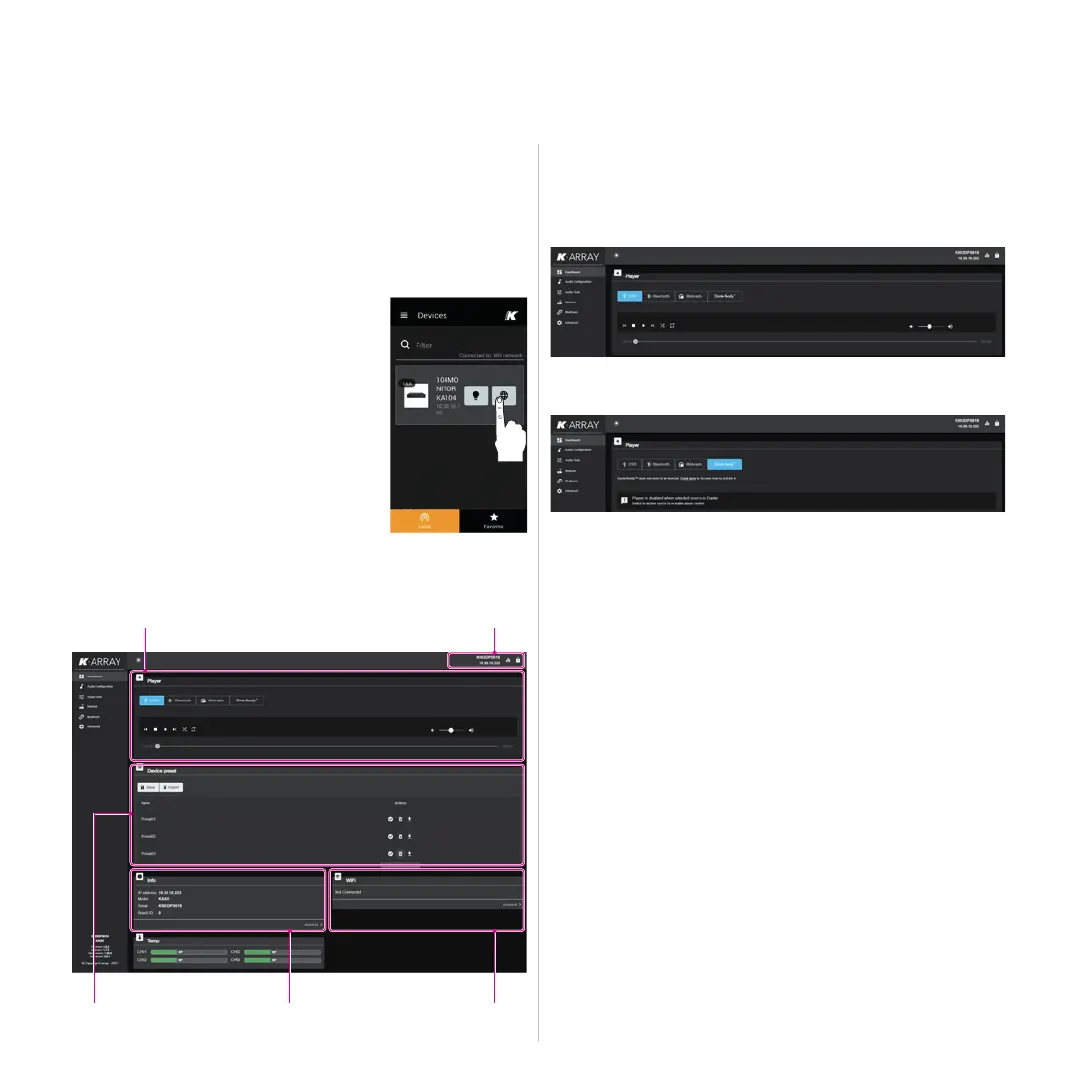
Dashboard
The default menu provides access to the media player and the
USB Media Player
DanteReady™ streamer
K-array devices incorporate Dante as an optional software
implemented solution, giving the user to get immediate, no-
fuss connectivity over IP on demand.
The units born with no active Dante channels and can be
Customers can make channel purchases directly within Dante
Controller using Audinate’s payment system.
When a unit receives Dante audio packets, it reconstructs
them back into a continuous digital audio stream, which is then
The Dante audio implementation is 100% lossless 24- or 32-bit
Device preset
This tab contains the slot where to manage (save, import,
connectivity info
Device preset
Media player
source selector
Unit name and
connectivity info



 To Next Page