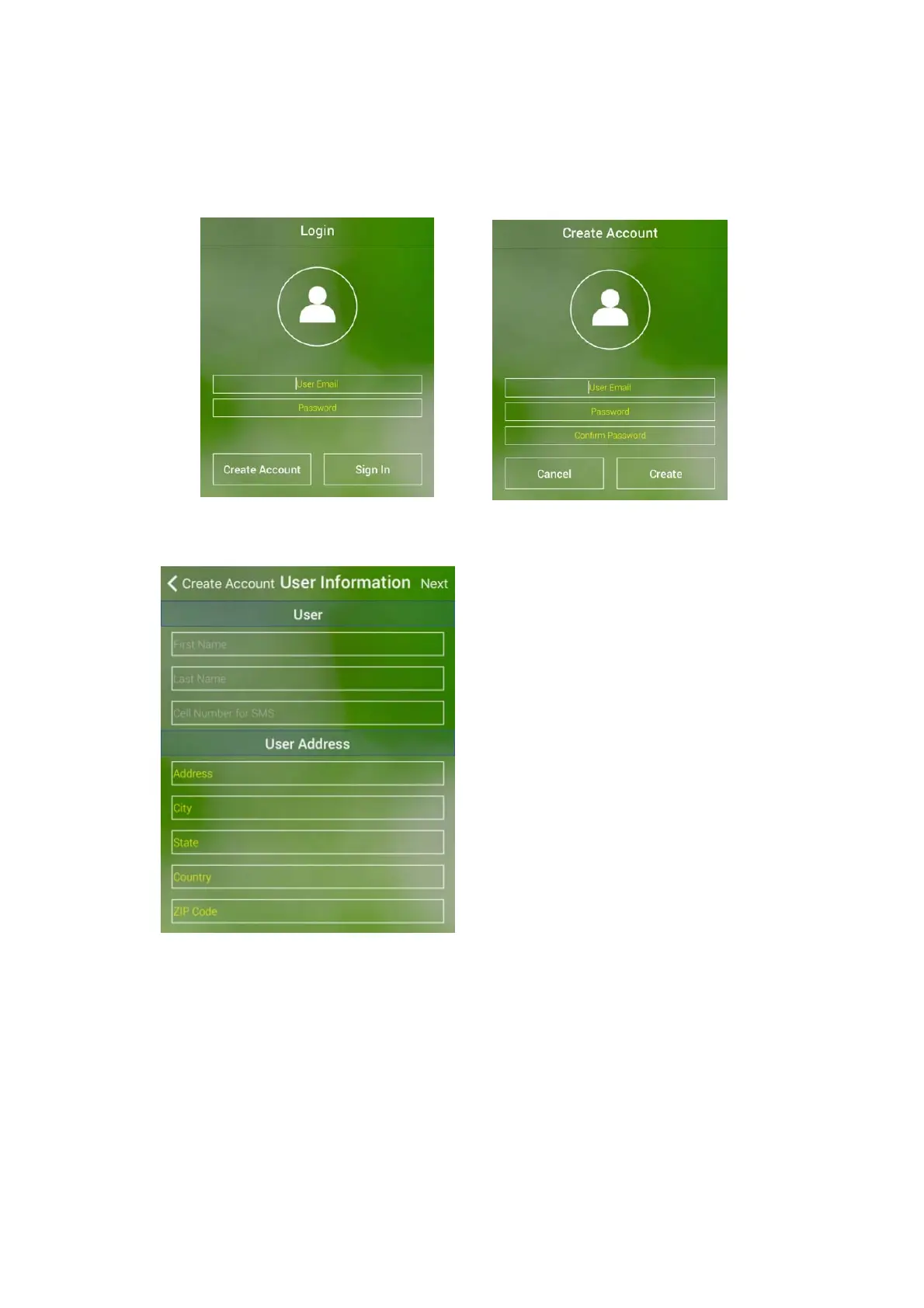
Clickon“CreateAccount”Button Enteravalide‐mailaddress
Note:Passwordmustbeatleast6characterslong
Step3.Enteruserinformation
3. FollowthesimpleAppsettingWizardtoconnectyourWifiHubtouserWifiNe twork.
Note:WifineedstobeturnedONattheiPhoneoriPad.
Step4.Reminderscreen.Afterfollowing Step5.AfterpluggingthepowertotheWifiHub
theprocedure
indicated,clickNext. the“K”LEDlightshouldbeflashing(On/Off)



 To Next Page