EasyManua.ls Logo

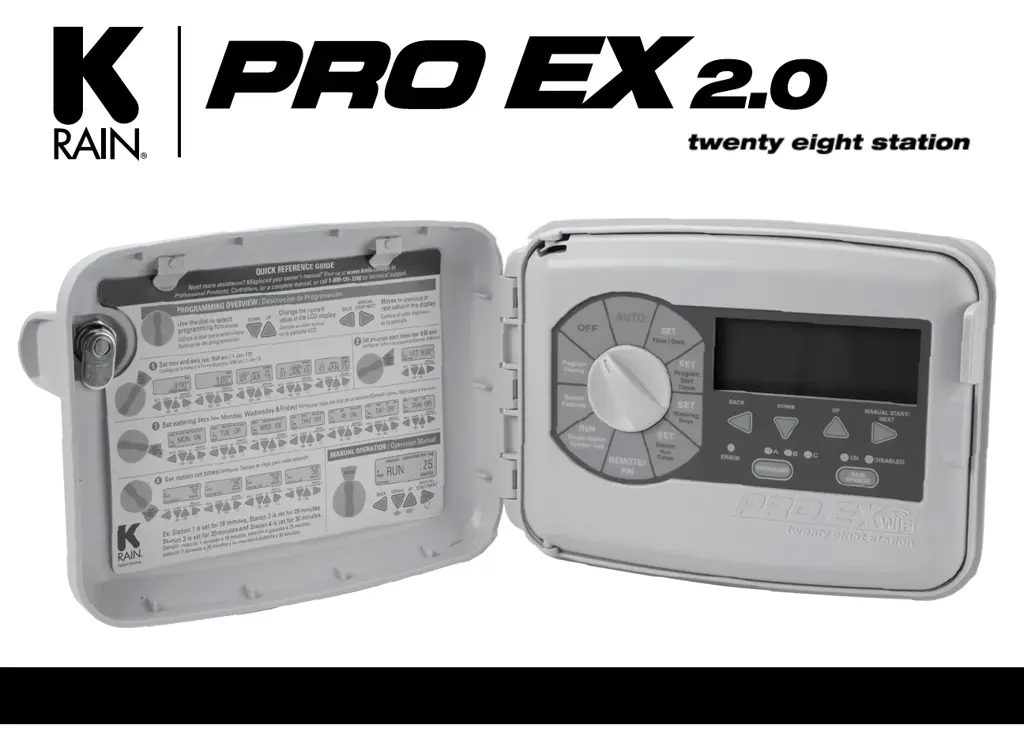
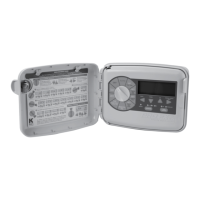
K-Rain PRO EX 2.0 - User Manual

K-Rain PRO EX 2.0
36 pages
Print Icon
To Next Page IconTo Next Page
Loading...
INSTRUCTION MANUAL
WIFI ENABLED MODULAR CONTROLLER

Questions and Answers

Summary

Introduction and Quick Reference

Programming Overview

Guide to controller programming functions and setup steps.

Manual Operation Overview

Guide to manual operation modes and controller functions.

Controller Interface and Controls

Control Panel Layout

Explanation of the controller's buttons, dial, and display elements.

Keypad and Dial Functions

Detailed description of each button and the program dial's purpose.

Controller Operating Modes

Setting Controller to Off

Steps to turn the controller off and its functional implications.

Automatic Operation Mode

How to set the controller for automatic watering schedules.

Program Selection

How to choose between programs A, B, or C for operation.

Programming Fundamentals

Rain Sensor Functionality

How to enable, disable, or bypass the rain sensor for watering.

Programming Options Overview

Introduction to the three independent programs (A, B, C) and their stacking capability.

Time and Date Settings

Set Time and Date

Procedure to configure the controller's current time and date.

Set Program Start Times

How to establish up to four start times for each watering program.

Watering Day Configuration

Set Watering Days

Options for custom watering days based on the week or calendar.

Custom and Odd;Even Watering

Setting custom days, odd, or even day watering cycles for programs.

Advanced Watering Cycle Settings

Set Cyclic Water Cycle

How to set watering intervals based on a number of days.

Set Station Run Times

Setting the duration each station will water.

Manual and Remote Control

Manual Program Operation

Manually initiating a programmed watering cycle.

Remote Control and PIN Setup

Information on setting up the optional handheld remote and PIN.

Manual Station Operations

Running a Single Station Manually

Manually operating an individual irrigation station.

Valve Locator Function

Using the controller to locate underground valves.

System Diagnostics

Test All Stations

Running a test program to check all stations' functionality.

Special Features - Seasonal Adjust and Timing

Seasonal Adjust Percentage

Globally adjusting station run times based on seasonal needs.

Station Delay and Overlap

Setting delays or overlaps between station watering cycles.

Pump On;Off Control

Enabling or disabling pump operation for specific stations.

Special Features - Sensor and System

Sensor On;Off Control

Enabling or disabling sensor input for individual stations.

Open Circuit Detection

Feature to prevent operation on open circuits.

Clear Program Settings

Erasing all programming and restoring factory defaults.

Program Data Management

Save and Restore Programs

Saving current programming and restoring previous configurations.

Display Contrast Adjustment

Adjusting the LCD display contrast for optimal viewing.

Day Off Scheduling

Setting Day Off

Designating specific days of the week to prohibit watering.

Flow Meter Setup and Configuration

Set Flow Meter Type

Configuring the controller for specific flow meter models and pipe sizes.

Flow Limit Settings

Set Hi;Lo Flow Limits

Defining high and low flow limits for water management.

Flow Limits by Program

Setting Flow Limits by Program

Configuring flow limits applicable to entire watering programs.

Flow Limits by Zone

Setting Flow Limits by Zone

Configuring flow limits for individual irrigation zones or stations.

Flow History Data

Viewing Flow History

Accessing and viewing weekly water usage data per station.

Flow Data Units

Set Flow Units

Switching between Gallons Per Minute (GPM) and Liters Per Minute (LPM).

Live Flow Data Monitoring

See Live Flow Data

Viewing real-time water flow data during program or manual operation.

Flow Meter Alarm Conditions

Possible Alarm Displays

Understanding and responding to flow meter related alarm messages.

Program Overview and Reset

Program Display Feature

Visual overview of programmed watering days, start times, and station run times.

Resetting the Controller

Procedure to reset the controller to factory default settings.

Installation Procedures

General Installation Guidelines

Recommendations for controller placement and electrical code compliance.

Door and Panel Removal

Steps for removing the enclosure door and main panel for installation access.

Controller Mounting and Wiring Access

Mounting the Controller

Instructions for physically mounting the controller unit securely.

Wiring Knockout Options

Information on using knockouts for routing wires to the controller.

Expansion Module Installation

Installing a 4 Station Module

Step-by-step guide for adding a 4-station expansion module.

Installing a 14 Station Module

Step-by-step guide for adding a 14-station expansion module.

Module Configuration Options

Module Layout Combinations

Diagrams showing possible module layouts and resulting station numbering.

Wiring Connections

Connecting Valve Wires

How to properly connect individual station valve wires to the controller.

Connecting the Flow Sensor

Wiring instructions for the flow sensor to the controller terminals.

System Wiring for Pump and Rain Sensor

Pump Start Relay;Master Valve Wiring

Wiring connections for pump start relays or master valves.

Rain Sensor Installation

How to connect a wired rain sensor to the controller.

Advanced Controller Operations

Remote Programming Setup

Instructions for setting up batteries for remote programming functionality.

Powering the Controller

Safe procedures for connecting AC power to the controller unit.

Technical Specifications

Operating Specifications

Details on station run times, start times, watering schedules, and operating temperature.

Electrical and WiFi Specifications

Information on power input/output, transformer ratings, and Wi-Fi hub capabilities.

Dimensions and Default Settings

Physical dimensions and default controller settings upon initialization.

Troubleshooting Common Issues

Program Not Starting Automatically

Diagnosing and correcting issues where the program fails to initiate automatically.

Watering Not Occurring

Troubleshooting steps when a station is active but no water is dispensed.

Station Non-Operation or Errors

Addressing issues like stations not turning on, blank displays, or repeated operations.

Quick Reference Guides

Quick Programming Reference

A visual summary of key programming steps for quick access.

Watering Planning Tool

Spare Watering Planner

A template for planning watering schedules and station run times.

Warranty and Compliance Information

Product Warranty Details

Information regarding the manufacturer's warranty terms and conditions.

Summary

Introduction and Quick Reference

Programming Overview

Guide to controller programming functions and setup steps.

Manual Operation Overview

Guide to manual operation modes and controller functions.

Controller Interface and Controls

Control Panel Layout

Explanation of the controller's buttons, dial, and display elements.

Keypad and Dial Functions

Detailed description of each button and the program dial's purpose.

Controller Operating Modes

Setting Controller to Off

Steps to turn the controller off and its functional implications.

Automatic Operation Mode

How to set the controller for automatic watering schedules.

Program Selection

How to choose between programs A, B, or C for operation.

Programming Fundamentals

Rain Sensor Functionality

How to enable, disable, or bypass the rain sensor for watering.

Programming Options Overview

Introduction to the three independent programs (A, B, C) and their stacking capability.

Time and Date Settings

Set Time and Date

Procedure to configure the controller's current time and date.

Set Program Start Times

How to establish up to four start times for each watering program.

Watering Day Configuration

Set Watering Days

Options for custom watering days based on the week or calendar.

Custom and Odd;Even Watering

Setting custom days, odd, or even day watering cycles for programs.

Advanced Watering Cycle Settings

Set Cyclic Water Cycle

How to set watering intervals based on a number of days.

Set Station Run Times

Setting the duration each station will water.

Manual and Remote Control

Manual Program Operation

Manually initiating a programmed watering cycle.

Remote Control and PIN Setup

Information on setting up the optional handheld remote and PIN.

Manual Station Operations

Running a Single Station Manually

Manually operating an individual irrigation station.

Valve Locator Function

Using the controller to locate underground valves.

System Diagnostics

Test All Stations

Running a test program to check all stations' functionality.

Special Features - Seasonal Adjust and Timing

Seasonal Adjust Percentage

Globally adjusting station run times based on seasonal needs.

Station Delay and Overlap

Setting delays or overlaps between station watering cycles.

Pump On;Off Control

Enabling or disabling pump operation for specific stations.

Special Features - Sensor and System

Sensor On;Off Control

Enabling or disabling sensor input for individual stations.

Open Circuit Detection

Feature to prevent operation on open circuits.

Clear Program Settings

Erasing all programming and restoring factory defaults.

Program Data Management

Save and Restore Programs

Saving current programming and restoring previous configurations.

Display Contrast Adjustment

Adjusting the LCD display contrast for optimal viewing.

Day Off Scheduling

Setting Day Off

Designating specific days of the week to prohibit watering.

Flow Meter Setup and Configuration

Set Flow Meter Type

Configuring the controller for specific flow meter models and pipe sizes.

Flow Limit Settings

Set Hi;Lo Flow Limits

Defining high and low flow limits for water management.

Flow Limits by Program

Setting Flow Limits by Program

Configuring flow limits applicable to entire watering programs.

Flow Limits by Zone

Setting Flow Limits by Zone

Configuring flow limits for individual irrigation zones or stations.

Flow History Data

Viewing Flow History

Accessing and viewing weekly water usage data per station.

Flow Data Units

Set Flow Units

Switching between Gallons Per Minute (GPM) and Liters Per Minute (LPM).

Live Flow Data Monitoring

See Live Flow Data

Viewing real-time water flow data during program or manual operation.

Flow Meter Alarm Conditions

Possible Alarm Displays

Understanding and responding to flow meter related alarm messages.

Program Overview and Reset

Program Display Feature

Visual overview of programmed watering days, start times, and station run times.

Resetting the Controller

Procedure to reset the controller to factory default settings.

Installation Procedures

General Installation Guidelines

Recommendations for controller placement and electrical code compliance.

Door and Panel Removal

Steps for removing the enclosure door and main panel for installation access.

Controller Mounting and Wiring Access

Mounting the Controller

Instructions for physically mounting the controller unit securely.

Wiring Knockout Options

Information on using knockouts for routing wires to the controller.

Expansion Module Installation

Installing a 4 Station Module

Step-by-step guide for adding a 4-station expansion module.

Installing a 14 Station Module

Step-by-step guide for adding a 14-station expansion module.

Module Configuration Options

Module Layout Combinations

Diagrams showing possible module layouts and resulting station numbering.

Wiring Connections

Connecting Valve Wires

How to properly connect individual station valve wires to the controller.

Connecting the Flow Sensor

Wiring instructions for the flow sensor to the controller terminals.

System Wiring for Pump and Rain Sensor

Pump Start Relay;Master Valve Wiring

Wiring connections for pump start relays or master valves.

Rain Sensor Installation

How to connect a wired rain sensor to the controller.

Advanced Controller Operations

Remote Programming Setup

Instructions for setting up batteries for remote programming functionality.

Powering the Controller

Safe procedures for connecting AC power to the controller unit.

Technical Specifications

Operating Specifications

Details on station run times, start times, watering schedules, and operating temperature.

Electrical and WiFi Specifications

Information on power input/output, transformer ratings, and Wi-Fi hub capabilities.

Dimensions and Default Settings

Physical dimensions and default controller settings upon initialization.

Troubleshooting Common Issues

Program Not Starting Automatically

Diagnosing and correcting issues where the program fails to initiate automatically.

Watering Not Occurring

Troubleshooting steps when a station is active but no water is dispensed.

Station Non-Operation or Errors

Addressing issues like stations not turning on, blank displays, or repeated operations.

Quick Reference Guides

Quick Programming Reference

A visual summary of key programming steps for quick access.

Watering Planning Tool

Spare Watering Planner

A template for planning watering schedules and station run times.

Warranty and Compliance Information

Product Warranty Details

Information regarding the manufacturer's warranty terms and conditions.

K-Rain PRO EX 2.0 Specifications

General IconGeneral
BrandK-Rain
ModelPRO EX 2.0
CategoryController
LanguageEnglish

Related product manuals