2
| www.krain.com
DECLARATION OF CONFORMITY CONTENTS
This unit has been designed to provide reasonable
protection against harmful interference in a residential
install. This equipment uses, generates and can radiate
radio frequency energy and, if not installed and used in
accordance with the instructions, may cause harmful
interference to radio communications. There is no guarantee that
interference will not occur in any particular install.
If the equipment does cause harmful interference to radio or
television reception, which can be determined by turning the
equipment off and back on again, the user is encouraged to try to
correct the interference by: (1) reorient or relocate the receiving
antenna; (2) increase the separation between the equipment and
receiver; (3) connect the equipment into an outlet on a different
circuit from the receiver; (4) consult the dealer or an experienced
radio / TV technician for help.
Changes or modications to this equipment could void the user’s
authority to use the equipment as well as the warranty.
INTRODUCTION
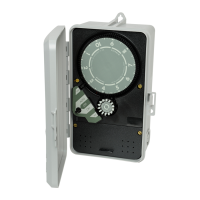
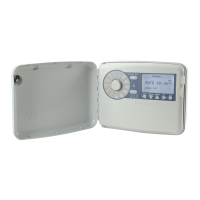
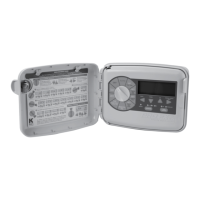
The PRO EX 2.0 WiFi Enabled Controller is available as indoor or
outdoor models, with both modules utilizing a WiFi enabled Hub.
The unit consists of a master valve/pump start, test, common,
sensor terminals and one factory installed module which will
operate four electric valves. The controller is expandable by
installing separately purchased four station modules which are
installed internally in the controller.
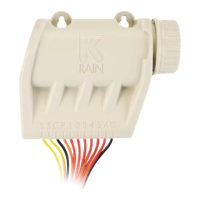
In addition, the WiFi enabled controller includes a separated WiFi
Hub (Photo), RF Module (Installed in Controller) and optional Long-
Range Antenna.
Controls and Touch Pad 03
Setting the Controller to Off 04
Set Controller to Run Automatically 04
Program Select Button 04
Rain Sensor Select Button 05
Programming 05
u
Set Time/Date 06
u
Set Program Start Times 06
u
Set Watering Days 07
u
Set Custom Operation 07
(any day of the week)
u
Set Odd/Even Operation 07
(calendar day)
u
Set Cyclic Watering Cycle 08
u
Set Station Run Times 08
Manual Program Operation 09
Remote/Pin 09
Running a Single Station Manually 10
Valve Locator 10
Test All Stations 11
Special Features 12
u
Seasonal Adjust 12
u
Station Delay/Overlap 12
u
Pump On/Off 12
u
Sensor 13
u
Open Circuit Detection 13
u
Clear 13
u
Save 14
u
Restore 14
u
Display Contrast 14
u
Permanent Day Off 15
u
Set Flow Meter 16
u
Set Optional Hi/Lo Flow Limits 17
u
Setting by Program 18
u
Setting by Zone 19
u
Flow History 20
u
Set Flow Units 21
u
See Live Flow Data 22
u
Possible Alarm Displays 23
Program Display 24
Resetting the Controller 24
Installation 25
u
Door Removal 25
u
Main Panel Removal 25
u
Mounting the Controller 26
u
Installing a 4 Station Module 27
u
Installing a 14 Station Module 27
u
Module Layout Combinations 28
u
Installing a 14 Station Module 29
u
Connecting Valve Wires 29
u
Connecting the Flow Sensor 29
u
Pump Start/Master Valve Wiring 30
u
Rain Sensor Installation 30
Remote Programming 31
Powering the Controller 31
Specications 32
u
Operating Specications 32
u
Electrical Specications 32
u
Dimensions 32
Troubleshooting 33
Quick Programming Reference Guide 34
Spare Watering Planner 35
Warranty 36
*To connect Controller and WiFi hub to the internet please see
accompanying Quick Start Guide for complete instructions.


 To Next Page