Installation, Programming and Operation Manual
3
www.krain.com |
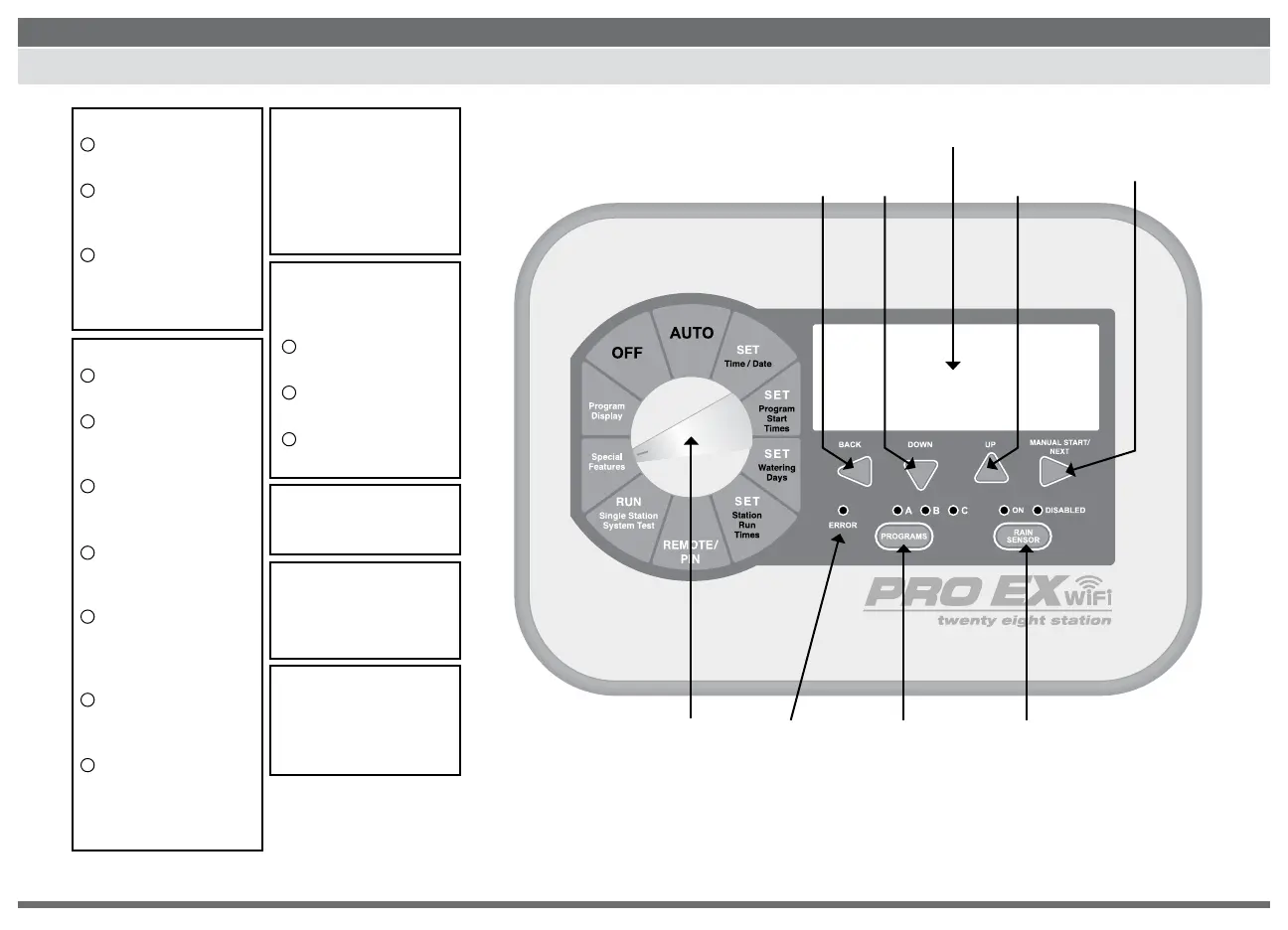
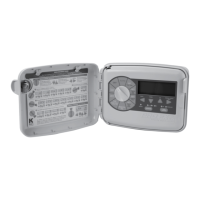
CONTROLS AND TOUCH PAD
1
1
4
2
2
5
3
3
6
7
LCD DISPLAY
Displays the time of day
and day of the week
During programming
shows the results of
entered commands
During watering shows
the valve that is on and
the minutes remaining
in its run time
PROGRAM DIAL
Used to turn the controller
on and off and to program.
Used to run on Automatic
and to discontinue
watering (OFF)
Used to select desired
controller setting
functions (SET)
Shows total content
of a program (PROGRAM
DISPLAY)
Used to set personalized
Pin Number (REMOTE/PIN)
and pair controller with
WiFi Hub
Used to allow setting
controller special features
(SPECIAL FEATURES)
Used to run single
stations or system test
cycles (RUN)
MANUAL START /
NEXT BUTTON
Used to start a selected
irrigation program
manually, or to manually
advance watering from one
station valve to the next.
ERROR/ALARM LED
Turns on when one of
the following occurs:
Watering is suspended
by a sensor
The controller senses
a valve short circuit
A programming error
has been made.
DOWN / UP BUTTONS
Used to set time / date and
to make program changes.
PROGRAM SELECT
BUTTON
Used to select watering
program A, B or C.
SENSOR BYPASS
SELECT BUTTON
Used to tell the
controller to obey or
ignore sensor input.
1
2
3
BACK
BUTTON
PROGRAM
DIAL
ERROR /
ALARM LED
PROGRAM
SELECT BUTTON
SENSOR BYPASS
SELECT BUTTON
UP
BUTTON
DOWN
BUTTON
MANUAL START /
NEXT BUTTON
LCD DISPLAY


 To Next Page