8
| www.krain.com
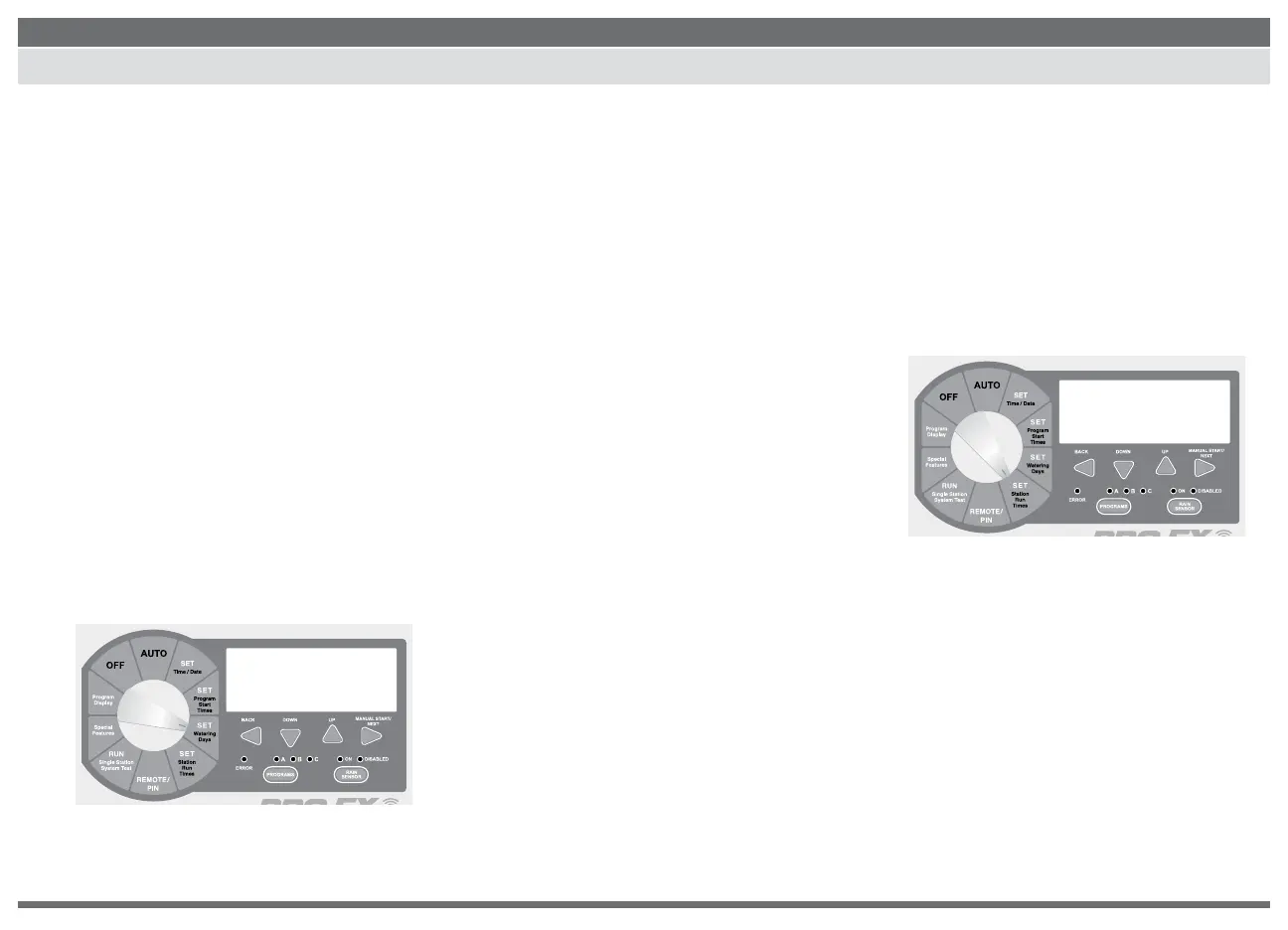
SET CYCLIC WATER CYCLE SET STATION RUN TIMES
1. Use the PROGRAM select button to select
the program (A, B or C) you wish to assign cyclic
watering.
2. Press BACK and NEXT buttons simultaneously until
“CYCLE” appears in the upper right corner of the
display and “DAYS REMAINING” in the lower left.
“DAYS REMAINING” will be ashing.
3. The display shows the number of days
remaining until the next watering day and
the number of days in the cycle.
4. Press the DOWN or UP buttons to set the
number of days remaining before the next
automatic watering should begin.
5. Press the NEXT button to advance to “DAY CYCLE.”
“DAY CYCLE” will be ashing.
6. Press the DOWN or UP buttons to set the
number of days in the cycle from 1 to 31.
(For example: to water every 5 days set
the day cycle to “5.”)
7. Return the dial to AUTO.
Stations 1–28 can be set to run from one
second up to six hours. The rst hour settings
are in one minute increments. The remaining
ve hours can be set in ten minute increments.
1. Use the PROGRAM SELECT BUTTON to
select the program (A, B or C) you wish
to assign a run time.
2. Turn the dial to SET STATION RUN TIMES.
The display will show all available stations (module
must be installed). The rst available station num-
ber will be ashing.
3. Press the DOWN or UP buttons to set the
number of seconds/minutes/hours you wish
the station to operate (run time). For stations that
don’t require a run time set to “OFF.”
4. Press the NEXT button to advance to
the next station number in sequence.
Repeat steps 3 and 4 until you have set
a run time for each desired station in
the selected program.
5. Return the dial to AUTO.
NOTE: Station run times can be set to
run in either hours/minutes or minutes/
seconds. Press the BACK and NEXT
buttons SIMULTANEOUSLY to toggle
between setting.
During station run time setting, if the
next button is pressed to a station
number that doesn’t have an installed
module, a message indicating
“NO MOD” will appear in the display.
cycle
A
PGM
0 7
days remaining day cycle
A
run time
PGM
:10
station 1 2 3 4 5 6 7 8
minutes


 To Next Page