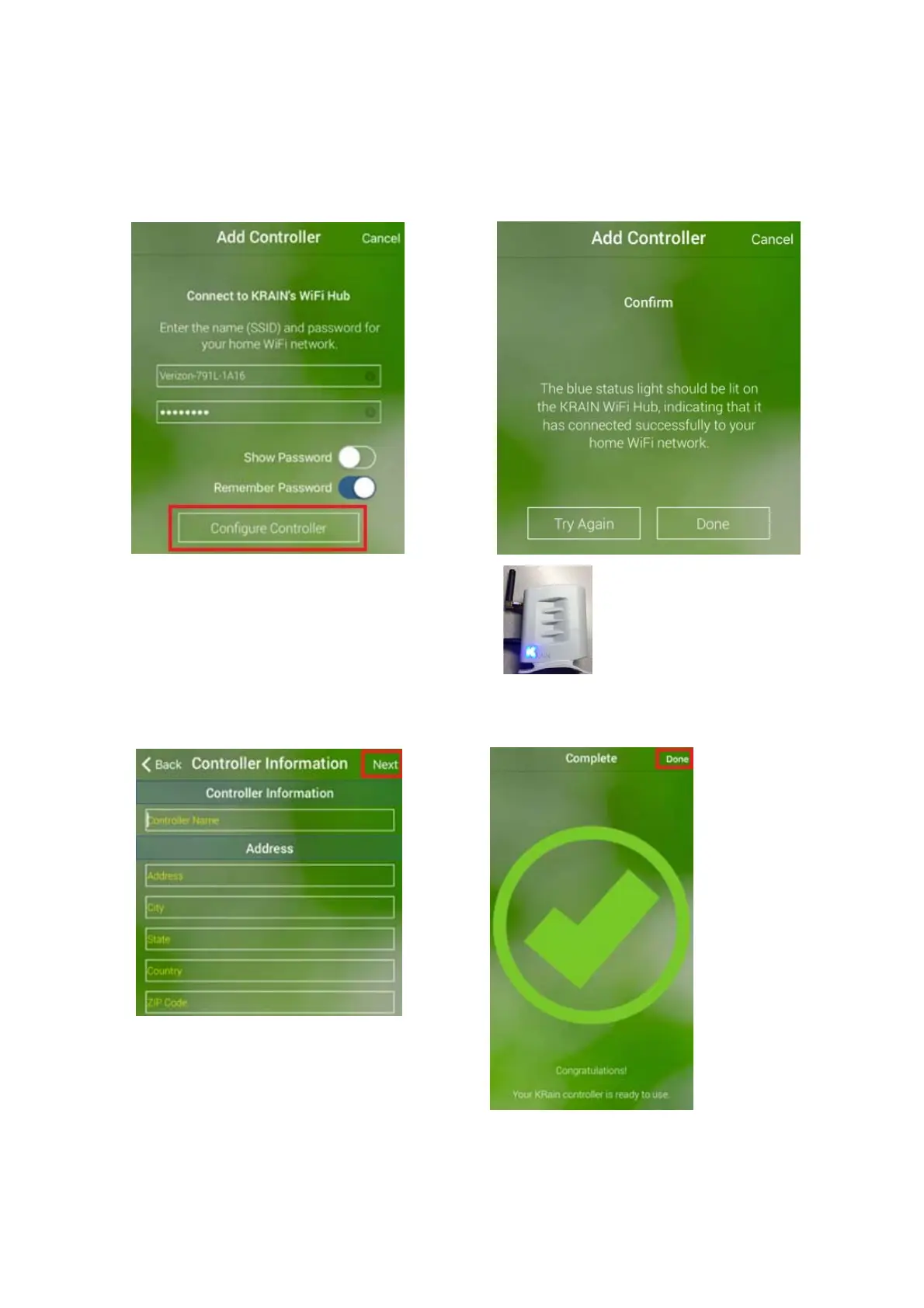
ProceedandClick“ConfigureController” DONEbutton.Ifisnotlightedup,clickTRYAGAIN
buttonandrepeattheprocessfromStep4.
Step13.Nameyourcontroller,andfill
theaddresslocationofthiscontroller.
Note:Itisimportanttofilltheaddress
fortheWeatherForecastand
WeatherIQ Step14.CongratulationonsettingyourWifi
toworkproperly.AndclickNEXT controller.ClickDONE.
ADDINGANADDITIONALWIFICONTROLLERTOANEXISTINGUSERACCOUNT.
Note:Enduseraccountsallowtocontrolupto4WifiProEXcontrollers.



 To Next Page