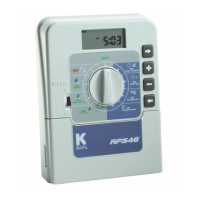
The K-Rain RPS46 Mini Irrigation Controller is a versatile and user-friendly device designed for residential irrigation systems. It is available in 4 or 6 station configurations, making it suitable for various garden and turf area sizes. The controller features four separate programs, allowing for efficient watering of different zones, each with its own unique requirements. With a maximum of sixteen start times per day, it offers flexibility to cater to diverse watering needs, from pop-up sprinklers in turf areas requiring less frequent but heavier watering, to spray systems in flower beds needing more frequent watering.
Function Description
The primary function of the K-Rain RPS46 is to automate irrigation schedules. It allows users to group stations (valves) with similar watering requirements into programs. For example, turf areas, flower beds, pergolas, undercover areas, or vegetable gardens can each have their own program. Once programmed, stations within a program will water sequentially from the lowest number at the nominated start time(s) on the selected days. Each station can be set to water for a maximum duration of 12 hours and 59 minutes.
The controller offers three types of watering day options:
- Interval Watering: This allows watering from every day up to every 15th day. For instance, an interval of "2" means watering every second day.
- Individual Day Selection: Users can select specific days of the week for each program to be active.
- Odd/Even Day Watering: This feature is particularly useful in areas with water restrictions, allowing the controller to water on odd or even calendar dates based on the user's house number. To utilize this, the 365-day calendar must be set correctly.
An innovative "water saver" feature allows for quick adjustment of station watering times by a percentage, adapting to seasonal changes. This budget adjustment can be set in 25% increments from 25% to 150%, effectively reducing or increasing watering duration across all active programs.
The RPS46 also includes a rain sensor switch on the fascia. When enabled and the sensor detects rain, all automatic and manual watering cycles will be suspended, preventing overwatering and conserving water. This function can be manually overridden by switching the sensor to the "OFF" position.
For manual operations, the controller provides several options:
- System Test Facility: This allows users to check if all valves and sprinklers are working correctly. The unit runs all stations in sequential order, with a factory preset time of 2 minutes per station, which can be adjusted.
- Run a Single Station: An individual station can be manually run for a duration from 1 minute up to 12 hours and 59 minutes.
- Run a Program: A complete program can be manually run once according to its set run times.
- Stop Function: All automatic or manual watering schedules can be stopped by turning the dial to the "Off" position.
The controller also features "stacking start times," meaning if multiple programs are accidentally set with the same start time, they will run sequentially from the lowest program number, ensuring all programmed start times are eventually watered.
Usage Features
The K-Rain RPS46 is designed for ease of use with a clear LCD display and intuitive programming buttons. The selection dial is central to navigating operations and programming.
Programming Steps:
- Set Current Time & Correct Day: The user sets the current time (including AM/PM) and the correct day of the week.
- Set Calendar (Optional): If odd/even day watering is desired, the year, month, and day are set.
- Set Start Times (STEP 1): Up to four start times can be set for each program. The controller will activate all valves in sequential order at these times.
- Set Watering Days (STEP 2): Users choose between interval watering, individual day selection, or odd/even day watering for each program.
- Set Station Run Times (STEP 3): The duration for each station (valve) within a program is set, from 1 minute to 12 hours and 59 minutes. Stations not required for a particular program can be set to "OFF."
General Tips for Easy Programming:
- Completing a watering planner (provided in the manual) before programming is recommended.
- Buttons increment values by one unit per push, or fast-scroll when held down.
- Only flashing values can be adjusted during programming.
- Forward and backward scroll buttons allow navigation through settings.
Installation:
The RPS46 is an indoor model and must be installed in a protected area away from rain, water ingress, or direct sunlight. It should be mounted near a 120VAC outlet, preferably at eye level for ease of operation.
Electrical Hook-Up:
- All electrical work must comply with local, state, and federal codes.
- Power supply must be disconnected before any maintenance or wiring.
- Wires should be prepared by stripping approximately 6mm (1/4 inch) of insulation.
- Terminal block screws should be loosened sufficiently for wire insertion and then tightened, but not overtightened.
- A maximum of 0.5 Amps can be supplied by any output.
- Up to two 24VAC solenoid valves can be connected to each station output and wired back to the common (C) terminal.
- For pump systems, unused stations must be linked back to the last used station to prevent the pump from running against a closed head, which could cause damage. A pump start relay is used for pump hook-up, connecting one side of the relay coil to the Master Valve/Pump Start output and the other side to the controller common.
Maintenance Features
Automatic Backup Program:
In the event of a power outage or if the 9-volt battery is not fitted or is low, the controller has a backup default program. This program waters every day at 12:00 a.m. for 10 minutes per station. A standard 9-volt battery should be fitted to the battery snap to maintain clock accuracy and preserve automatic programs during power outages. A "BAT" warning indicator will appear under the AM/PM indicator in clock mode when the battery is low or not fitted.
Servicing the Controller:
Servicing should always be performed by an authorized agent. The process involves:
- Turning off power to the controller.
- Disconnecting 24 Volt power leads.
- Clearly marking and identifying all valve wires before disconnecting them from the terminal block to maintain the watering sequence.
- Removing the complete unit from the wall.
- Carefully wrapping and packing the unit for return to a service agent or manufacturer.
Tampering with the unit will void the guarantee.
Troubleshooting:
The manual provides a troubleshooting guide for common issues:
- No display: Suggests checking the fuse, field wiring, and transformer.
- Single Station not working: Recommends swapping the faulty station wire with a known working one to identify if the solenoid coil is faulty or if the panel needs repair.
- Fuse blows: Advises checking wiring and connections.
- No automatic start: Suggests checking manual operation, programming, fuse, and field wiring.
- Buttons on keypad not responding: Recommends checking programming instructions and, if the issue persists, returning the panel.
- System coming on at random: Advises checking the number of start times entered on each program.
- More than 1 station coming on at once: Suggests checking wiring and swapping faulty station wires to diagnose a damaged main output driver chip.
- Pump start chattering: Recommends an electrician check the voltage on the pump relay or contactor.
- Display cracked or missing segments: Indicates damage during transportation and suggests returning the panel.
The K-Rain RPS46 is a robust and feature-rich irrigation controller designed to provide reliable and efficient watering for residential landscapes, with a focus on user-friendly programming and water conservation.


 To Next Page
 General