EasyManua.ls Logo

K-Rain KRC 9 - User Manual

Default Icon
40 pages
Print Icon
To Next Page IconTo Next Page
Loading...
User
Manual
5
WARRANTY

Questions and Answers

Summary

Overview

Introduction

Covers a wide range of applications and provides important information on proper use and care.

Main Components

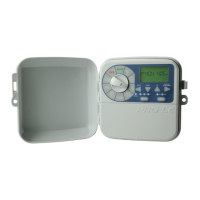
Identifies and labels the key physical parts of the KRC9 irrigation controller.

Features

Lists the technical specifications and capabilities of the KRC9 controller.

Programming

How Programming Works

Explains the concept of programs and how zones are grouped for watering schedules.

Set Automatic Program

Guides users through the three essential steps to set up automatic watering schedules.

Set Current Time, Day and Date

Details the procedure for setting the controller's internal clock and calendar accurately.

Set Start Times

Explains how to define the specific times watering cycles will begin for each program.

Set Watering Days

Covers individual day, ODD/EVEN, ODD-31, and INTERVAL day selection for watering.

Set Zone Run Times

Specifies the duration each zone will water for a given program.

Set Additional Programs

Instructions on setting up multiple watering programs for different needs.

Manual Operation

Run a Single Zone

Details how to manually start and control watering for an individual zone.

Edit Manual Run Time

Allows modification of the default manual run time for zones.

Run a Program

Enables manual execution of complete or stacked programs.

Other Features

Stop Watering

Instructions on how to halt automatic or manual watering schedules.

Stacking Start Times

Explains how programs with identical start times run sequentially.

Upload to Contractor Memory

How to save current settings to contractor memory for backup or transfer.

Download Contractor Memory

How to restore settings from contractor memory.

Rain Sensor

Details installation and configuration of the rain sensor for automatic shut-off.

Rain Delay

Sets a delay after rain dries before watering resumes, allowing soil to dry.

Pump Connection

Explains how to assign zones or programs to activate the pump.

Display Contrast

Adjusts the brightness and visibility of the controller's LCD display.

Seasonal Adjustment

Allows percentage-based adjustment of watering times based on seasons.

Fuse

Information about the controller's fuse and the 'FUSE FAULT' indicator.

System Test

Runs a diagnostic check of all zones, watering each for 2 minutes.

Looping Setup

Configures sequential watering of multiple programs or zones up to 99 loops.

Clearing the Programs

Instructions for resetting all programmed settings back to factory defaults.

Program Rescue Feature

Enables uploading or re-installing saved program recall data.

Installation

Mounting Controller

Guidance on selecting an appropriate location and securely mounting the controller.

Power Supply Connections

Details how to safely connect the controller to a power source.

Electrical Hook-up

Safety precautions and general guidelines for electrical connections.

Field Wiring Connections

Step-by-step instructions for connecting field wires to the controller.

Terminal Block Layout

Diagram and explanation of the controller's terminal block connections.

Master Valve Installation

Information on installing a master valve as a fail-safe device.

Rain Sensor Connection

Details how to wire a rain sensor to the controller.

Zone Valve Installation

Guidelines for connecting solenoid valves to zone outputs and cable selection.

Pump Relay Connection

Explains how the controller signals an external relay to control the pump.

Pump Protection

Discusses risks associated with unused zones during system tests and potential pump damage.

Pump Installation

Recommendation to use a relay for single-phase pump installations.

Troubleshooting

Electrical Specifications

Power Supply

Information on the controller's power requirements and internal transformer.

Electrical Outputs

Details the controller's output capabilities for zones, master valve, and pump.

To Solenoid Valves

Specifications for power and output to zone solenoid valves.

To the Master Valve; Pump Start

Specifications for power and output to master valve/pump start.

Overload Protection

Details fuse types and features for protecting against surges and faults.

Wiring

General guidelines for installing and protecting output circuits according to local codes.

Power Failure

Explains how the controller retains data during power outages and battery backup.

Servicing

Servicing your Controller

Step-by-step instructions for returning the controller for service or repair.

Warranty

Summary

Overview

Introduction

Covers a wide range of applications and provides important information on proper use and care.

Main Components

Identifies and labels the key physical parts of the KRC9 irrigation controller.

Features

Lists the technical specifications and capabilities of the KRC9 controller.

Programming

How Programming Works

Explains the concept of programs and how zones are grouped for watering schedules.

Set Automatic Program

Guides users through the three essential steps to set up automatic watering schedules.

Set Current Time, Day and Date

Details the procedure for setting the controller's internal clock and calendar accurately.

Set Start Times

Explains how to define the specific times watering cycles will begin for each program.

Set Watering Days

Covers individual day, ODD/EVEN, ODD-31, and INTERVAL day selection for watering.

Set Zone Run Times

Specifies the duration each zone will water for a given program.

Set Additional Programs

Instructions on setting up multiple watering programs for different needs.

Manual Operation

Run a Single Zone

Details how to manually start and control watering for an individual zone.

Edit Manual Run Time

Allows modification of the default manual run time for zones.

Run a Program

Enables manual execution of complete or stacked programs.

Other Features

Stop Watering

Instructions on how to halt automatic or manual watering schedules.

Stacking Start Times

Explains how programs with identical start times run sequentially.

Upload to Contractor Memory

How to save current settings to contractor memory for backup or transfer.

Download Contractor Memory

How to restore settings from contractor memory.

Rain Sensor

Details installation and configuration of the rain sensor for automatic shut-off.

Rain Delay

Sets a delay after rain dries before watering resumes, allowing soil to dry.

Pump Connection

Explains how to assign zones or programs to activate the pump.

Display Contrast

Adjusts the brightness and visibility of the controller's LCD display.

Seasonal Adjustment

Allows percentage-based adjustment of watering times based on seasons.

Fuse

Information about the controller's fuse and the 'FUSE FAULT' indicator.

System Test

Runs a diagnostic check of all zones, watering each for 2 minutes.

Looping Setup

Configures sequential watering of multiple programs or zones up to 99 loops.

Clearing the Programs

Instructions for resetting all programmed settings back to factory defaults.

Program Rescue Feature

Enables uploading or re-installing saved program recall data.

Installation

Mounting Controller

Guidance on selecting an appropriate location and securely mounting the controller.

Power Supply Connections

Details how to safely connect the controller to a power source.

Electrical Hook-up

Safety precautions and general guidelines for electrical connections.

Field Wiring Connections

Step-by-step instructions for connecting field wires to the controller.

Terminal Block Layout

Diagram and explanation of the controller's terminal block connections.

Master Valve Installation

Information on installing a master valve as a fail-safe device.

Rain Sensor Connection

Details how to wire a rain sensor to the controller.

Zone Valve Installation

Guidelines for connecting solenoid valves to zone outputs and cable selection.

Pump Relay Connection

Explains how the controller signals an external relay to control the pump.

Pump Protection

Discusses risks associated with unused zones during system tests and potential pump damage.

Pump Installation

Recommendation to use a relay for single-phase pump installations.

Troubleshooting

Electrical Specifications

Power Supply

Information on the controller's power requirements and internal transformer.

Electrical Outputs

Details the controller's output capabilities for zones, master valve, and pump.

To Solenoid Valves

Specifications for power and output to zone solenoid valves.

To the Master Valve; Pump Start

Specifications for power and output to master valve/pump start.

Overload Protection

Details fuse types and features for protecting against surges and faults.

Wiring

General guidelines for installing and protecting output circuits according to local codes.

Power Failure

Explains how the controller retains data during power outages and battery backup.

Servicing

Servicing your Controller

Step-by-step instructions for returning the controller for service or repair.

Warranty

K-Rain KRC 9 Specifications

General IconGeneral
BrandK-Rain
ModelKRC 9
CategoryIrrigation System
LanguageEnglish

Related product manuals