EasyManua.ls Logo

K-Rain KRC 9 - Set Start Times

Default Icon
40 pages
Print Icon
To Next Page IconTo Next Page
To Previous Page IconTo Previous Page
Loading...
9 of 40
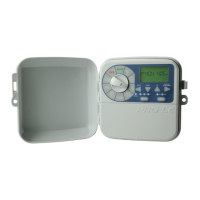
Set Start Times
® All zones will run in
sequential order for
each start time
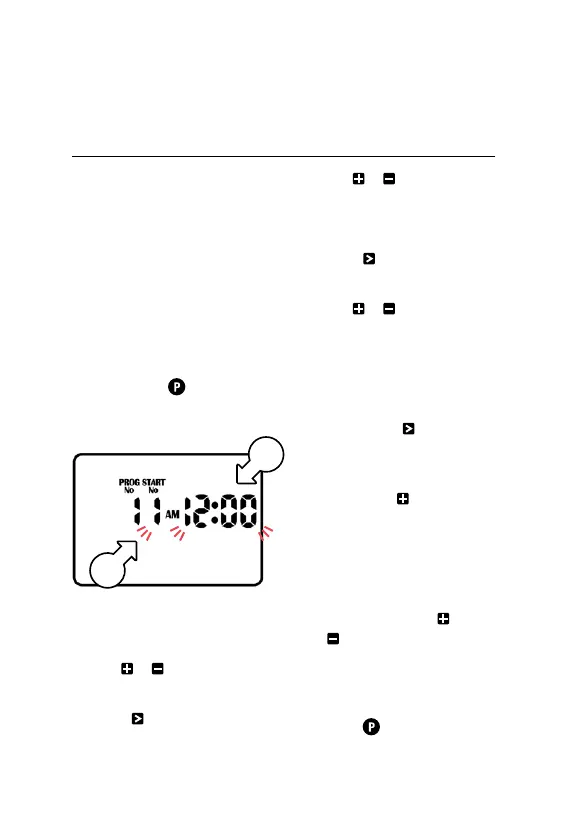
L For this example, we
will set a START TIME
for PROG No. 1
1. Turn the dial to START
TIMES and ensure that
PROG No. 1 is showing
® If not, press to cycle
through the PROGRAMS
and select PROG No. 1
2. START No. 1 [f]
will be flashing
3. Use or to change the
START No. if required
4. Press and the hours[g]
for your selected
START No. will flash
5. Use or to
adjust if required
® Ensure AM/PM is correct
6. Press and the
minutes [g] will flash
7. Use or to
adjust if required
® Each PROGRAM can have
up to 8 START TIMES
8. To set an additional START
TIME, press and START
No. 1 [f] will flash
9. Advance to STARTNo.2
by pressing
10. Follow steps 4-7 above
to set a START TIME
for START No. 2
® To enable or disable a
START TIME, use or
to set both the hours
and minutes to zero
® To cycle through and
change PROGRAMS,
press repeatedly
Programming (continued)
f
g

Related product manuals