10 of 40
Set Watering Days
L This unit has individual day,
EVEN/ODD date, ODD-31
date and INTERVAL
DAYS selection
Individual Day Selection:
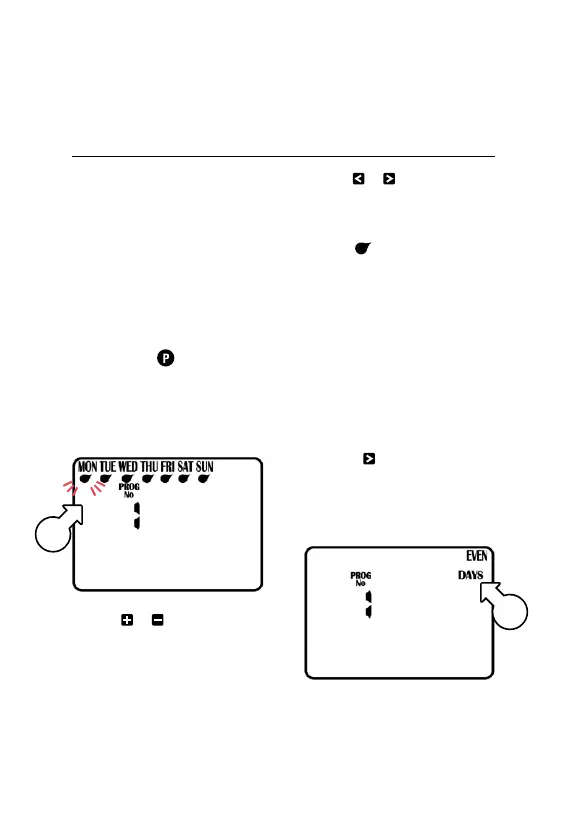
1. Turn dial to WATER DAYS
and PROG No. 1 will show
® If not, use to select
PROG No. 1
2. MON (Monday) [h]
will be flashing
3. Use or to enable or
disable watering for Monday
respectively
4. Use or to cycle through
the days of the week
® Active days will be shown
with underneath
ODD/EVEN Date Selection
L Some regions only allow
watering on odd dates if
the house number is odd,
or likewise for even dates
L Turn dial to WATER DAYS
and PROG No. 1 will show
5. Press repeatedly to
cycle past SUN until EVEN
DAYS [i] or ODDDAYS
is showing accordingly
Programming (continued)
h
i



 To Next Page