12 of 40
Set Zone Run Times
® ZONE RUN TIME is the
length of time each zone
(valve) is scheduled to water
on a particular PROGRAM
® Maximum watering time is
12hrs 59 min for each ZONE
® A zone can be assigned
to any or all of the
possible 5 PROGRAMS
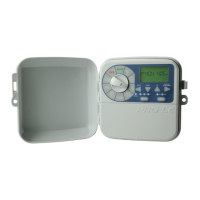
1. Turn the dial to
ZONERUN TIMES
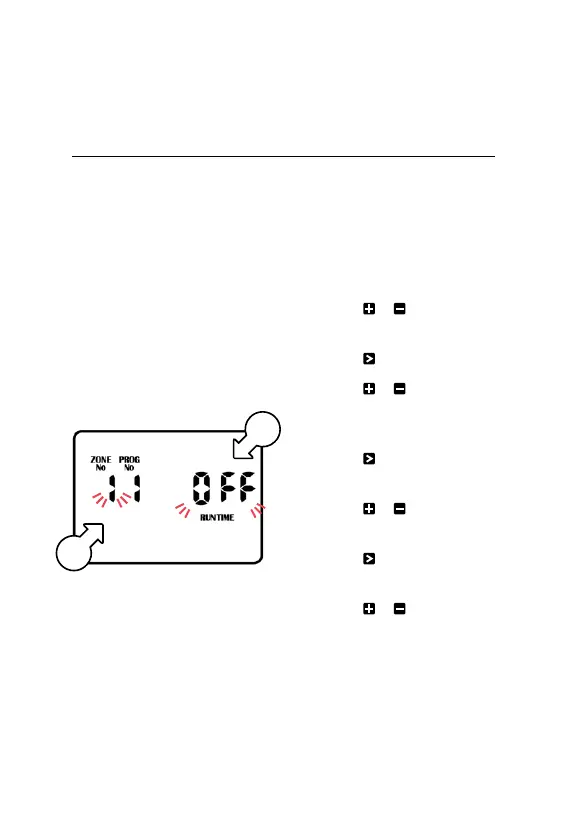
® ZONE No. 1 [l] will be
flashing labelled as OFF,
as shown above, meaning
it has no RUN TIME
programmed in it
L The controller has
permanent memory so if
there is a power failure, even
if the battery is not installed,
the programmed values
will be restored to the unit
2. Press or to select
a zone (valve)
3. Press and OFF will flash
4. Press or to
adjust the RUNTIME
minutes as desired
5. Press and the RUNTIME
hours will flash
6. Press or to adjust the
RUNTIME hours as desired
7. Press and the ZONENo.
will flash again
8. Press or to select
another zone (valve), and
repeat steps 2-7 above
to set a RUN TIME
Programming (continued)
l
m



 To Next Page