17 of 40
Rain Sensor
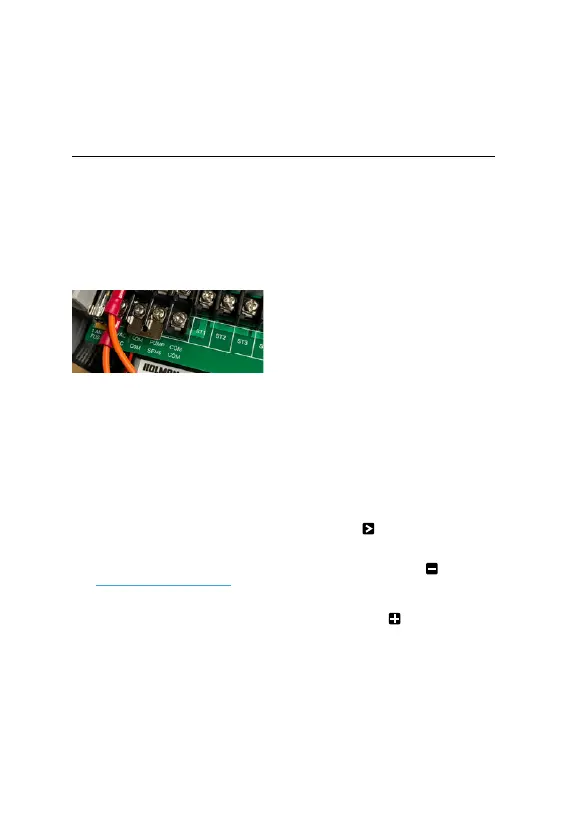
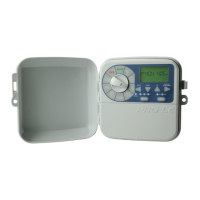
1. When installing a rain
sensor, first remove the
factory fitted link between
the COM and SENS
terminals as shown
2. Replace with the two
wires from the rain sensor
into these terminals,
polarity NOT required
® A Rain Sensor needs to be
connected to the terminal
correctly for this feature
(for more details, see
Zone Valve Installation)
3. Toggle the RAINSENSOR
switch to ON
4. Turn the dial to
RAINSETTINGS to
enable your rain sensor
for individual zones
® The default mode is
ON for all zones
® If a zone is labelled ON
on the display, this means
your rain sensor will be
able to control the valve
in the instance of rain
® Should you have a zone that
always needs to be watered,
(such as an enclosed
greenhouse, or plants
that are under cover) the
rain sensor can be turned
OFF to continue watering
during rainy conditions
5. To turn a zone OFF,
press to cycle through
and select the desired
zone, then press
6. To toggle a zone back
ON, press
® To disable the rain sensor
and allow all zones to water,
toggle the RAINSENSOR
switch to OFF
Other Features (continued)



 To Next Page