EasyManua.ls Logo

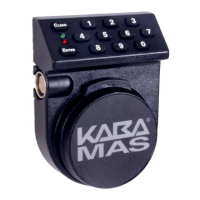
Kaba Mas LA Gard Combogard 33E - User Manual

Kaba Mas LA Gard Combogard 33E
2 pages
Print Icon
To Next Page IconTo Next Page
Loading...
COMBOGARD
33E Firmware
3040-DB Deadbolt Lock & 4100 Swingbolt Lock
Manager prograMMing
STANDARD FEATURES
WRONG TRY PENALTY
 
LOW BATTERY WARNING
 

AUDIO AND VISUAL SIGNAL
 

 

PROGRAMMABLE MODES ACTIVE
(3045 Handheld Programmer Required)
MANAGER COMBINATION£
 
 
USER COMBINATION£
 
 
TIME DELAY OVERRIDE MODE£
 
DUAL COMBINATION MODE£
 
 
PROGRAMMABLE FEATURES (3045 Handheld Programmer Required)
TIME DELAY£
 
 
SILENT SIGNAL ALARM£
 

DISABLE LOCK£
 
OPENING THE LOCK






 
CHANGING YOUR COMBINATION
ALWAYS PERFORM THIS OPERATION WITH THE DOOR OPEN
(If your unit is programmed for Dual Mode, each combination must
be changed independently. Follow these instructions for each
combination change.)





CAUTION: When selecting a combination do not use birthday or
other predictable data that could give correlation between the
user and the combination. Keep the combination secret.
 



ADD USER(ONLY available if either Manager Mode, Time Delay
Override Mode or Dual Mode was activated using the 3045 Hand Held
Programmer. Add User is not available if Remote Override feature is
activated using the 3045 Hand Held Programmer.)
ALWAYS PERFORM THIS OPERATION WITH THE DOOR OPEN
hold down last digit of the
combination until the lock signals with two sets of double beeps.
PRESS 1.




NEW


  Kaba Mas LLC




 



Question and Answer IconNeed help?

Do you have a question about the Kaba Mas LA Gard Combogard 33E and is the answer not in the manual?

Summary

Manager Programming Features

Standard Features Overview

Covers wrong try penalty, low battery warning, and audio/visual signals for lock feedback.

Programmable Modes

Details manager/user combinations, time delay override, and dual combination modes.

Programmable Lock Features

Includes time delay, silent signal alarm, and disable lock functionalities.

Opening the Lock Procedure

Lock Opening Signals

Describes double signal for valid and triple signal for invalid combination entry.

Changing Your Combination

Combination Change Steps

Step-by-step instructions for changing the lock combination.

Combination Security Advice

Cautionary notes on selecting and keeping combinations secret.

User Management Operations

Disable User Function

Procedure for temporarily disabling a user combination.

Reinstate User Function

Procedure for re-enabling a previously disabled user combination.

Remove User Function

Procedure for permanently removing a user and their combination.

Advanced Lock Modes

Dual Mode Operation

Requirements and behavior for dual mode, needing both combinations.

Time Delay Override Mode

How an override combination opens the lock during delay.

Programmable Lock Features Details

Time Delay Feature

Details on delay period, open period, and invalid entry behavior.

Silent Signal Alarm Feature

How to send a duress signal using combination entry.

Disable Lock Feature

How an input signal to the alarm box disables the lock.

General Lock Warnings

Wrong Try Penalty Details

Explains the 5-minute delay after consecutive invalid combinations.

Low Battery Warning Details

Indicates low battery status and recommends replacement.

Overview

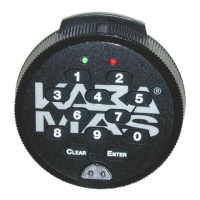
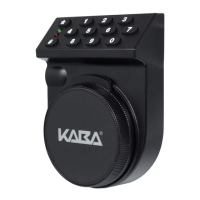
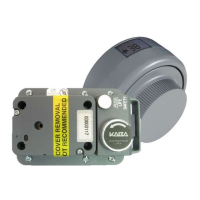
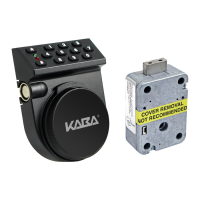
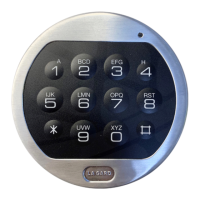
The La Gard ComboGard 33E Firmware is a security system designed for use with 3040-DB Deadbolt Locks and 4100 Swingbolt Locks. It offers a range of programmable features and modes to enhance security and user control.

Function Description

The ComboGard system operates based on six-digit combinations for opening the lock. It incorporates a "Wrong Try Penalty" feature, where four consecutive invalid combinations initiate a five-minute delay period, during which the lock will not respond to keystrokes. This prevents brute-force attempts to guess the combination.

A "Low Battery Warning" is integrated, indicated by repeated LED flashing and beeping during the opening process, signaling that the battery needs immediate replacement. The system uses audio and visual signals to communicate status: a double signal (two LED flashes and two beeps) indicates a valid or accepted entry, while a triple signal (three LED flashes and three beeps) signifies an invalid or unaccepted entry.

The system supports a "Manager Combination," which is factory set to "1-2-3-4-5-6" and provides administrative control over user management. This includes the ability to add, remove, enable, and disable user combinations. "User Combinations" are used to open the lock and can be changed by the user.

The "Time Delay Override Mode" allows for the addition of a second combination to bypass a set time delay. In "Dual Combination Mode," both a manager and a user combination are required to open the lock, adding an extra layer of security.

Programmable features, accessible with a 3045 Handheld Programmer, include "Time Delay," which can be set for a delay period of 1 to 99 minutes and an open period of 1 to 19 minutes. During the delay period, entering a valid combination restarts the delay, while an invalid combination aborts it. During the open period, valid combinations open the lock, and invalid combinations continue the open period. Four consecutive invalid combinations during the open period will trigger the Wrong Try Penalty.

An optional "Silent Signal Alarm" (requiring an Alarm Box 2789 or 4002) allows users to send a duress signal to an alarm system by entering the last digit of their combination one number higher or lower. The lock will open without any visible indication that a duress signal has been sent. The "Disable Lock" feature, also requiring an Alarm Box, allows an input signal to prevent the lock from opening with a valid combination.

Usage Features

Opening the Lock:

  1. Enter a valid six-digit combination.
  2. The lock will provide a double signal to confirm validity.
  3. Within four seconds, turn the keypad (for deadbolt) or handle (for swingbolt) to the open position.
  4. Pull the door open. An invalid combination will result in three signals from the lock.

Changing Your Combination: This operation must always be performed with the door open. If in Dual Mode, each combination must be changed independently.

  1. Enter "zero" six times.
  2. Enter your existing six-digit combination once.
  3. Enter your NEW six-digit combination twice.
  4. If a mistake is made, wait 30 seconds and repeat steps 1-3.
  5. Test the lock operation several times before closing the door. Users are cautioned against using predictable data like birthdays for combinations and are advised to keep combinations secret.

Adding a User: This feature is available only if Manager Mode, Time Delay Override Mode, or Dual Mode has been activated using the 3045 Handheld Programmer. It is not available if the Remote Override feature is active. This operation must always be performed with the door open.

  1. Enter the Manager combination and hold down the last digit until the lock signals with two sets of double beeps.
  2. Press "1." The lock will signal:
    • One beep: User already installed (end of operation).
    • Two beeps: User enabled, proceed to Step 3.
    • Three beeps: Function not programmed (end of operation).
  3. Enter the NEW user combination twice. The lock signals twice after each valid entry.
  4. If a mistake is made, wait 30 seconds and repeat steps 1-3.

Disable User: This operation must always be performed with the door open.

  1. Enter the Manager combination and hold down the last digit until the lock signals with two sets of double beeps.
  2. Press "2." The lock signals once.
  3. The user is temporarily disabled (the user combination is saved and will be valid if reinstated).
  4. If a mistake is made, wait 30 seconds and repeat steps 1-3.

Reinstate User: This operation must always be performed with the door open.

  1. Enter the Manager combination and hold down the last digit until the lock signals with two sets of double beeps.
  2. Press "1." The lock signals once.
  3. The user is reinstated.
  4. If a mistake is made, wait 30 seconds and repeat steps 1-3.

Remove User: This operation must always be performed with the door open.

  1. Enter the Manager combination and hold down the last digit until the lock signals with two sets of double beeps.
  2. Press "3." The lock signals once.
  3. The user and combination are removed from the lock (the Add User feature remains available).
  4. If a mistake is made, wait 30 seconds and repeat steps 1-3.

Dual Mode Operation: If active (programmed with 3045 Hand-Held Programmer):

  1. A user must be added to open the lock. Users cannot be disabled or removed in this mode.
  2. If Time Delay is active, one valid combination starts the Delay period. Both combinations are required to open the lock during the Open period.

Time Delay Override: If active (programmed with 3045 Hand-Held Programmer):

  1. A user must be added to use this mode. Users cannot be disabled or removed.
  2. Entering the Override User combination during the Delay period will open the lock.

Maintenance Features

Battery Low Warning: Repeated LED flashing and beeping during an opening indicates that the battery is low and needs immediate replacement. The system uses alkaline batteries only (e.g., Duracell™ or Eveready™ alkaline batteries). It is recommended that batteries be replaced at least once a year. Specific battery replacement instructions are found in the input unit's "User Operating" guide. The lock contains nonvolatile memory, ensuring that all programming is retained even when batteries are removed.

Kaba Mas LA Gard Combogard 33E Specifications

General IconGeneral
Lock TypeElectronic Combination Lock
Voltage9V
Housing MaterialMetal
Power SupplyBattery
Access MethodKeypad
ConstructionSolid Metal
Battery LifeApproximately 1 year
Current ConsumptionLow power consumption
HumidityUp to 95% non-condensing
DimensionsVaries depending on the specific model, consult datasheet
WeightVaries by model
CompatibilityCompatible with various safe and vault types
Security StandardsUL Listed, EN 1300
Locking MechanismMotor-Driven Lock Bolt

Related product manuals