MDM2010 – ILB3210 Installation Guide
15 | Page
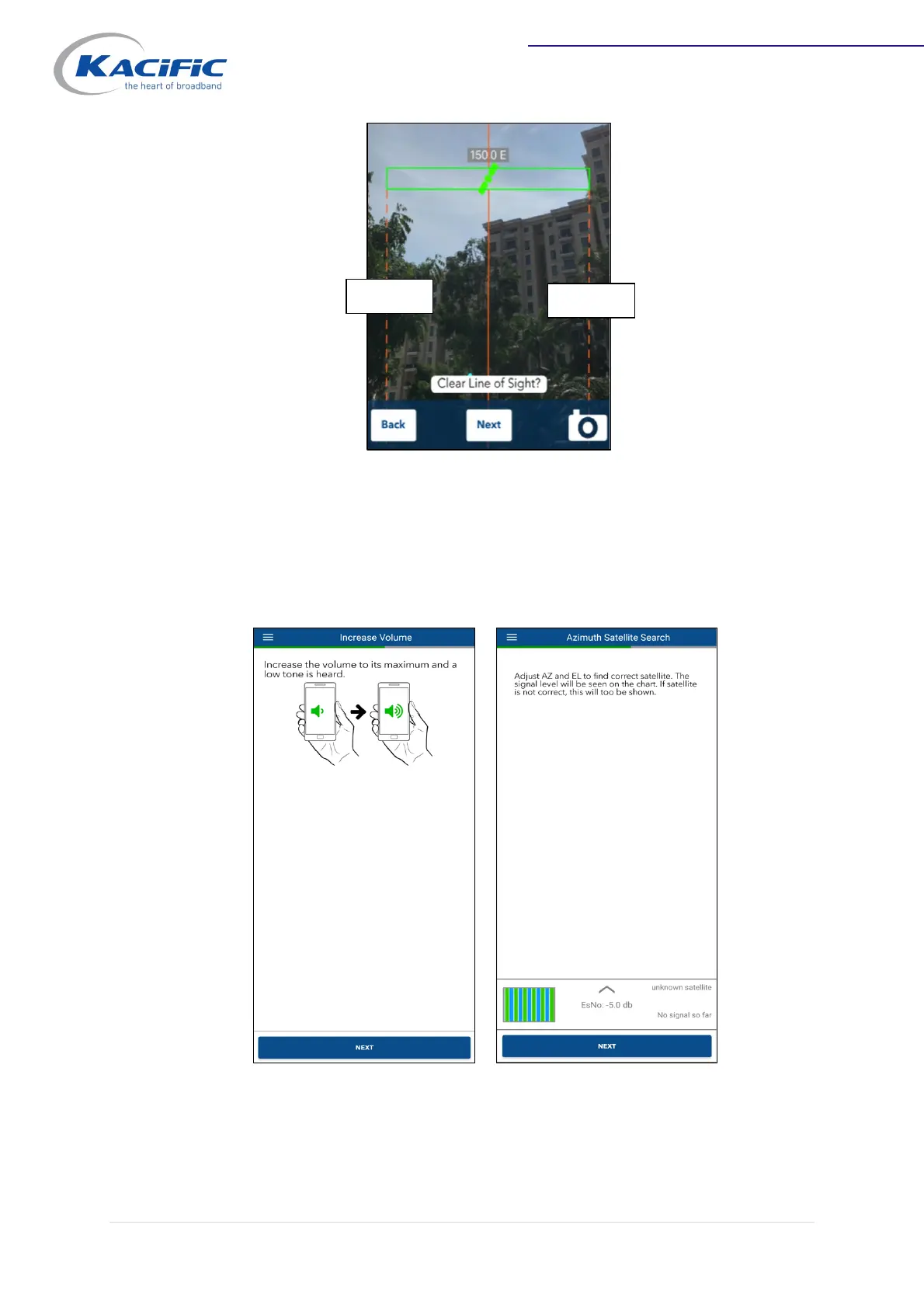
Rotate the dish until it is pointed between Marker 1 and Marker 2.
Increase the volume of your smartphone to hear a tone. A low tone indicates there is
no signal from the correct satellite; a high-pitched tone indicates the modem has
received a signal from the correct satellite (antenna is aligned).
Rotate the dish slowly by hand, in small steps. Stop and wait a few seconds after each
step to check the tone and see the satellite indication (EsNo).



 To Next Page