When power on the unit, "1%~99%" is displayed on the user interface during initialization. During this process the user interface
cannot be operated.
Powering on the unit
The unit should be configured to match the installation environment (outdoor climate, installed options, etc.) and user demand.
A number of field settings are available. These settings are accessible and programmable through “FOR SERVICEMAN” in user
interface.
10.5 Field settings
Procedure
To change one or more field settings, proceed as follows.
Temperature valves displayed on the wired controller (user interface) are in °C.
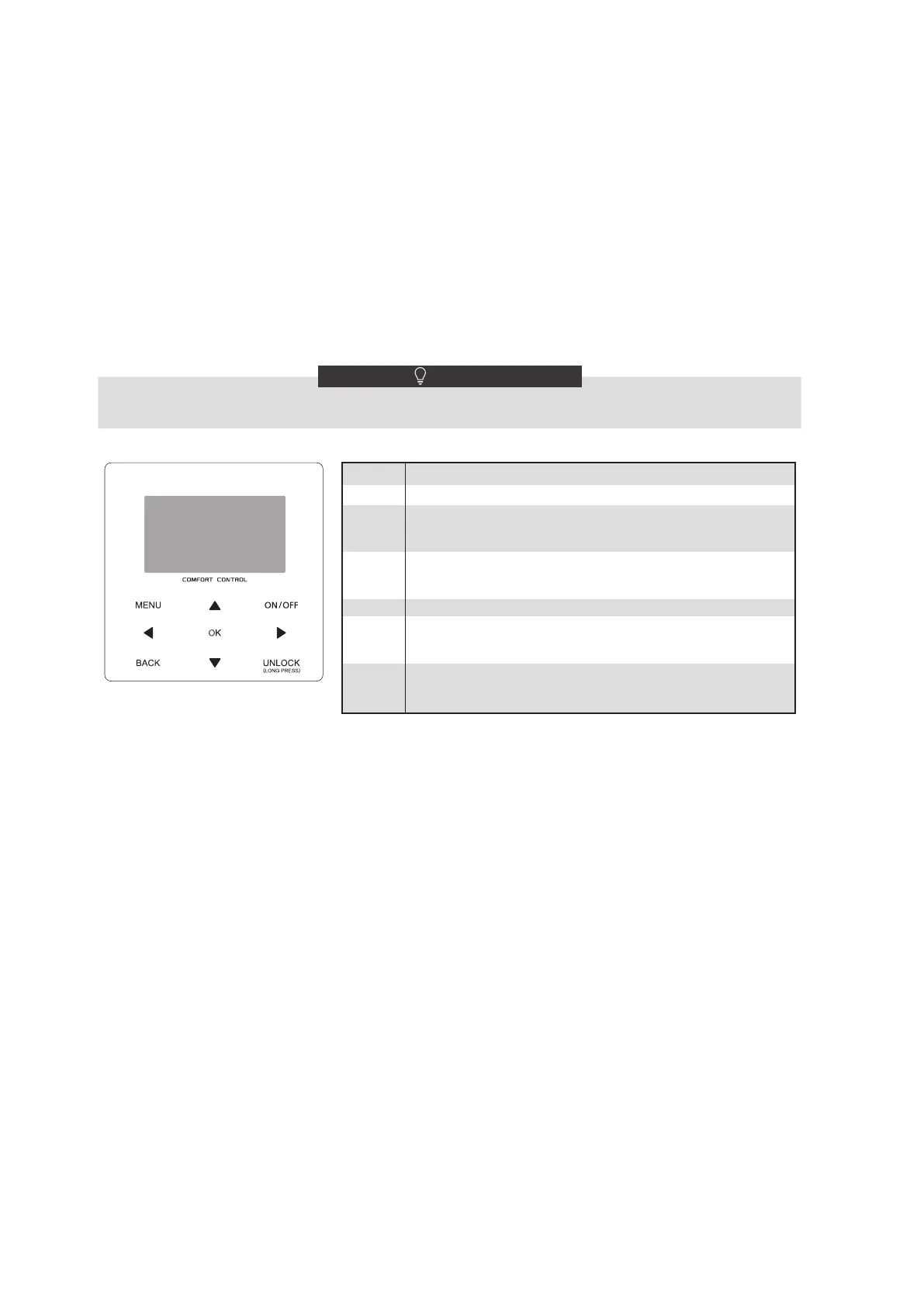
Keys Function
MENU • Go to the menu structure(on the home page)
BACK
• Come back to the up level
◄►▼▲
• Navigate the cursor on the display
• Navigate in the menu structure
• Adjust settings
ON/OFF
• Turn on/off the space heating/cooling operation or DHW
mode
• Turn on/or off functions in the menu structure
UNLOCK
• Long press for unlock /lock the controller
• Unlock /lock some functions such as "DHW temperature
adjusting"
OK
• Go to the next step when programming a schedule in the
menu structure; and confirm a selection to enter in the
submenu of the menu structure.
NOTE
143



 To Next Page