23
HEADLESS MODE
Note: Headless Mode will only operate in modes not using the Obstacle Avoidance
Module (Modes 2&3 or 1 when not attached).
Headless Mode allows you to control the Drone relative to its direction from the take-o
location.
This means you can fly the drone without worrying which direction it is facing.
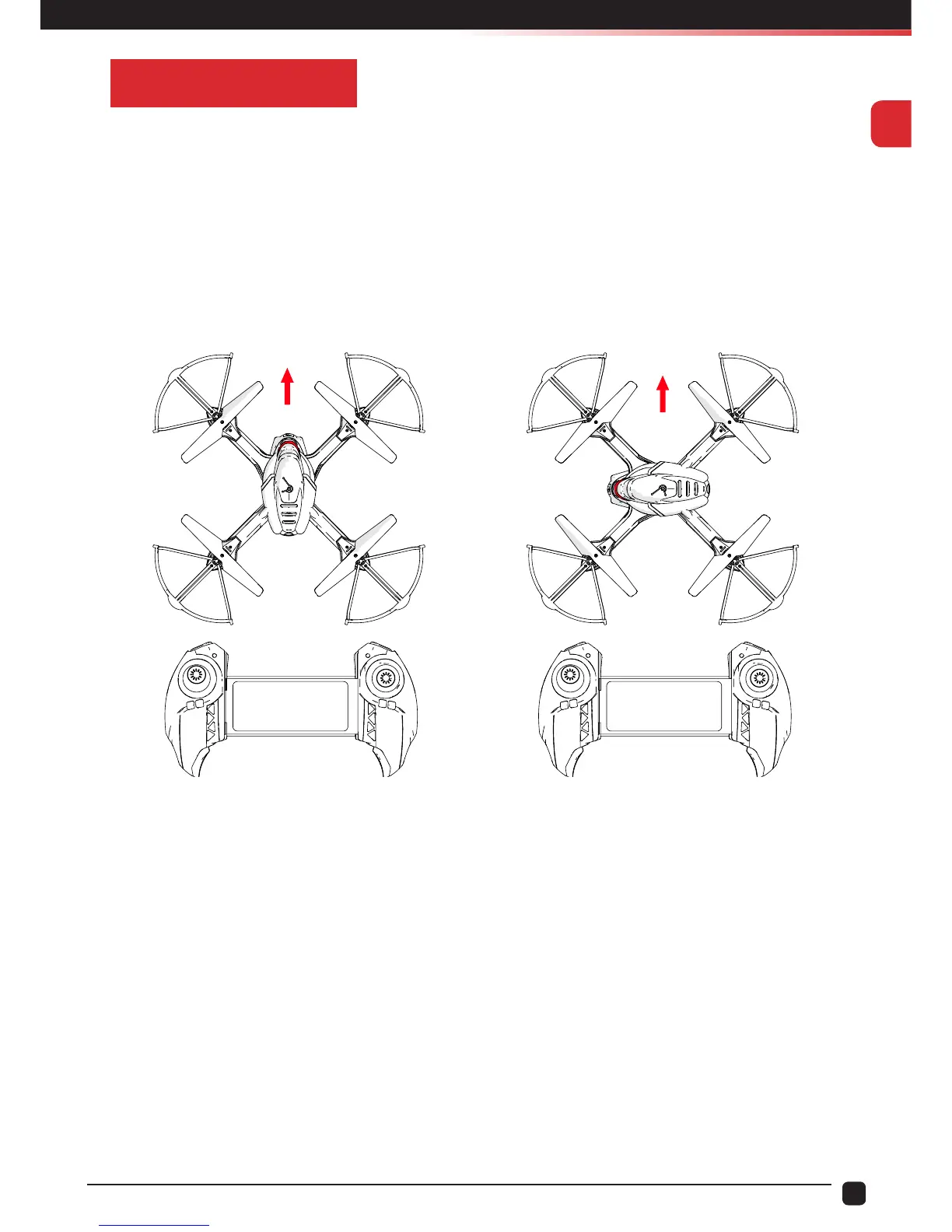
Before you use Headless Mode ensure the Drone’s Direction/Heading is facing away from
the pilot/operator and you calibrate the drone using the following steps:
Calibration:
1. Push the Left Throttle/Yaw Stick and the Right Pitch/Roll Stick to the bottom left and
hold for 2 seconds until you see the LED indicator lights on the drone start to ash
rapidly.
2. Release the sticks and wait for the Drone LEDs to stop ashing.
3. The Drone LEDs will stop ashing indicating that the calibration has been completed.
To enable Headless Mode, simply press the Headless Mode Button on the Transmitter. To
avoid confusion, you should ensure the controls are correct from take-o. You should arm
the Drone while you are standing behind it, so that you and Drone are both facing in the
same direction. Failure to do this will result in incorrect control.
Tip: Headless Mode can be turned on while in flight.
Forward
Forward
NORMAL MODE HEADLESS MODE


 To Next Page