25
1. Connect to the Drone via WiFi.
2. Open the Kaiser Baas Gamma Drone App.
3. Click the Fly My Gamma Ta b
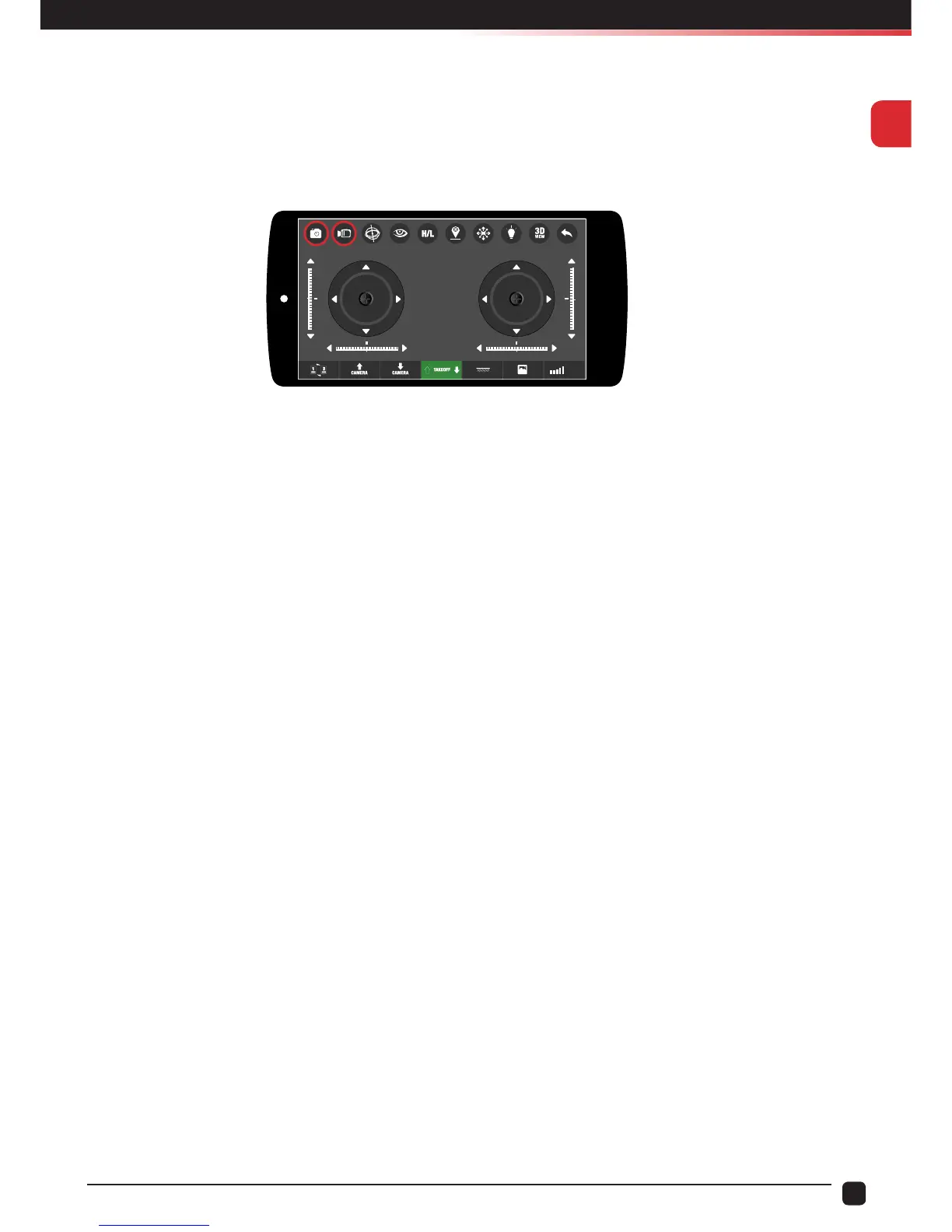
4. On the top left of the screen there are buttons to take photos or record video.
5. The footage will be saved to your devices “Camera Roll” and can also be found within
the “Gallery” section of the App.
On Drone Models not featuring WiFi Camera Module.
To take a photo:
1. Click the Photo/Video button once.
2. The Drone LEDS will ash indicating a photo has been taken.
To record a video:
1. Hold the Photo/Video button for 3 seconds
2. The Drone lights will ash indicating you have commenced recording.
3. Hold the Photo/Video button for 3 seconds to stop recording.
Note: The Photo/Video buttons will not work with the 720P WiFi Camera Module.
They are designed to work with non-WiFi camera modules.
WIFI


 To Next Page