EasyManua.ls Logo

Kaiweets ST600X - Button and Indicator Functions

Kaiweets ST600X
27 pages
Print Icon
To Next Page IconTo Next Page
To Previous Page IconTo Previous Page
Loading...
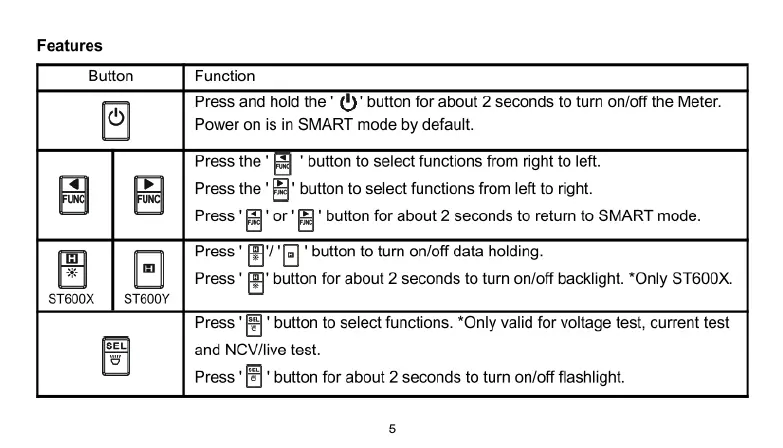
Features
Button
Function
Press
and
hold
the
*
(1)
button
for
about
2
seconds
to
turn
on/off
the
Meter.
Power
on
is
in
SMART
mode
by
default.
Press
the
'
[&
'
button
to
select
functions
from
right
to
left.
Press
the
*[&'
button
to
select
functions
from
eft
o
right.
Press
]
or
[
button
for
about
2
seconds
to
return
to
SMART
mode.
ST600X ST600Y
Press
'
%‘I
'El
"button
to
turn
on/off
data
holding.
Press
'
fi'
button
for
about
2
seconds
to
turn
on/off
backlight.
*Only
ST600X.
Press
'
button
to
select
functions.
*Only
valid
for
voltage
test,
current
test
and
NCV/live
test.
Press
'[£]"
button
for
about
2
seconds
to
turn
on/off
flashlight.

Related product manuals