5
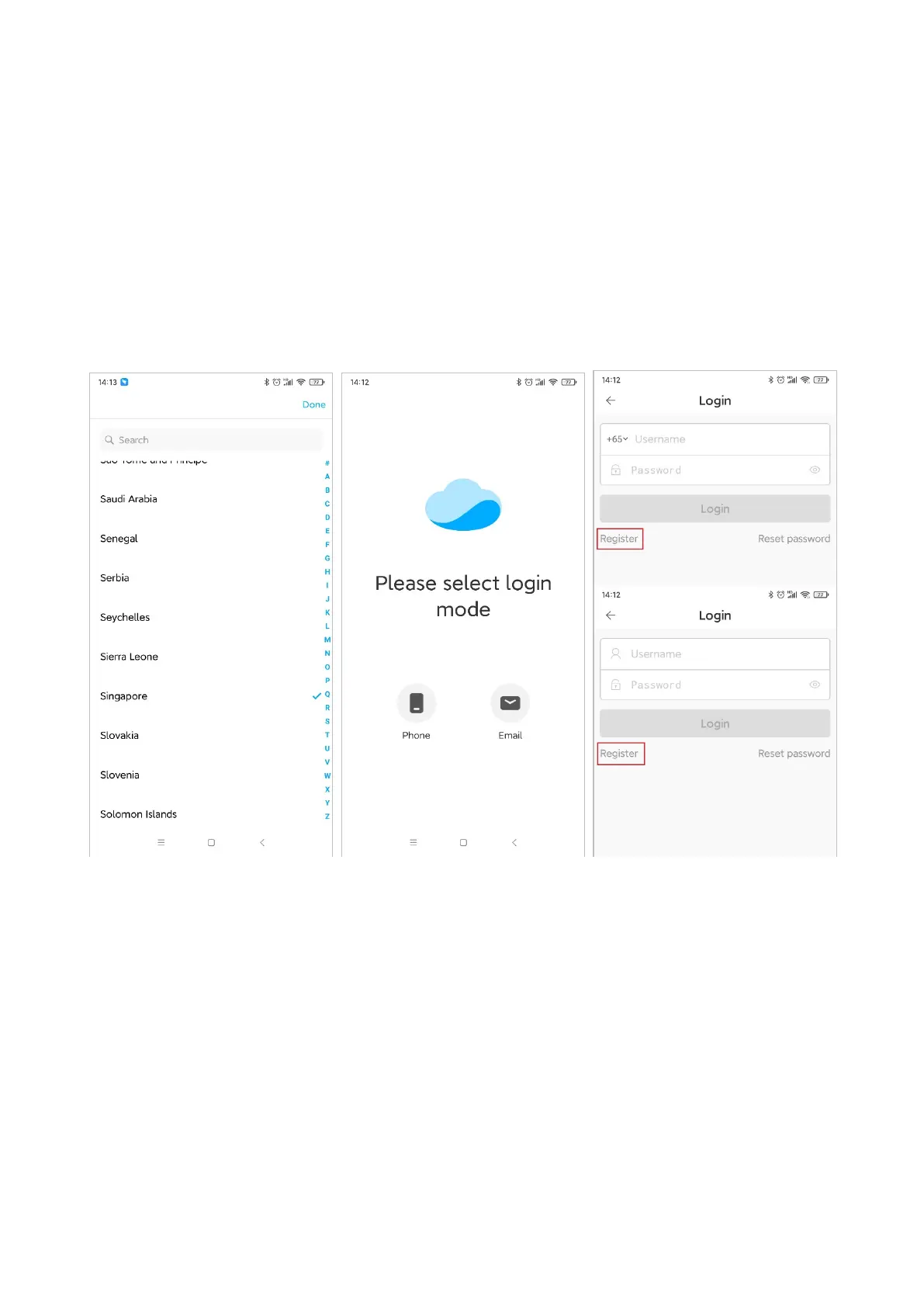
Register account
Open the App, scan the QR code of the device or manually select the region where the device is
located, register via mobile phone or email, and follow the App prompts to complete the
account registration.
Note: Region selection is very important. Wrong region selection will result in failure to
configure the network. It is recommended to scan the QR code of the device to select the
region.


 To Next Page