9
2.2 Connection setting
2.2.1 View tutorials
After installing the app, open the app and click the View tutorial in the upper right
corner.
2.2.2 Introduction of connection
There are two ways for App to connect with dosing pump: Direct Connect and Auto
Connect, we recommend the way of Auto Connect.
Method
You need to select the
dosing pump WiFi to
connect manually, and the
same moment the mobile
cannot access the Internet
Auto
Connect
Mobile and dosing
pumps are connected
by routers, and
routers act as
middleman
Once configured
successfully, the mobile
automatically connect to
the dosing pump through
the router
It is slightly complicated to
set up auto connect. some
routers may not support
auto connection (such as a
5G router)
Note:
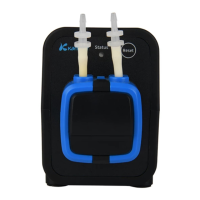
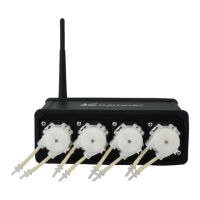
a. The WiFi name of the F4 dosing pump begins with "KAMOER-F4" and the
connection password is 12345678
b. Auto Connect currently supports only 2.4G router, 5G router is not
supported
c. The dosing pump WiFi cannot found in the WiFi list of the mobile after Auto
Connect successful
2.2.3 Reset the dosing pump WiFi
Reset the dosing pump WIFI, which is to allow the dosing pump WIFI to return to the
factory default settings, so you can find it in the mobile phone WiFi list, the WiFi name of
F4 dosing pump begins with "KAMOER-F4". If you can find the WiFi from the dosing pump
in your mobile WiFi list, skip this step.
Operation Steps
Power on dosing pump, waiting for the startup to complete, and then the indicator
light is always on. Press the button on the back panel of pump (time not less than 5s),
when hearing the buzzer and the indicator is flashing, release the button. Unplug the
power, wait 5 seconds to power on again, and the WiFi reset operation is over.


 To Next Page