2.3 Software use
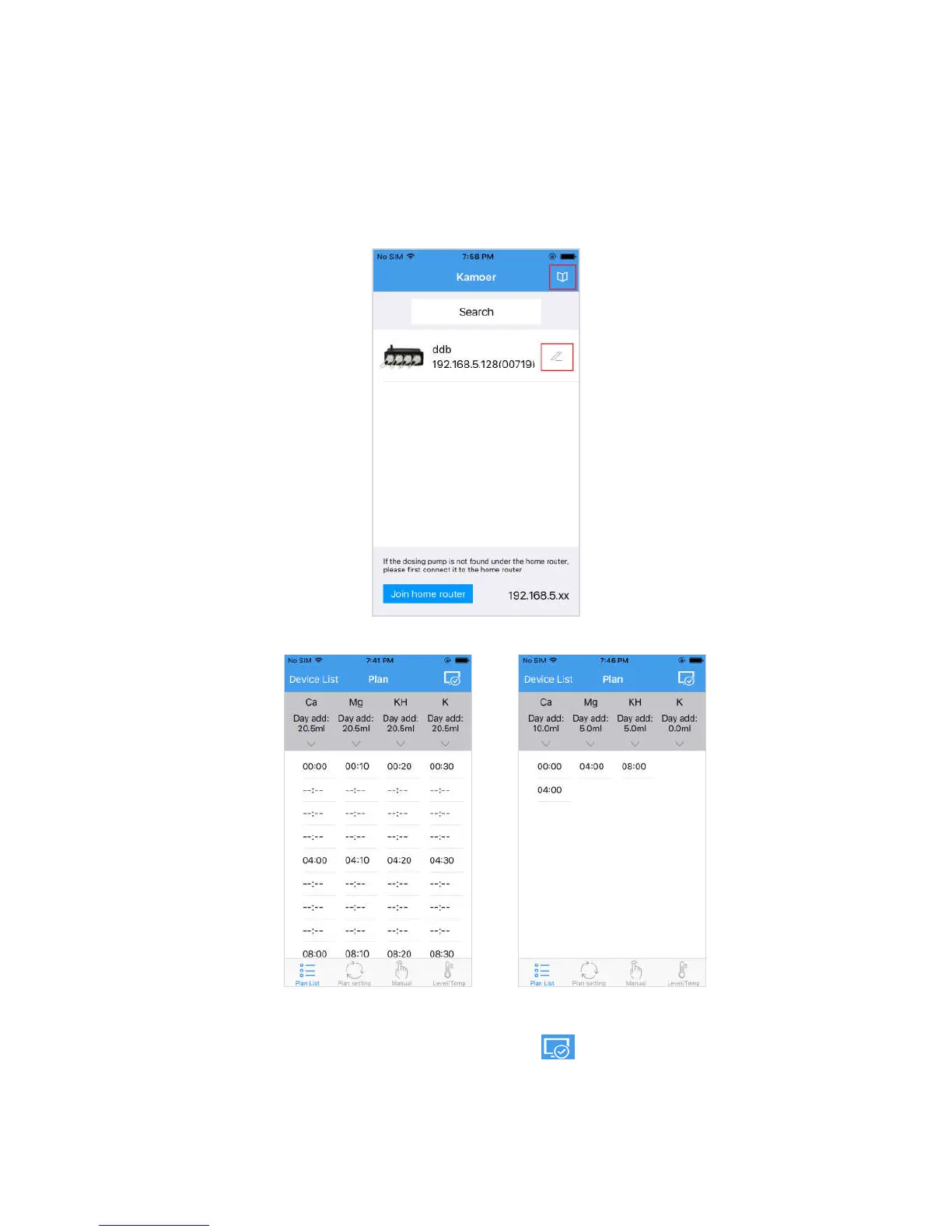
Open the app into the search device page, the page shows the search of the dosing
pump, click on the dosing pump, you can enter the dosing pump control interface.
Click on the icon in the red box below to modify the dosing pump name and view the
tutorial.
2.3.1 Plan list (initial page)
Automatic mode plan list Custom mode plan list
a. The upper right-hand corner shows the icon indicate the connection state
of the dosing pump;


 To Next Page