clock thermostat, type 30056/146910
Page 14
4. Selecting operating mode
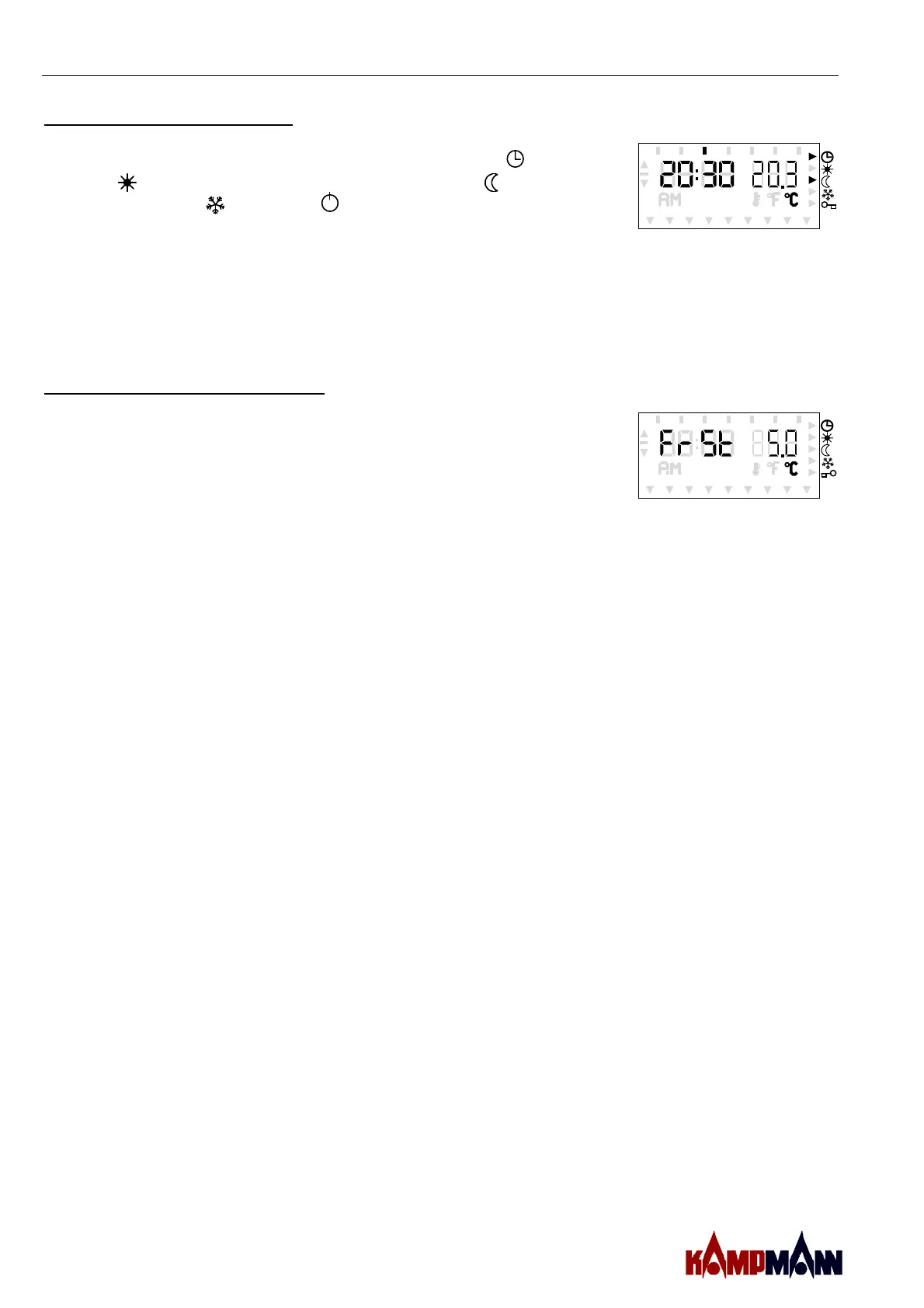
The operating mode can be selected by means of the left three
keys. Here, you can choose between automatic mode , comfort
mode (long-term), temperature setback mode (long-term),
frost protection and Off . The operating modes „“off“
respectively „frost protection“ can hereby be reached by
simultaneously pressing the left upper - and middle key
respectively the lower - and middle key. The selected mode is
shown by the indicators at the right part of the display. In the
automatic mode a second indicator shows the valid temperature
step. If the thermostat is operated in the cooling mode, frost
protection cannot be polled.
MO DI MI DO FR SA SO
5. Setting of control parameters
By pressing PROG for three seconds you reach a menu within
which different control parameters may be set. The left part of
the display shows the parameter and the right part shows the
prevailing value respectively the position. The value can be
changed with + and — . The next parameter can be reached
with SET. With confirming the last parameter by „SET“ the
thermostat goes back to the operating mode, out of which the
menu „setting parameters“ has been polled. The individual
parameters have the following meaning:
MO DI MI DO FR SA SO
When operated as On/Off thermostat:
Text Basic setting Min. value Max. value
FroSt protection 5.0°C 5.0°C 15.0°C
operating
diFFerential
±0.5K ±0.1K ±3.0K
When operated as pulsing thermostat:
Text Basic setting Min. value Max. value
FroSt protection 5.0°C 5.0°C 15.0°C
ProPortional band 3.0K 1.0K 10.0K
Width of PuLSe 5min 1min 15min


 To Next Page