User manual wM-Bus Dongle SW Tool
Appendix D: Hydrometer set-up
5512-1057 GB / 12.2011 / A1
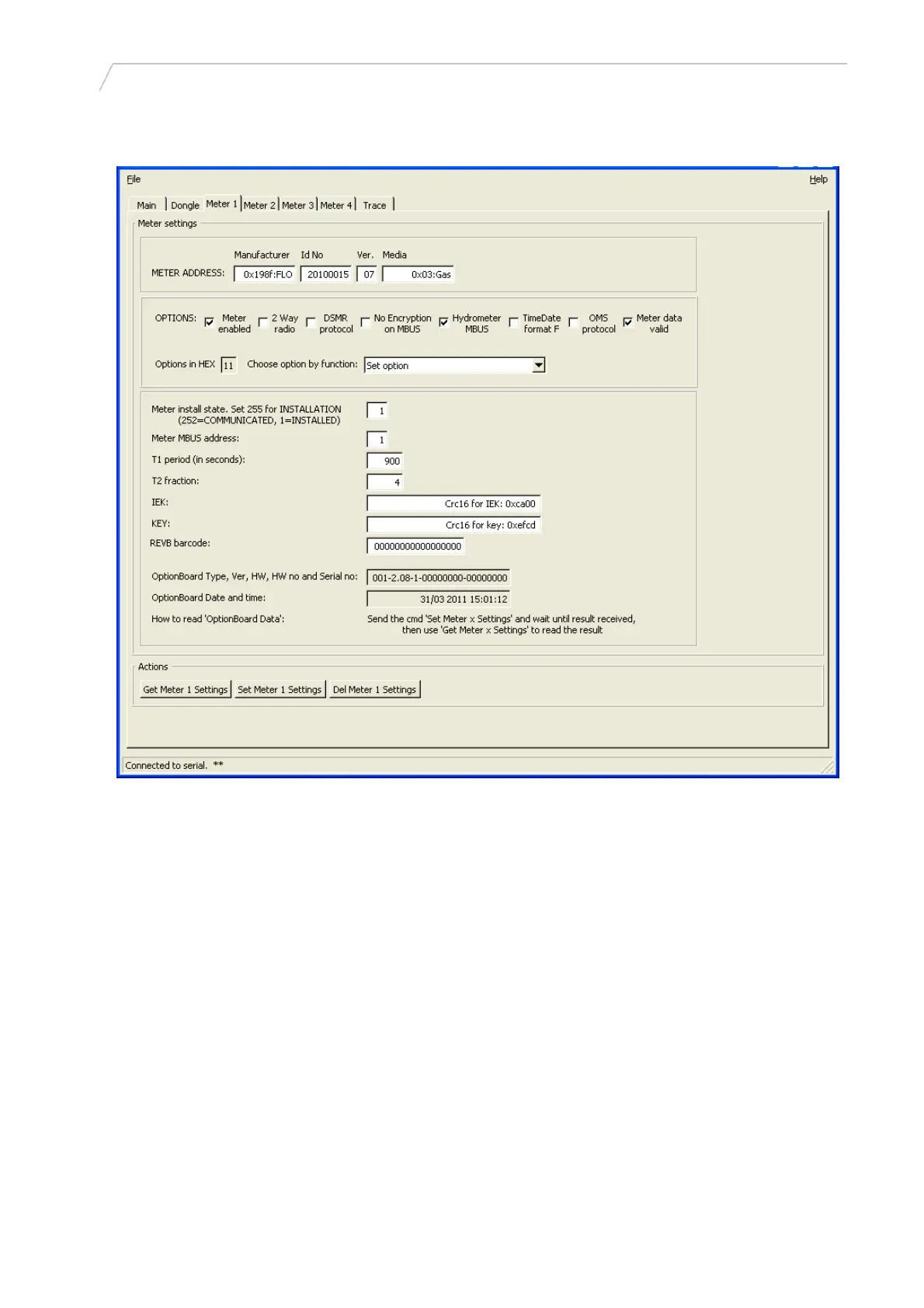
Figure 11
Set-up of a Hydrometer meter:
• Find the meter on the Main tab, and transfer the data to the relevant Meter X tab.
• Set Meter install state to 1 as there is no installation procedure for Hydrometer.
• Set Meter M-BUS address to where you want the meter to respond on the M-Bus.
• T1, T2, IEK, KEY, Rev B barcode and the Option Board data fields are not used.
Warning: If [Get Meter X Settings] is clicked, do not click [Set Meter X Settings] as this will destroy
the meter settings (Hydrometer addressing is proprietary, and setting the address after getting the
meter settings will result in a wrong address).
14

 To Next Page
 Loading...