User manual wM-Bus Dongle SW Tool
3
Configuration
To configure the Dongle, follow the steps below.
Connect the Dongle to a supply, either a wired bus or to 24 V DC, run the wM-Bus application,
and click the [Run the WIRELESS Application] button (see Figure 2)
Search for wM-Bus meters (see Figure 2)
Choose the wM-Bus meters (see Figure 2)
Configure the wired M-Bus address etc. (see Figure 3)
Store the configuration (see Figure 3).
Note: In Figures 2 and 3, all fields marked with red must be filled in.
The menu tabs of the software are described in the following paragraphs.
3.1
Main tab
5512-1057 GB / 12.2011 / A1
Figure 2
Choose application: Select the interface to use, wired or wireless. If wired application is used,
remember to connect an M-Bus to the serial/USB converter, e.g. a Kamstrup MBM 250D. If the
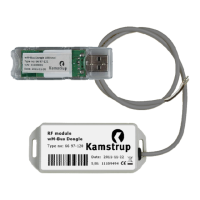
wireless application is used, remember to connect the USB Tool to the PC. Drivers for this USB Tool
are normally found by the operating system.
4

 To Next Page
 Loading...