EasyManua.ls Logo

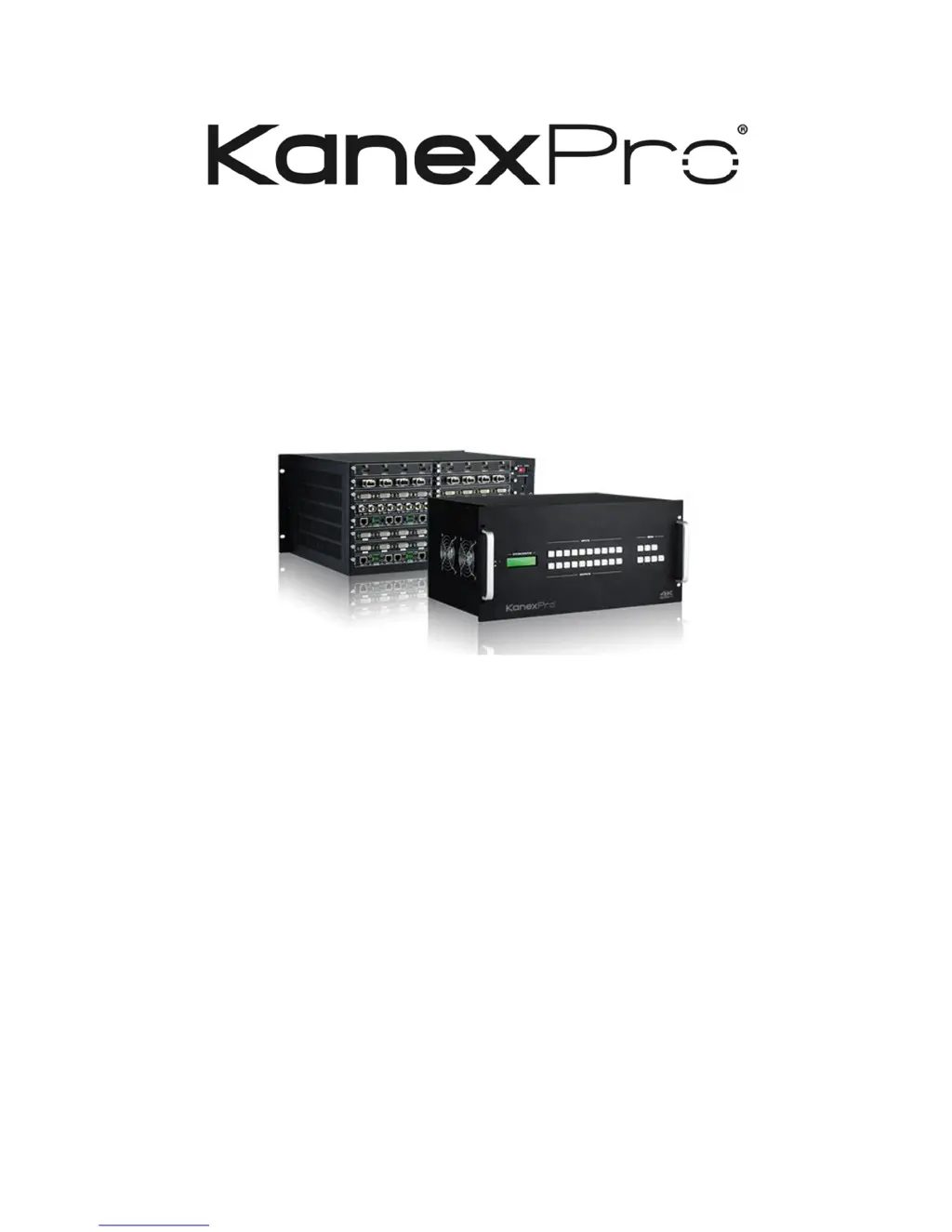
KanexPro HDMMX88-4K - User Manual

KanexPro HDMMX88-4K
48 pages
Print Icon
To Next Page IconTo Next Page
Loading...
HDMMX88-4K Modular Matrix
Switcher
User Manual
All Rights Reserved
Version: HDMMX88-4K_2015V2.5

Questions and Answers

  • C
    Christine GreerAug 17, 2025
    What to do if the POWER indicator doesn’t work on KanexPro HDMMX88-4K Switch?
    • R
      Raymond WashingtonAug 17, 2025
      If the POWER indicator of your KanexPro Switch doesn’t work, or the device doesn't respond to any operation, it might be due to a loose connection of the power cord. Ensure the power cord is properly connected.
  • T
    Tyler BairdAug 20, 2025
    Why is there a blank screen on my KanexPro Switch display when switching?
    • M
      Mrs. Kylie Rodriguez DVMAug 20, 2025
      If you observe a blank screen on the display when switching with your KanexPro Switch, it could be due to the display not supporting the resolution of the video source. Try switching again. Alternatively, manually manage the EDID data to ensure the video source resolution automatically complies with the output resolution.
  • R
    Randall JamesAug 22, 2025
    How to fix output image with ghost on KanexPro Switch?
    • M
      michael07Aug 22, 2025
      If you are experiencing a ghost image with your KanexPro Switch output, it could be due to a bad quality connecting cable. Try using another high-quality cable. It may also be caused by inappropriate image settings on the display. Adjust the corresponding image settings on your display.
  • K
    Kimberly LaneAug 26, 2025
    What to do if the IR remote does not work for KanexPro Switch?
    • D
      Diana FrazierAug 26, 2025
      If the IR remote for your KanexPro Switch isn't working, the battery may be depleted. Try replacing it with a new battery. If a new battery doesn’t solve the problem, the IR remote might be broken and require professional attention.
  • L
    Lucas MackAug 28, 2025
    Why can't I control KanexPro HDMMX88-4K Switch through RS232 port?
    • Z
      Zachary PatrickAug 28, 2025
      If you cannot control your KanexPro Switch using a control device (like a PC) through the RS232 port, the RS232 communication parameters may be incorrect. Ensure you are using the correct RS232 communication parameters. If the issue persists, the RS232 port might be broken and require professional checking.
  • N
    Nancy VillegasAug 31, 2025
    Why does static become stronger when connecting video to KanexPro HDMMX88-4K Switch?
    • N
      Nicholas BryantAug 31, 2025
      If you're getting static that becomes stronger when connecting the video to your KanexPro Switch, this could be due to bad grounding. Check the grounding and make sure it is properly connected.
  • T
    tiffany55Sep 2, 2025
    What to do if there is no output image when switching KanexPro HDMMX88-4K Switch?
    • M
      Michael HarrisSep 2, 2025
      If you're not getting any output image when switching with your KanexPro Switch, it could be due to several reasons. There might be no signal at the input or output end; use an oscilloscope or multimeter to check for a signal. It could also be a connection issue; ensure all connections are secure. If these steps don't resolve the issue, the switcher itself may be broken and require professional repair.
  • L
    Leonard HuntSep 5, 2025
    Why is my KanexPro Switch losing color or has no video signal output?
    • A
      Arthur PeckSep 5, 2025
      If you observe color loss or no video signal output from your KanexPro Switch, it may be due to a connection failure. Reconnect the display and the matrix to ensure a secure connection.
  • S
    Stephanie GarciaSep 8, 2025
    How to fix EDID management issues on KanexPro HDMMX88-4K Switch?
    • P
      paulmcdonaldSep 8, 2025
      If EDID management is not working normally on your KanexPro Switch, the HDMI cable at the output end may be damaged. Try replacing it with another HDMI cable that is in good working condition.
  • D
    David WolfeSep 12, 2025
    What to do if front panel buttons don't work on KanexPro HDMMX88-4K?
    • L
      Lindsay FosterSep 12, 2025
      If you cannot control the KanexPro Switch by front panel buttons, but can control it through the RS232 port, the front panel buttons may be locked. Send command 50605% to unlock the front panel buttons.

Summary

SAFETY PRECAUTIONS

Introduction

Features

Lists the key features and specifications of the modular matrix switcher.

Modular Matrix Switcher signal card (changeable cards)

Describes the various input and output signal cards supported by the switcher.

Panel Description

Front Panel

Details the components and controls on the front panel of the switcher.

Rear Panel

Explains the various ports and connectors on the rear panel of the switcher.

System Connection

Control Operations

RS232 Communication Commands

Lists and explains the commands used for RS232 control of the switcher.

TCP;IP Control (Optional)

Control Modular Matrix Switcher 8 x8 (with Audio) via TCP;IP communication software

Guides on controlling the switcher using TCP/IP software, with an example.

TCP;IP Configuration

Explains how to configure TCP/IP settings for the switcher via its web server.

Specification

Changeable Cards

Details the specifications for various changeable input/output cards.

4 I-DV & 40-DV

Details the specifications for the 4I-DV and 40-DV DVI input/output cards.

Troubleshooting & Maintenance

KanexPro HDMMX88-4K Specifications

General IconGeneral
TypeHDMI Matrix Switcher
CategorySwitch
Input Ports8
Output Ports8
HDCP SupportHDCP 2.2
Video Bandwidth18 Gbps
HDMI ComplianceHDMI 2.0
Color DepthUp to 12-bit
Resolution Support4K Ultra HD
Video ResolutionsUp to 4K@60Hz (3840x2160)
Audio FormatsDolby TrueHD, DTS-HD Master Audio
Audio SupportLPCM, DTS, Dolby Digital
ControlRS-232, IR
Dimensions17.3 x 1.7 inches
EDID ManagementAdvanced EDID Management

Related product manuals