10
KT-100 Installation Manual
KT-100 Compliance Notices
This device complies with Part 15 of the FCC rules. Operation
is subject to the following two conditions:
◗
(1) this device may not cause harmful interference,
and
◗
(2) this device must accept any interference
received including interference that may cause
undesired operation. This class B digital apparatus
meets all requirements of the Canadian Interference
Causing Equipment Regulations. The KT-100 is
also compliant with EN55022: 1994, amendment 1:
1995, Class B.
Troubleshooting Communication
Problems
The KT-100 default initialization is done at Kantech. The
following steps should only be done if:
◗
You changed the software (e.g.: you were using
WinPass, then installed EntraPass) and there is no
communication,
◗
You replaced an existing KT-100 by another one on
a loop,
To enable the default initialization (hard reset):
1.
Disconnect the transformer and the battery from the
PC4204 power supply.
2.
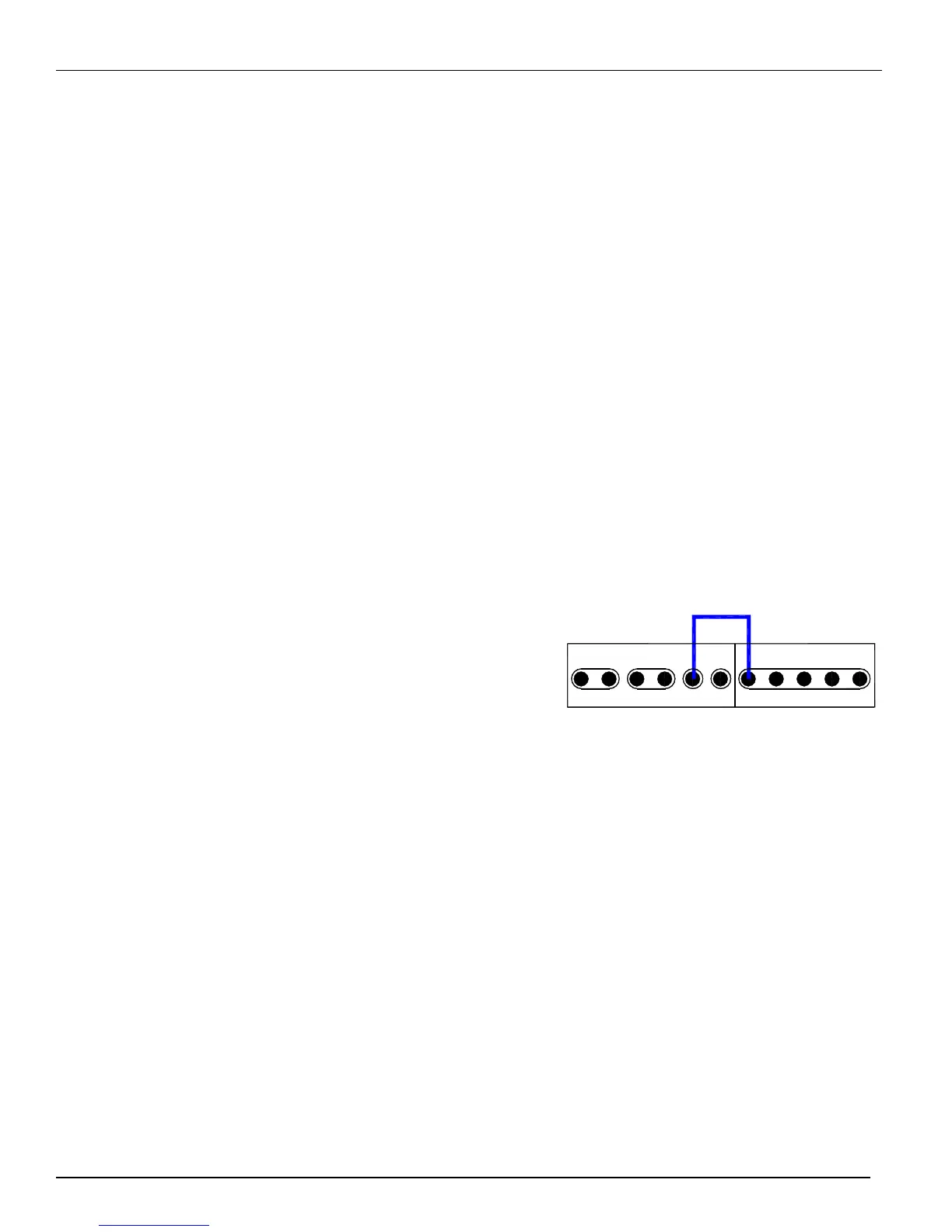
Remove all connections of Z1 (DOOR) and R3
terminals.
3.
Place a jumper between the Z1 (DOOR) and R3
terminals.
4.
Apply AC power to the transformer. The VITAL LED
should flash 4 times. This means that the controller is in
the initialization mode.
5.
Disconnect the jumper. When the controller is
communicating with the PC, the VITAL LED will flash
3 beats at a time.
6.
Reconnect the battery.
R1 R2 R3 R4
DOOR
REX
COM
AUX AUX
INPUTSRELAYS
Z1
Z2
Z3 Z4
Jumper


 To Next Page