Who should read this manual?
; ;•.. ; ;.;.; ;.;-;.; ;.;.;-;-;-;.;.;.;.; ;.;.;.; ;.;.•.•...•.....;.;.;.;.;.;.;.;.;.; ;.;.; ;.;.;.;.;
This manual is intended as a quick reference guide to assist new users in getting started as
quickly as possible with the RAM Plus. If you are already familiar with connecting a TNC to
your computer and radios, you may want to set the INTFACE command to TERMINAL and
proceed directly to the RAM Plus Reference Manual.
Before You Start
Please take a moment to read the License Agreement in the front of this manual before you
install or use your RAM Plus. Your installation and/or use of the RAM Plus constitutes your
agreement to be bound by the terms of the License Agreement.
Your RAM Plus comes with one male DB-9 cable (YHF), one 8-pin DIN cable (HF), one
DB-25 cable (computer), one 2.1 mm power jack, and two Y-adapters. You will need to supply
the connectors required for your radios (mic jack or accessory plug). Wiring instructions are
included in this manual. To help you explore your new Kam Plus, we've included Pacterm,
a simple terminal program for the PC on a 5-1/4" disk. You are free to make copies on 3-1/2"
disks if necessary. Once you've explored the RAM Plus, you will likely desire to purchase a
full-featured program such as Host Master. Pacterm will not be updated.
About Your KAM Plus
Front Panel
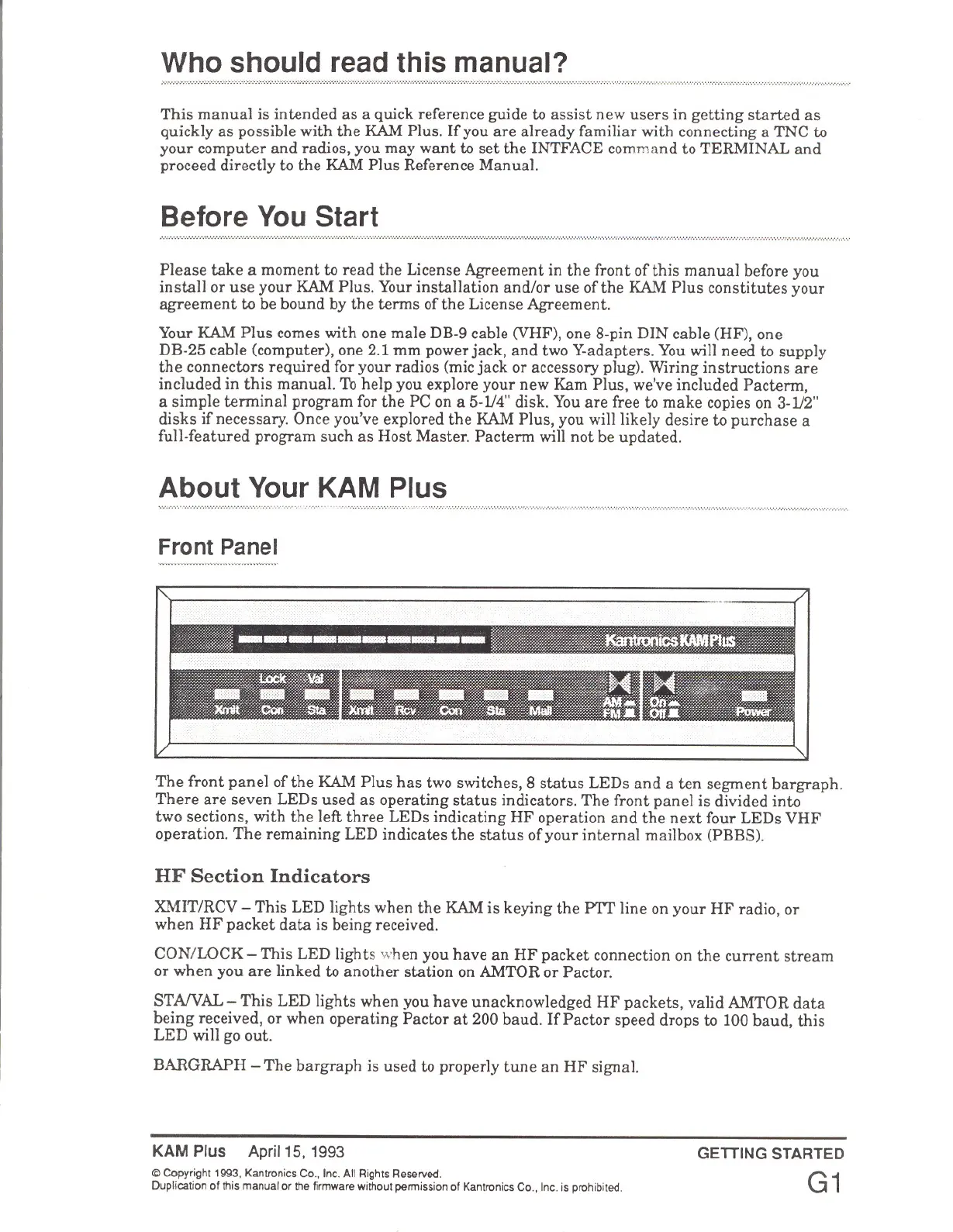
The front panel of the RAM Plus has two switches, 8 status LEDs and a ten segment bargraph.
There are seven LEDs used as operating status indicators. The front panel is divided into
two sections, with the left three LEDs indicating HF operation and the next four LEDs VHF
operation. The remaining LED indicates the status of your internal mailbox (PBBS).
HF Section Indicators
XMIT/RCV - This LED lights when the RAM is keying the PTT line on your HF radio, or
when HF packet data is being received.
CON/LOCK- This LED lights ,,,,hen you have an HF packet connection on the current stream
or when you are linked to another station on AMTOR or Pactor.
STA/VAL - This LED lights when you have unacknowledged HF packets, valid AMTOR data
being received, or when operating Pactor at 200 baud. If Pactor speed drops to 100 baud, this
LED will go out.
BARGRAPH - The bargraph is used to properly tune an HF signal.
KAM Plus Apri/15,1993
<S;)Copyright 1993. Kantronics Co .• Inc. All Rights Reserved.
Duplication of this manual or the firmware without permission of Kantronics Co .• Inc. is prohibited.
GETTING STARTED
G1



 To Next Page