EasyManua.ls Logo

Kantronics KPC-4 - Page 49

Default Icon
72 pages
Print Icon
To Next Page IconTo Next Page
To Previous Page IconTo Previous Page
Loading...
2)
Ctrl-C
X
Leave
current
mode
and
return
to
cmd:
prompt
(packet)
Ctrl-C
n
where
nis
a
number
(0-9)
Changes
current
baud
rate
according
to
the
following
chart:
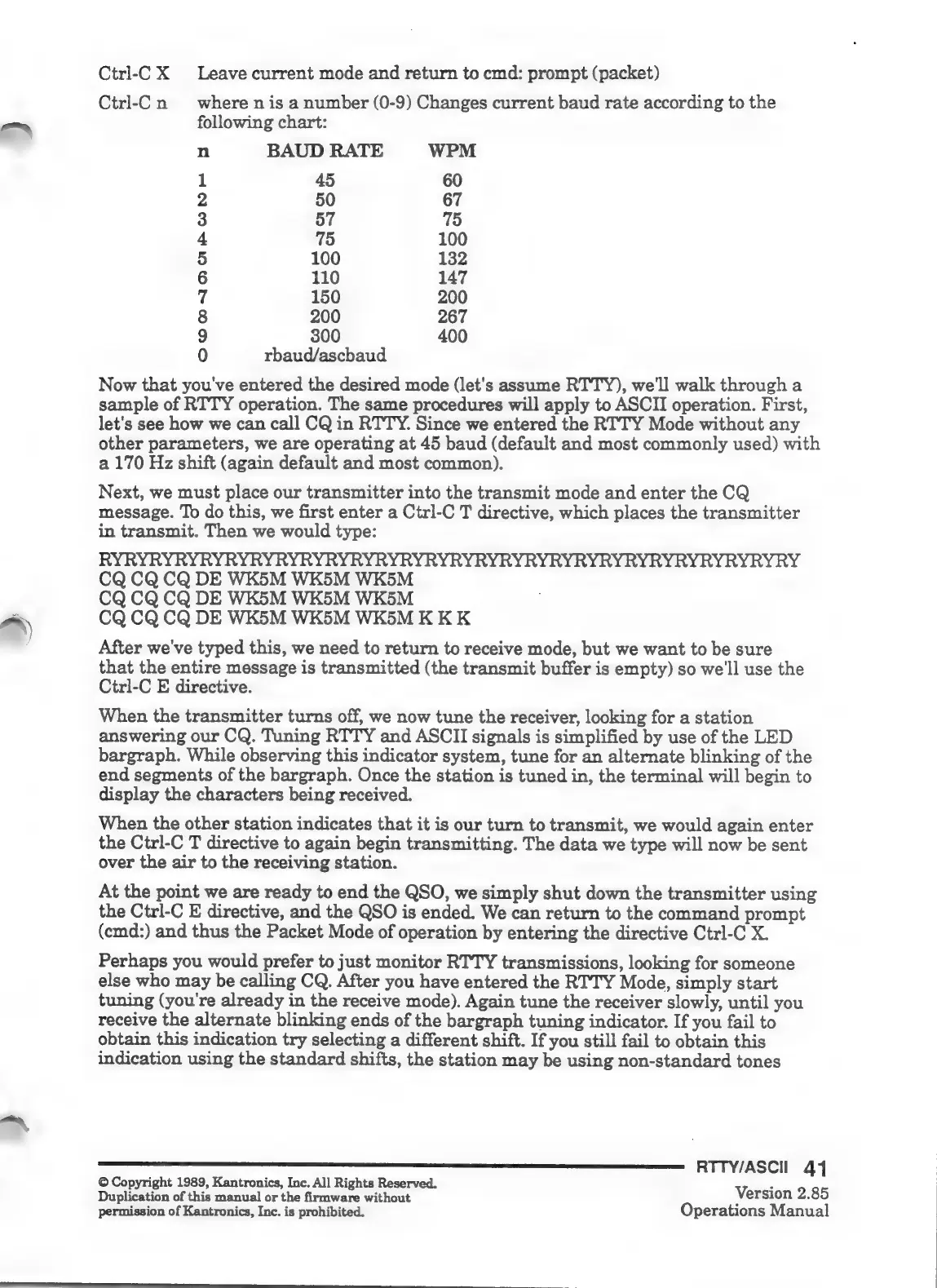
n
BAUD
RATE
WPM
1
45
60
2
50
67
3
57
75
4
75
100
5
100
132
6
110
147
7
150
200
8
200
267
9
300 400
0
rbaud/ascbaud
Now
that
you've
entered
the
desired
mode
(let's
assume
RTTY),
we'll
walk
through
a
sample
of
RTTY
operation.
The
same
procedures
will
apply
to
ASCII
operation.
First,
let's
see
how
we
can
call
CQ
in
RTTY.
Since
we
entered
the
RTTY
Mode
without
any
other
parameters,
we
are
operating
at
45
baud
(default
and
most
commonly
used)
with
a
170
Hz
shift
(again
default
and
most
common).
Next,
we
must
place
our
transmitter
into
the
transmit
mode
and
enter
the
CQ
message.
To
do
this,
we
first
enter
a
Ctrl-C
T
directive,
which
places
the
transmitter
in
transmit.
Then
we
would
type:
RYRYRYRYRYRYRYRYRYRYRYRYRYRYRYRYRYRYRYRYRYRYRYRYRYRYRYRY
CQ
CQ
CQ
DE
WK5M WK5M
WK5M
CQ
CQ
CQ
DE
WK5M
WK5M
WK5M
CQ
CQ
CQ
DE
WK5M
WK5M
WK5M
KKK
After
we've
typed
this,
we
need
to
return
to
receive
mode,
but
we
want
to
be
sure
that
the
entire
message
is
transmitted
(the
transmit
buffer
is
empty)
so
we'll
use
the
Ctrl-C
E
directive.
When
the
transmitter
turns
off,
we
now
tune
the
receiver,
looking
for
a
station
answering
our
CQ.
Tuning
RTTY
and
ASCII
signals
is
simplified
by
use
of
the
LED
bargraph.
While
observing
this
indicator
system,
tune
for
an
alternate
blinking
of
the
end
segments
of
the
bargraph.
Once
the
station
is
tuned
in,
the
terminal
will
begin
to
display
the
characters
being
received.
When
the
other
station
indicates
that
it
is
our
turn
to
transmit,
we
would
again
enter
the
Ctrl-C
T
directive
to
again
begin
transmitting.
The
data
we
type
will
now
be
sent
over
the
air
to
the
receiving
station.
At
the
point
we
are
ready
to
end
the
QSO,
we
simply
shut
down
the
transmitter
using
the
Ctrl-C
E
directive,
and
the
QSO
is
ended.
We
can
return
to
the
command
prompt
(cmd:)
and
thus
the
Packet
Mode
of
operation
by
entering
the
directive
Ctrl-C
X.
Perhaps
you
would
prefer
to
just
monitor
RTTY
transmissions,
looking
for
someone
else
who
may
be
calling
CQ.
After
you
have
entered
the
RTTY
Mode,
simply
start
tuning
(you're
already
in
the
receive
mode).
Again
tune
the
receiver
slowly,
until
you
receive
the
alternate
blinking
ends
of
the
bargraph
tuning
indicator.
If
you
fail
to
obtain
this
indication
try
selecting
a
different
shift.
If
you
still
fail
to
obtain
this
indication
using
the
standard
shifts,
the
station
may
be
using
non-standard
tones
RTTY/ASCIl
41
©
Copyright
1989,
Kantronics,
Inc.
All
Rights
Reserved.
z
Duplication
of
this
manual
or
the
firmware
without
Version
2.85
permission
of
Kantronics,
Inc.
is
prohibited.
Operations
Manual

Related product manuals