12 Kaonmedia Proprietary and Condential. Copyright 2017 KAON MEDIA CO., LTD. All Rights Reserved.
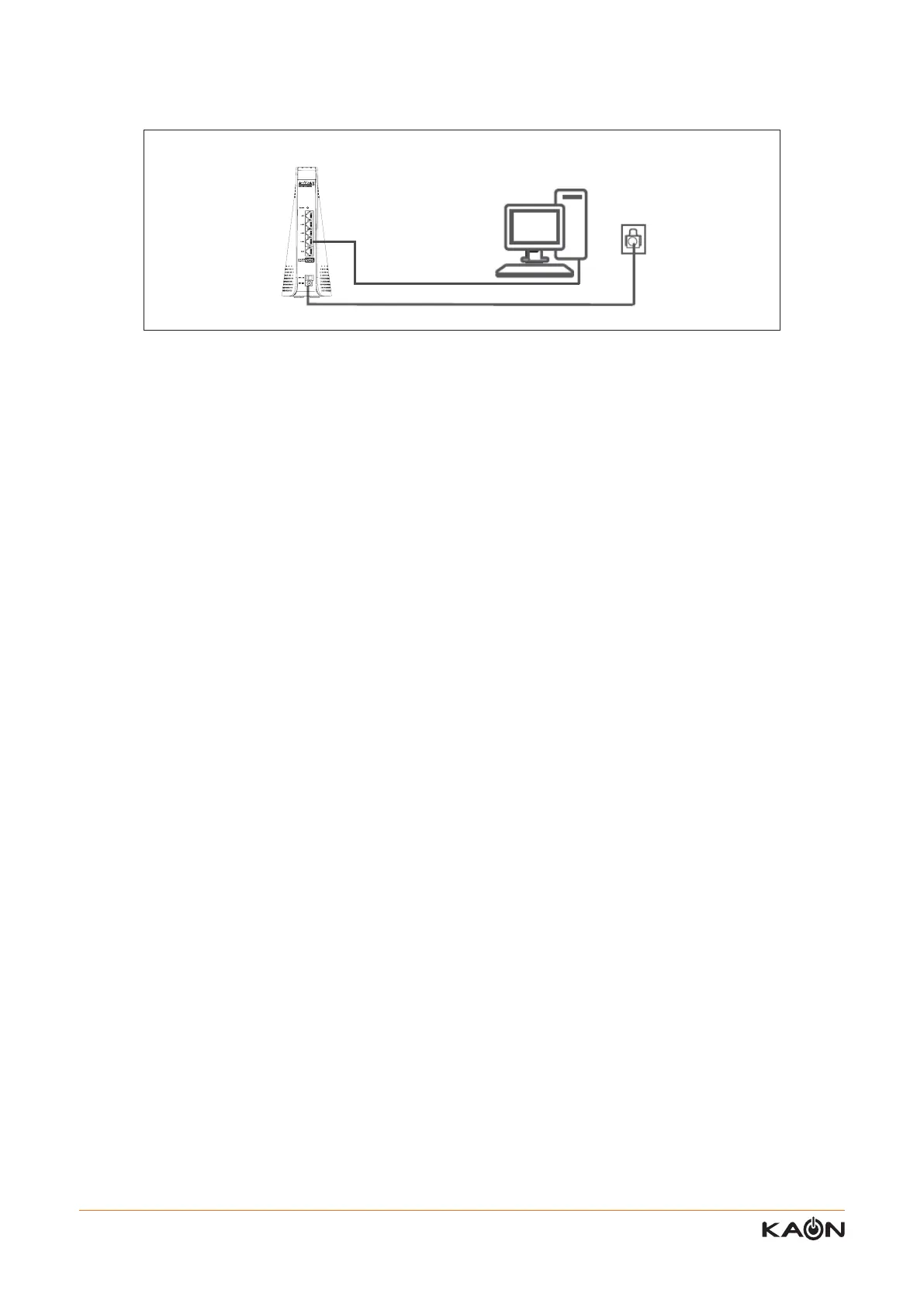
You can connect your computer to the router using an Ethernet cable and join the router’s local area network (LAN)
3. To connect your computer to the router using Ethernet cable:
1) Make sure power is supplied to the router. (its Power LED is lit green)
2) Connect the supplied Ethernet cable to an Ethernet port on your computer.
3) Connect the other end of the Ethernet cable to one of the numbered Ethernet ports.
4) Your computer connects to the local area network (LAN). A message may be displayed on your computer screen to
notify you that network is connected.
After completing the set-up process to connect your computer to the AR2146, you can log-in the AR2146. Please refer
to the information from the next page.
Completing Conguration Set-up



 To Next Page