7 Kaonmedia Proprietary and Condential. Copyright 2017 KAON MEDIA CO., LTD. All Rights Reserved.
2.3. Product Interfaces
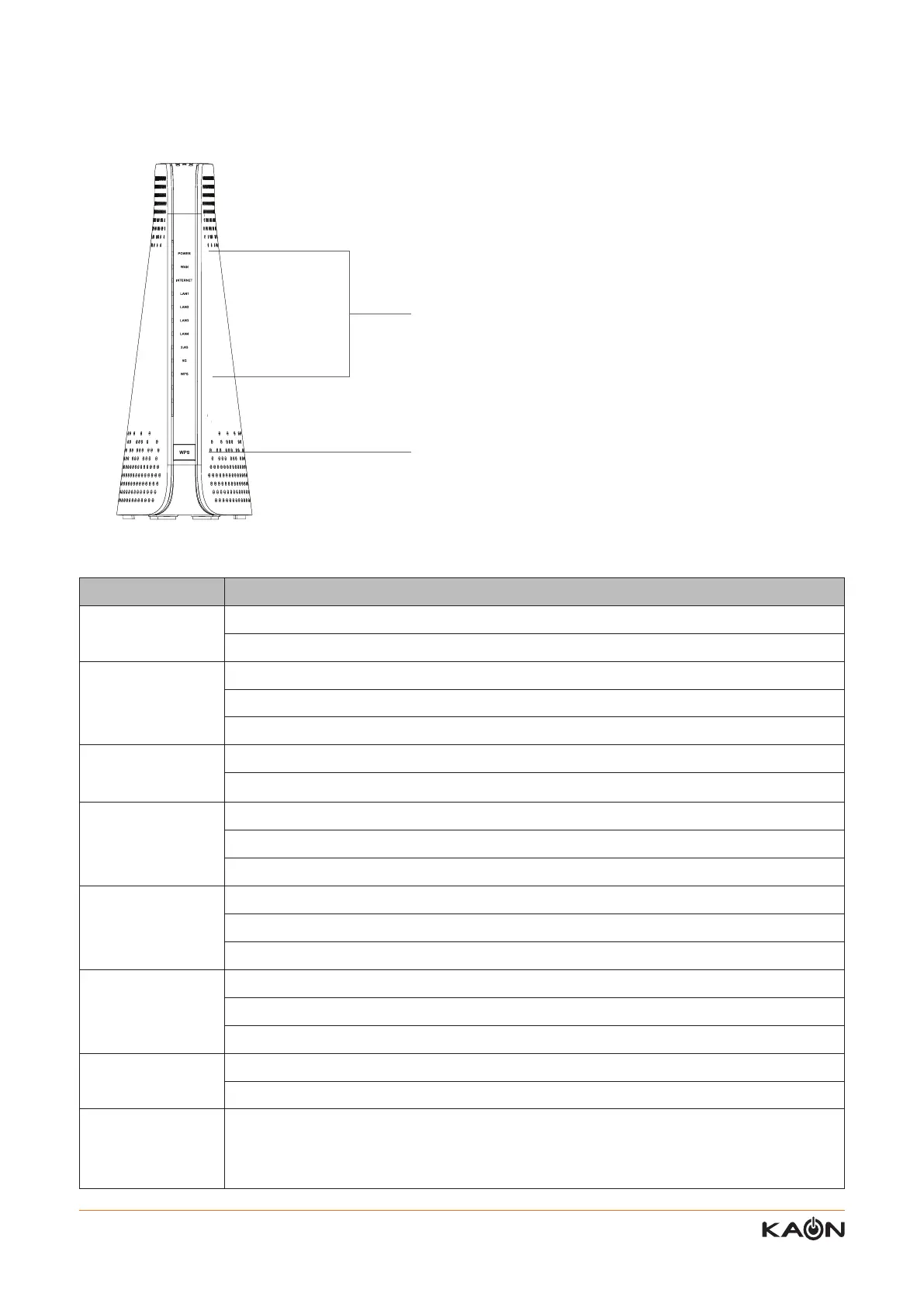
LED Description
POWER LED
Solid green – AP Router is ready
O - Power is not supplied to the router
WAN LED
Solid green - WAN interface enabled
Blinking - WAN port is sending or receiving data
O - WAN interface disabled
INTERNET LED
Solid green – The Internet connection is ready
O - Internet service is not available
LAN 1~4 LED
Solid green – A powered-on device is connected to the LAN port
Blinking - The LAN port is sending or receiving data
O – No device is connected to this LAN port
2.4G WiFi LED
Solid green – The 2.4GHz radio is operating
Blinking – The router is sending or receiving WiFi trac
O - The 2.4GHz radio is o
5G WiFi LED
Solid green – The 5GHz radio is operating
Blinking – The router is sending or receiving WiFi trac
O - The 5GHz radio is o
WPS LED
Blinking – The WPS LED blinks green during WPS process and then lights solid green
O - WPS connected successfully or connection timed out
WPS Button
This button lets you use WPS to join the Wi-Fi network without typing the Wi-Fi password
and selecting Encryption
Press and hold this button for about 2 seconds to enable the WPS function
LED & Button Descriptions
LED : Power, Wired, Wi-Fi connectivity indicator
WPS Button : For connecting Wi-Fi network without
typing the Wi-Fi password



 To Next Page