8 Kaonmedia Proprietary and Condential. Copyright 2017 KAON MEDIA CO., LTD. All Rights Reserved.
WPS LED Descriptions
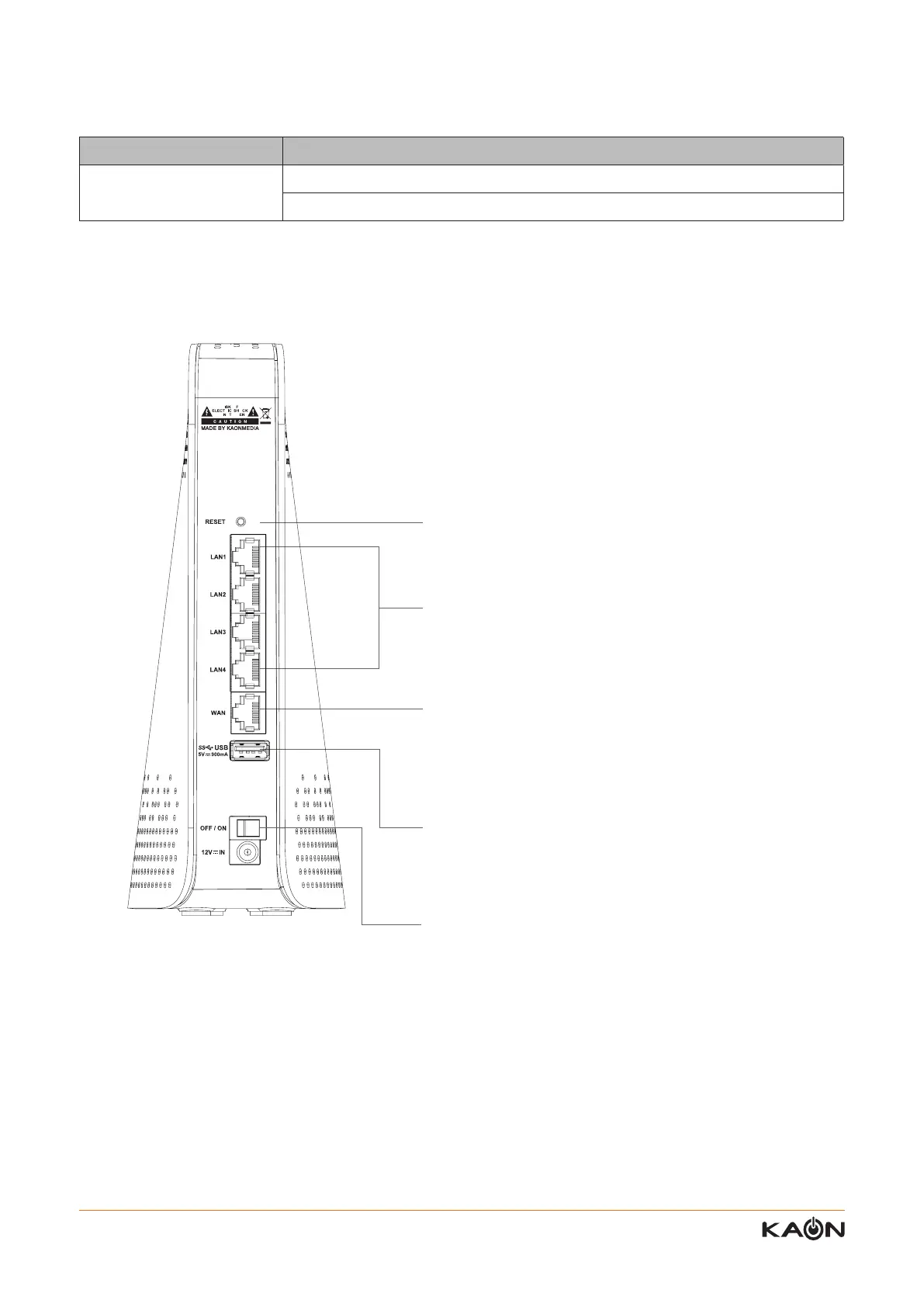
Back Panel
LED Description
WPS LED
High rate of blinking – Wi-Fi Mesh smart connecting
O - Power is not supplied to the router
Reset Button: For resetting AR2146 to factory default
settings.
Ethernet Ports: For connecting AR2146 to your home
gateway, the Ethernet outlet or other internet devices.
Internet port (WAN) : For connecting to an ISP modem,
Gateway, or router, or and internet jack directly.
USB 3.0 : For connecting a device via USB port. It is also
compatible with USB 2.0.
Power Connector: Plug in power adapter.



 To Next Page