30 Kaonmedia Proprietary and Condential. Copyright 2017 KAON MEDIA CO., LTD. All Rights Reserved.
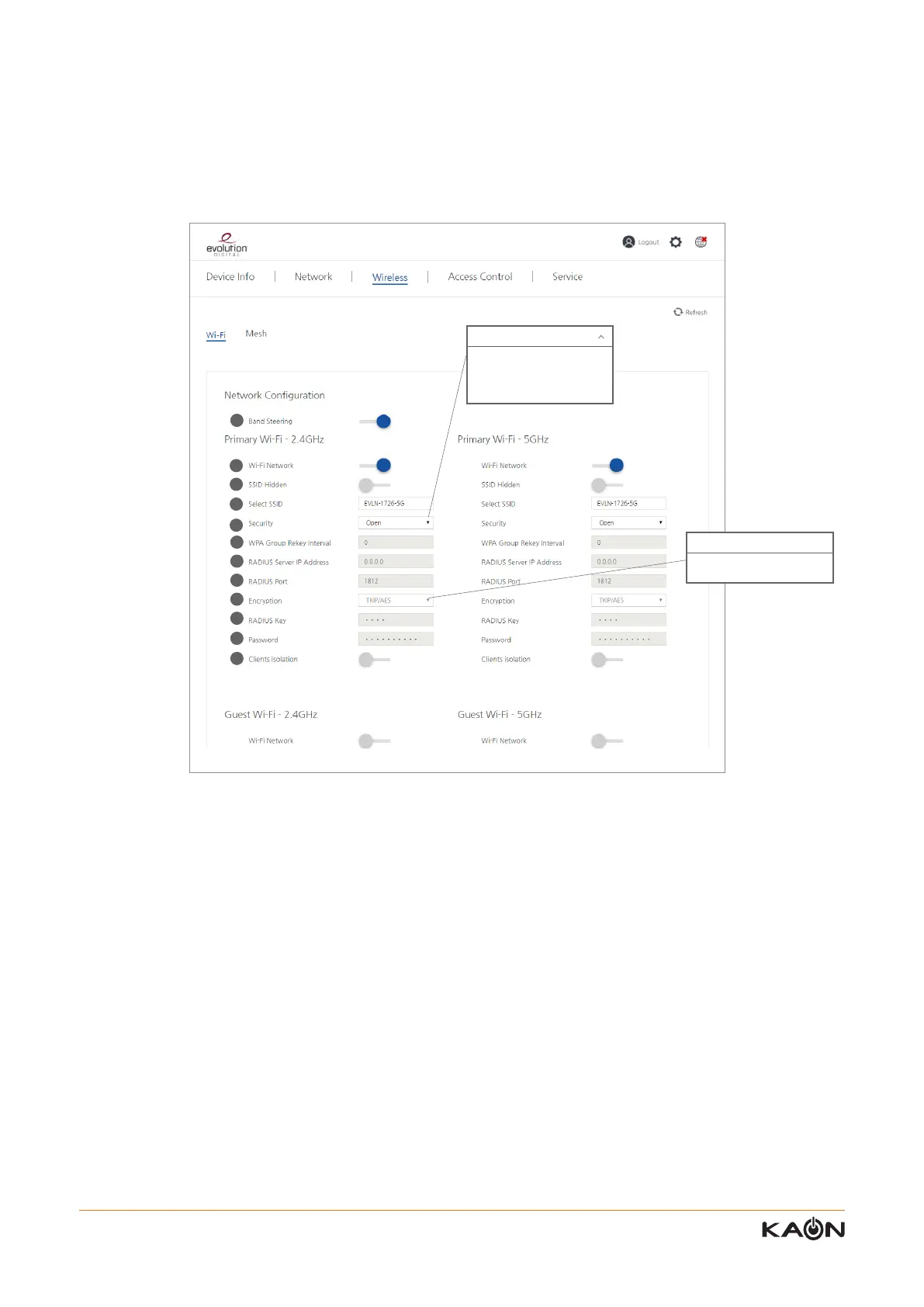
1) Band-steering
User can enable or disable band-steering function of this WiFi interface.
Once disabled, a user can make the SSID of 2.4GHz and 5GHz dierently.
When enabled, the SSID of 2.4GHz become the same name of the SSID of 5GHz.
2) WiFi network
User can enable or disable the Wi-Fi network
.
3) SSID hidden
User can hide the SSID
.
4) SSID
User can create the SSID
.
5) Security
User can select one of the following security mode: Open, WPA2-enterprise, WPA2-PSK, WPA/WPA2 encryption
.
6) WPA group rekey interval
User can congure the WPA group key renewal time.
“0” means the key is not being regenerated
The unit is second
.
7) Radius server IP address
User can congure the IP address of the radius server
.
User can congure Wi-Fi network by frequency band, 2.4GHz and 5GHz. In addition, the user can manage Guest Wi-Fi
by frequency band.
* 2.4GHz and 5GHz conguration menus are same.
9.1.1 Wi-Fi – Primary Wi-Fi 2.4GHz & 5GHz Setting
Open
Open
WPA2-enterprise
WPA2-PSK
WPA/WPA2 encryption
AES
AES
TKIP/AES
1
2
3
4
5
6
7
8
9
10
11
12



 To Previous Page