NT30D Technical Reference and User Guide
12
PROGRAM FEATURES
MENUS
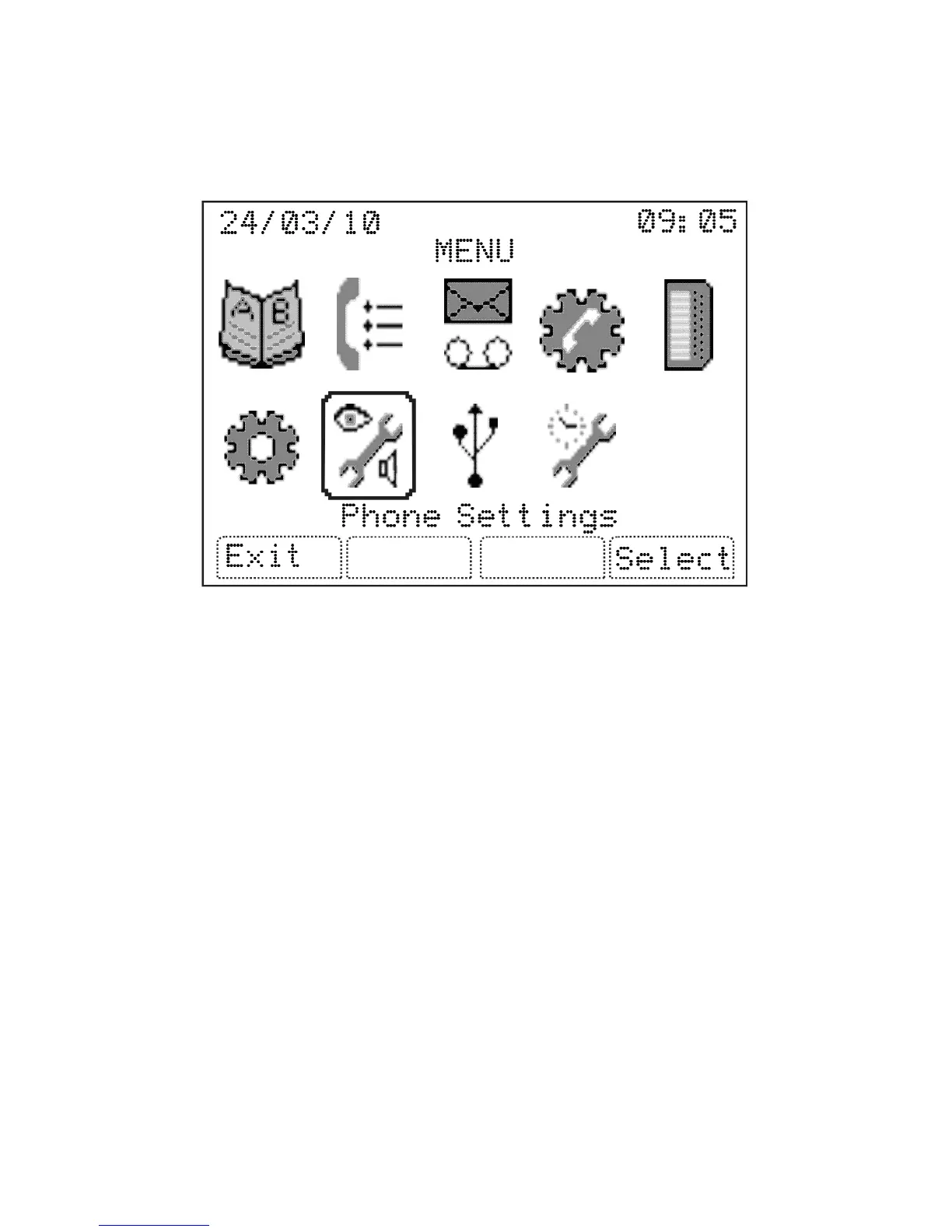
User can enter the menu by pressing the ‘MENU’ special function key. After pressing the
‘MENU’ key, first the icons of main menus are shown (this view can be changed through
the Phone Settings). The navigation keys can be used to move between these icons and
the menu title of each icon is displayed on the bottom of the screen. By pressing ‘OK’ key,
the submenu titles of a menu can be listed.
The programming features consist of 9 main menus and their submenus:
PHONE BOOK
• Add New Record
• Edit
• Delete Record
• Delete All Records
CALL LOGS
• Dialed
• Answered
• Missed Calls
• Last Call Duration
• Total Call Duration
• Last Call Price
• Total Call Price
• Failed Wakeups
• System Alarms



 To Next Page