4
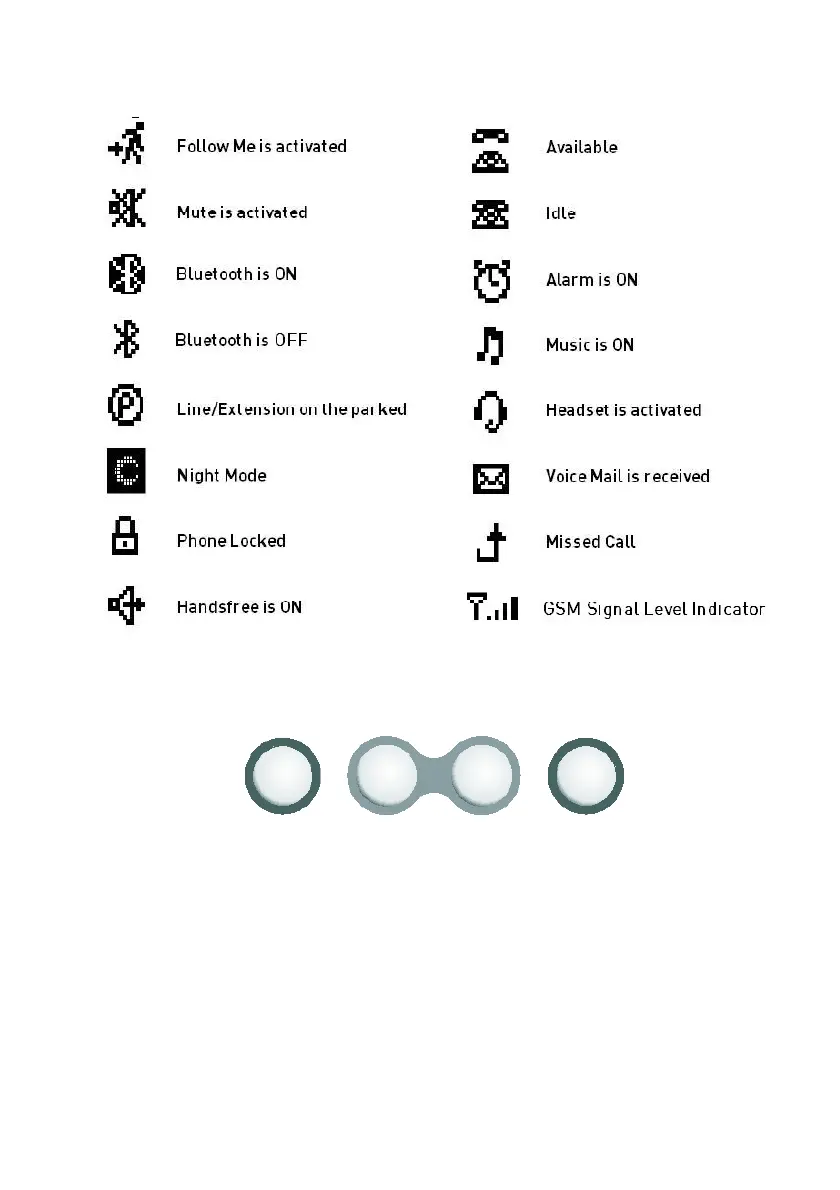
ICONS
DISPLAY KEYS
These keys are located below the display and they play an important role in usage of
ST30. Actions that can be carried out and/or information that can be received by a user
while:
- a call / conversation is being made
- the telephone is being programmed
- the telephone is on hook
are presented through the display.
In order to carry out these actions and/or access that information, the keys are pressed
according to the options on the display. According to the information on the display, any
desired option can be easily accessed by pressing one of the selection keys. Besides,
it is possible to browse the menus flexibly by the navigation keys.



 To Next Page