10
2.7 - Test Mode continued:
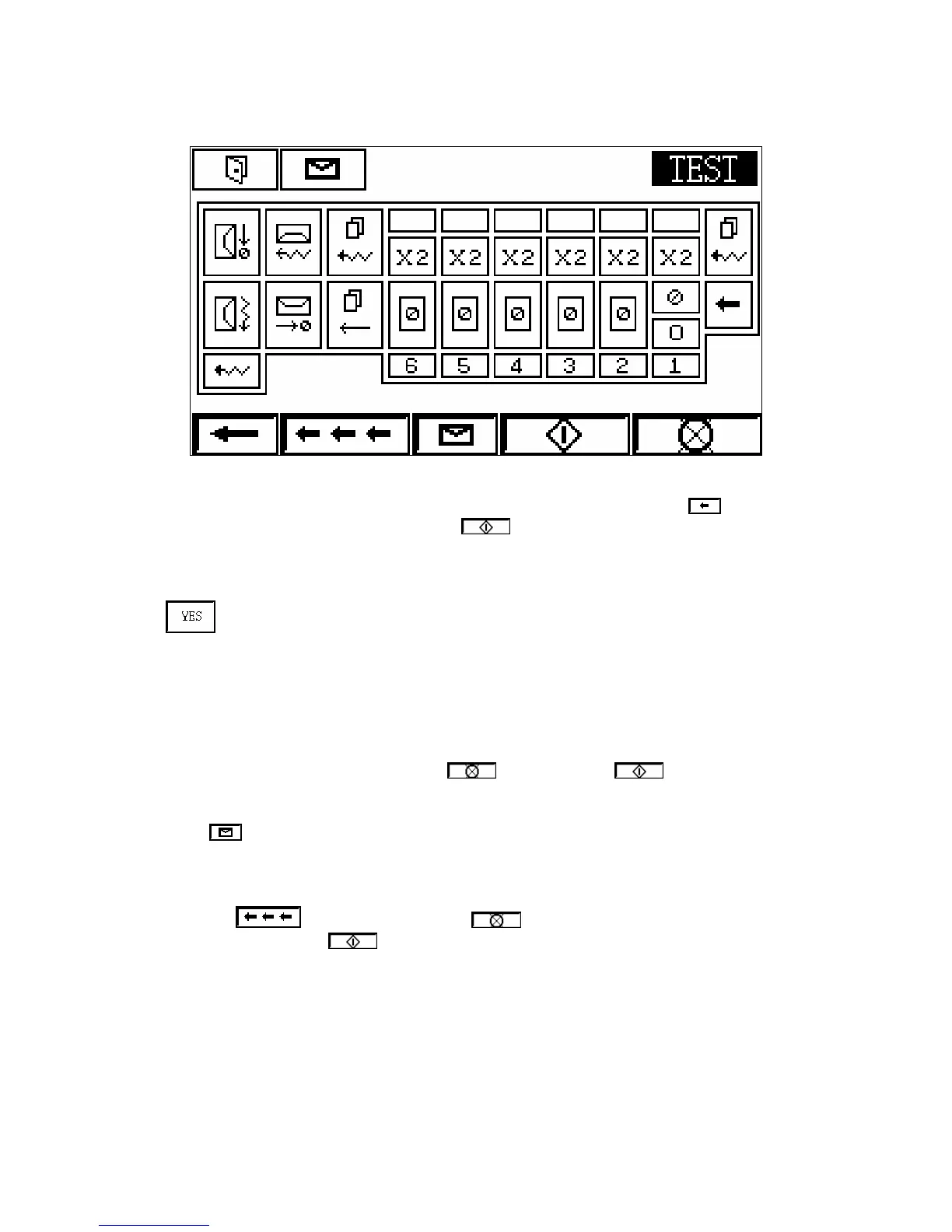
This screen shows a representational layout of the system feeders for test mode operation.
Each symbol represents a sensor that will flash if that fault occurs. Selecting will move
back to the Test Mode Control screen. Press (start) and the machine will begin to feed
one set of documents. (If ‘On-Line’ has been selected, a set of documents must be placed on
the end feed delivery table.)
If has been selected in Test Mode Control, the feeders will stop with one document
under the feed roller allowing the double sensor to be set. The corresponding lamp on the
screen will flash, indicating the appropriate sensor for adjustment. When the sensor requires
adjustment, the sensor indicator will light. When correctly set it will be off. Turn the
thumbscrew on the particular feeder anticlockwise until the double sensor indicator lights
(switch clicks). Then turn clockwise until indicator turns off (switch clicks). Then turn
further clockwise ¼ turn for single sheet 80gsm paper, or 1 turn for documents greater than
3mm. Once that sensor has been set, press (reset) and then (start) to continue
the test. Repeat this for each side station selected.
Pressing will allow an envelope to be fed without any inserts. This can only be done if
all stations are turned off.
A flashing lamp indicates that a specific error has occurred and this has to be rectified by
removing or inching the document. (Reset) can then be pressed to cancel
the flashing lamp and the (start) switch pressed to restart the machine. Test Mode will
end when one envelope has been filled with a set of documents and passed to the conveyor.



 To Next Page